Help Guide
Color Video Camera
BRC-AM7
Adjusting the Shutter Automatically
You can adjust the shutter automatically in response to the brightness of the image.
TP1001804535
5-065-326-11(1) Copyright 2024 Sony Corporation
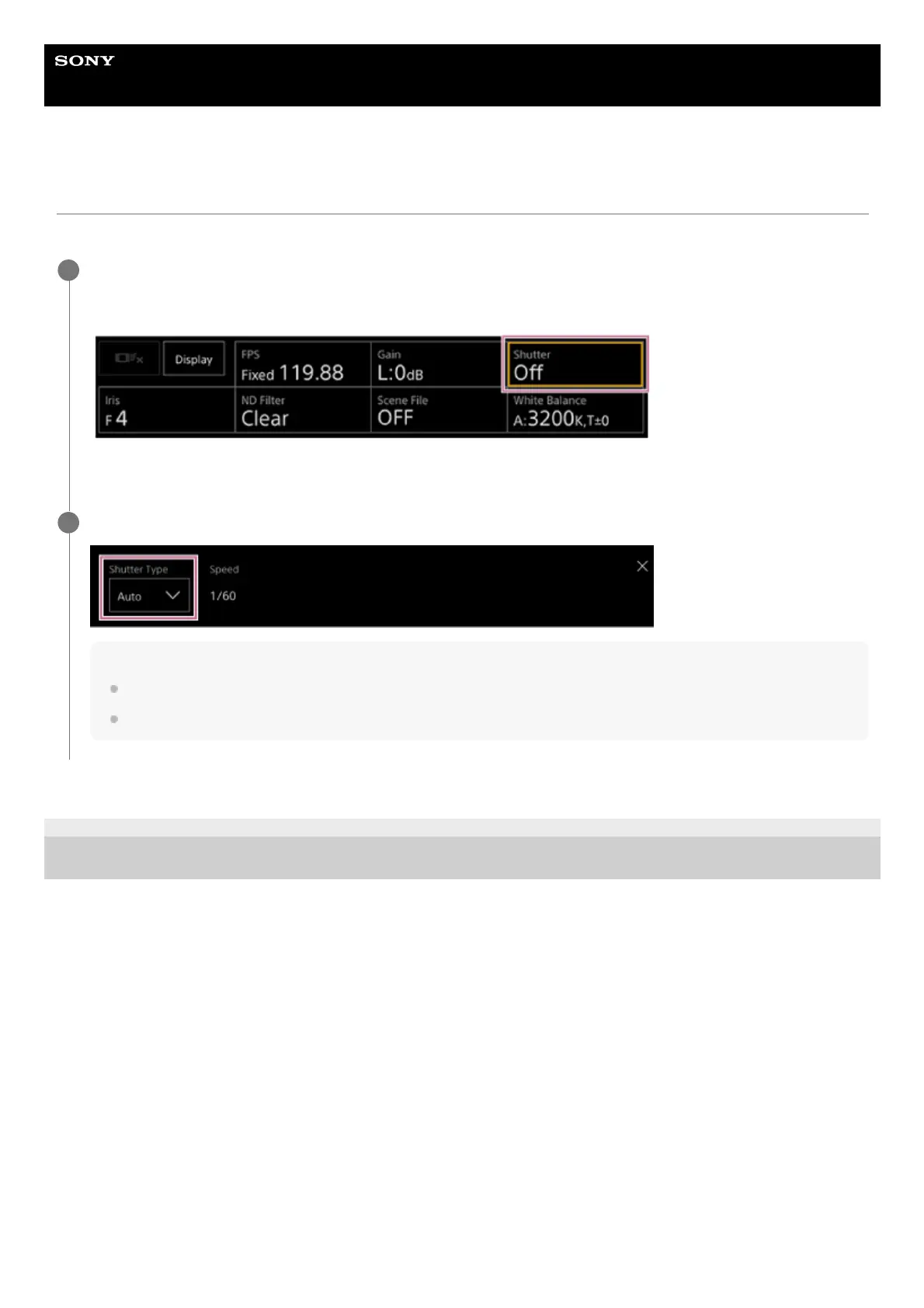
Press the [Shutter] button in the camera basic configuration panel.
The frame of the [Shutter] button changes to orange.
The Shutter adjustment panel appears.
1
Press the [Shutter Type] button and select [Auto] from the list.
Hint
You can also perform the same action by setting [Shooting] – [Auto Exposure] – [Auto Shutter] to [On] in the camera menu.
You can also assign [Auto Shutter] to an assignable button.
2



 To Next Page