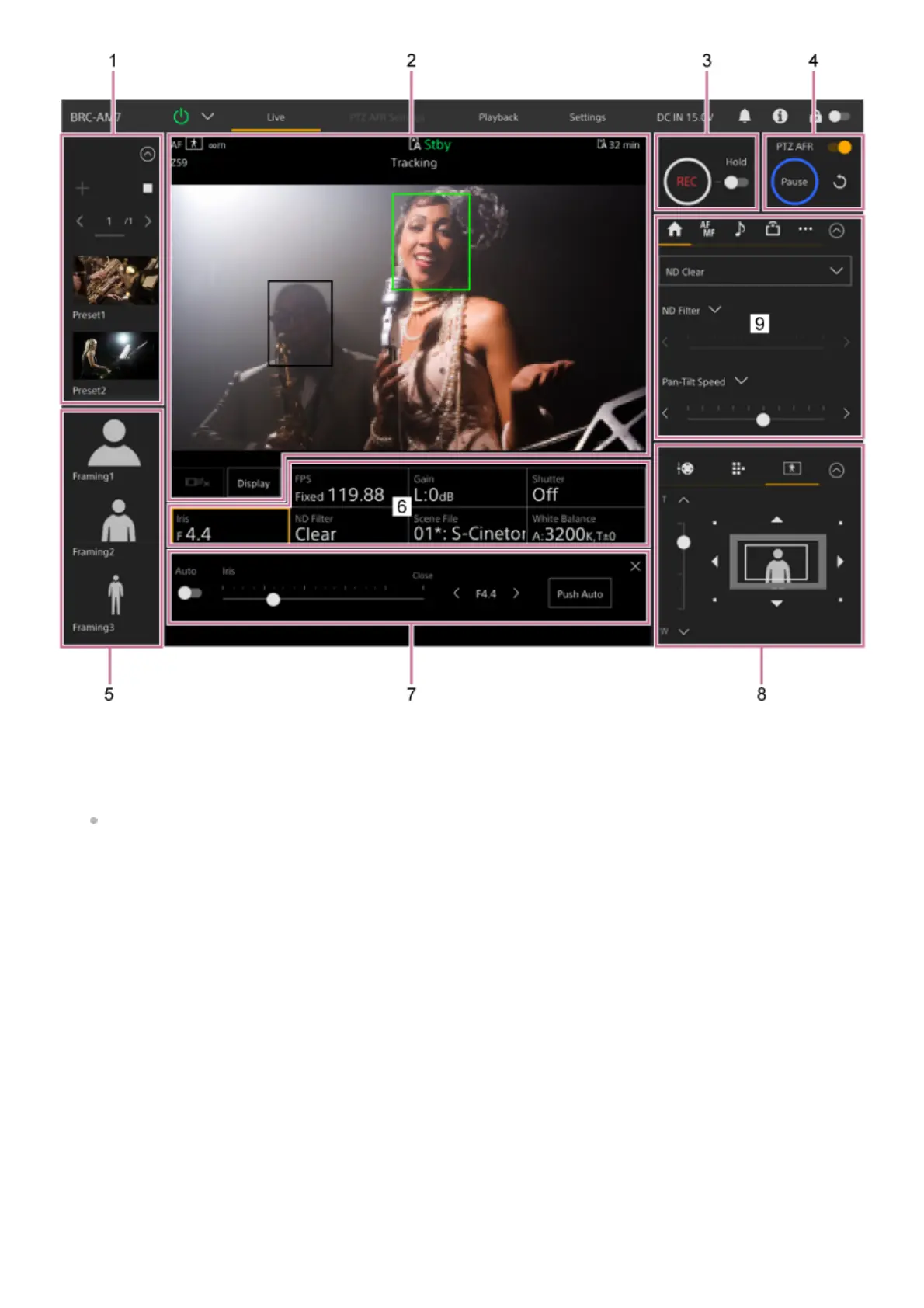
Preset position control panel
Displays the registered position of a preset using a thumbnail. Double-tap the thumbnail to return to the position stored in
the preset.
For details about preset position, see “Saving/Restoring Pan/Tilt, Zoom Position, and Focus Setting Using the Web
App.”
1.
Camera image panel
Displays the current camera image and the status of the unit.
It displays the same image as the HDMI output.
The following status is displayed above the image. Also displays a red, green, or yellow frame around the image
according to the received external tally signal.
2.



 To Next Page