26
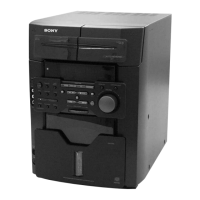
HCD-M90
[DVD TRAY LOCK MODE]
•This mode is used to unable to take sample disc out of tray in
the shop.
Procedure:
1. Press the I/1 key to turn the power ON.
2. Press the [FUNCTION] key to select “DVD”.
3. While pressing the x key, press the Z DVD key.
4. The message “LOCKED” is displayed on the liquid crystal
display and the tray is locked. (Even if pressing the Z DVD key,
the message “LOCKED” is displayed on the liquid crystal
display and the tray is locked)
6. To release from this mode, while pressing the x key, press
the Z DVD key again.
7. The message “UNLOCKED” is displayed on the liquid crystal
display and the tray is unlocked.
[DVD COLOR SYSTEM NTSC]
•The color system can be changed over NTSC or PAL.
Procedure:
1. Press the I/1 key to turn the power ON.
2. Press the [FUNCTION] key to select “DVD”.
3. While pressing the x key, press the I/1 key.
4. Press the I/1 key to turn the power ON. The color system is
changed over.
[TUNER STEP CHANGE]
•A step of AM channels can be changed over between 9 kHz and
10 kHz.
Procedure:
1. Press the I/1 key to turn the power ON.
2. Press the [FUCTION] key to select “TUNER” and press the
[TUNER AM] key to turn the “AM”.
3. Press the
I/1 key to turn the set OFF.
4. While pressing [REPEAT/FM MODE] key, and press the I/1 key
and the display of liquid crystal display changes to “AM 9K
Step” or “AM 10K Step”, and thus the channel step is changed
over.
w
w
w
.
x
i
a
o
y
u
1
6
3
.
c
o
m
Q
Q
3
7
6
3
1
5
1
5
0
9
9
2
8
9
4
2
9
8
T
E
L
1
3
9
4
2
2
9
6
5
1
3
9
9
2
8
9
4
2
9
8
0
5
1
5
1
3
6
7
3
Q
Q
TEL 13942296513 QQ 376315150 892498299
TEL 13942296513 QQ 376315150 892498299
http://www.xiaoyu163.com
http://www.xiaoyu163.com







 To Next Page