11
11
Preparing the Recorder
Index
Table of
Contents
ModelName: ICD‑TX50
PartNumber: 4‑300‑042‑11(1)
microSD card indication
Appears when a microSD card is
inserted and “Select Memory” in the
menu is set to “microSD Card.”
W
h
en “Built‑In Memory” is
selected, no indication is displayed.
Battery indicator
Displays the remaining battery
power. As the battery power is
depleted, the bars of the icon
disappears, one by one.
Progress bar (time line)
Displays the current stop or
playback position as a marker on the
time line from the left start point to
the right end point of the current
file.
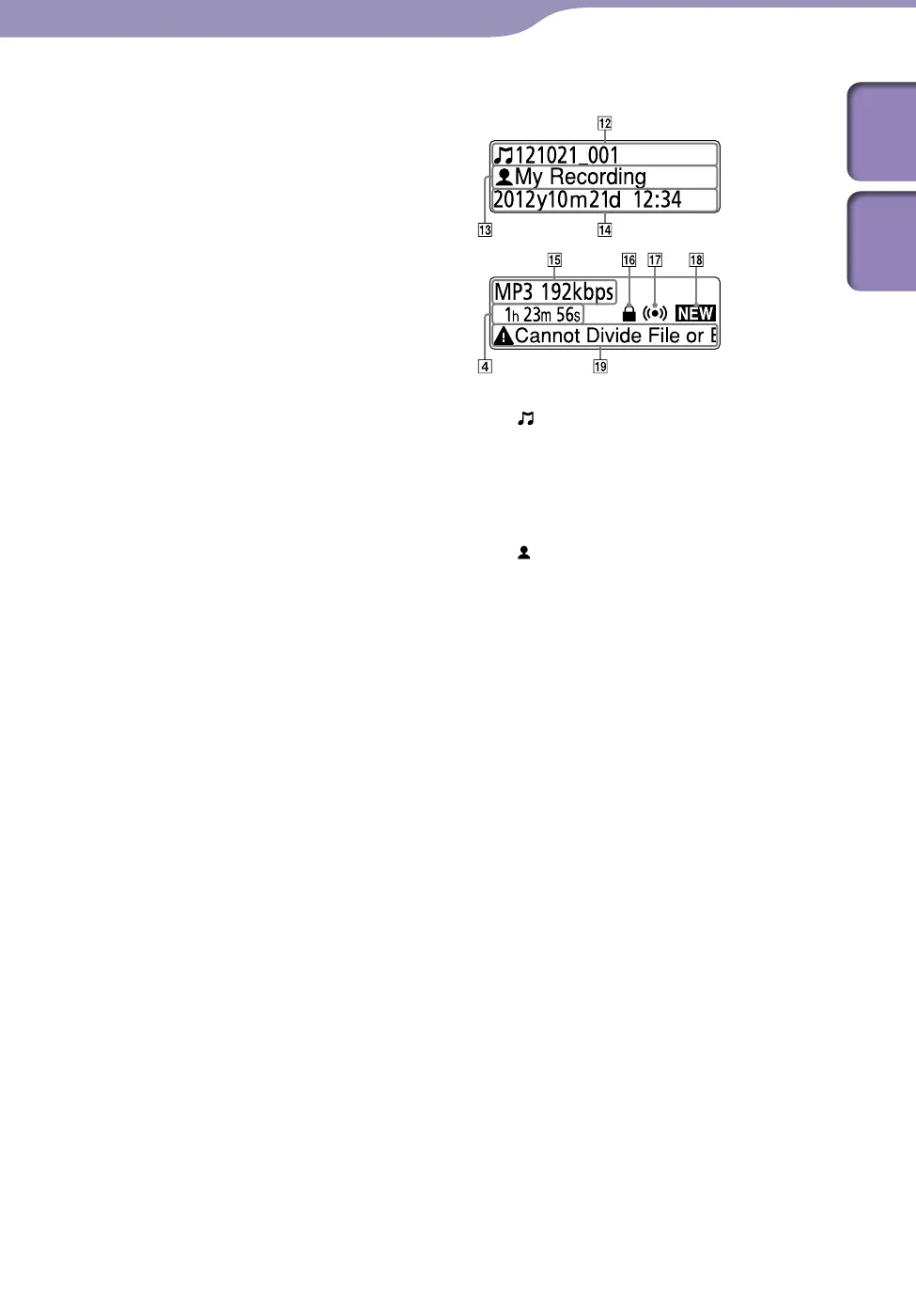
Display of current file information
Title name indication
Recorded date(year/month/day)_
number (e.g., 121021_001) or a
registered title name
Artist name indication
Artist name (e.g., My Recording) or
a registered artist name.
Recorded date and time
indication
Displays the recorded date (year/
month/day) and time (hour/
minute).
File format indication
The file format and other pieces of
information such as bit rate, “VBR,”
or “MONO” are displayed. When
the IC recorder cannot get the file
format information of a file, the file
format is displayed a
s “
‑‑‑ ‑‑‑‑.”
Protect indicator
Appears when protection is set for a
file.
Alarm indicator
Appears when an alarm is set in a
file.
Continued



 To Next Page