51
51
Playing Files
Index
Table of
Contents
ModelName: ICD‑TX50
PartNumber: 4‑300‑042‑11(1)
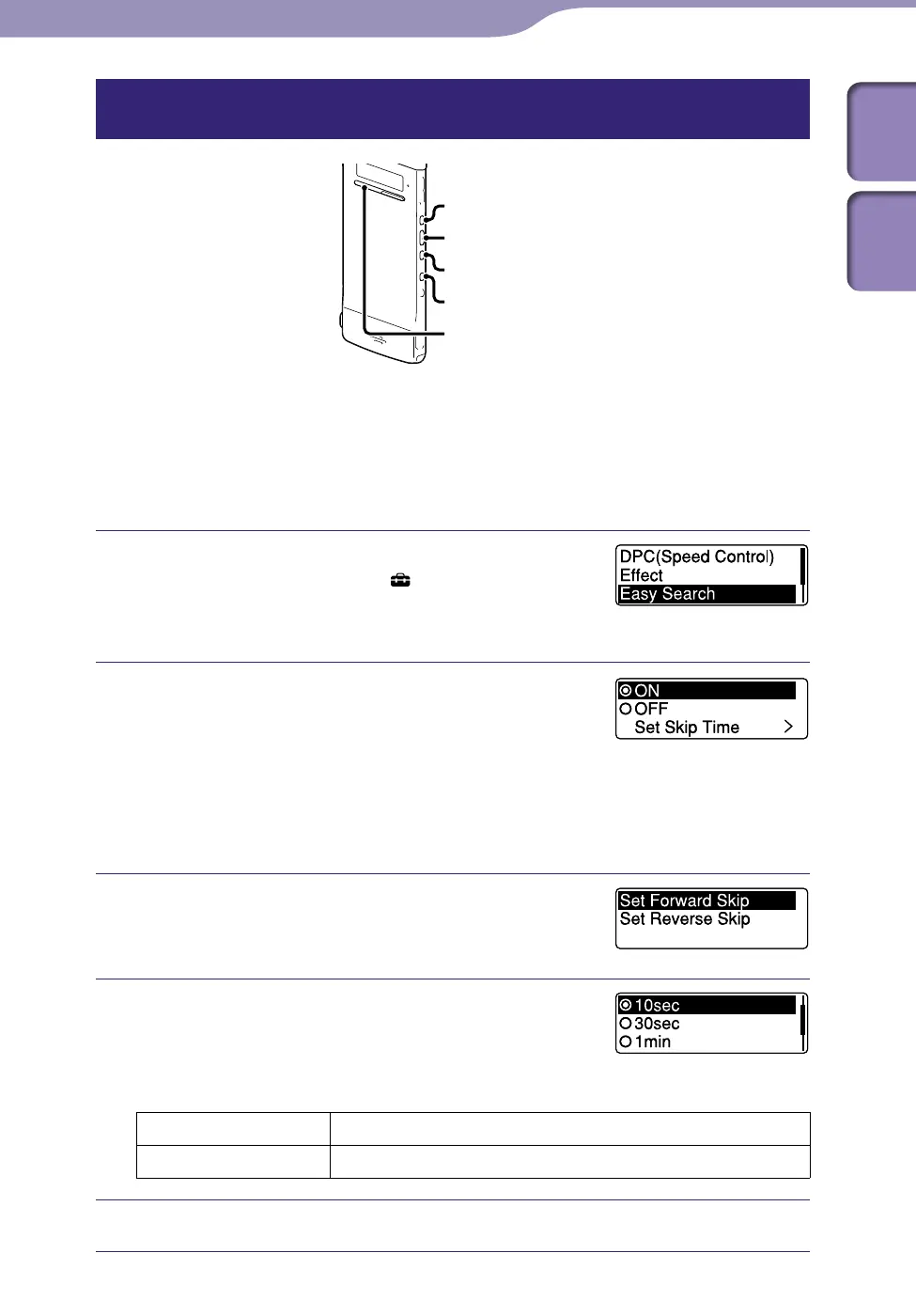
Locating the point you wish to start playback quickly – the Easy Search
function
ST
OP
BACK/HOME
/ENT
When “Easy Search” is set to “ON” in the menu, you can go back for the
specified reverse skip time by pressing once, and can go forward for the
specified forward skip time by pressing once during playback. This
function is useful for locating a specific point in a long recording such as one
made at a meeting.
Press and hold BACK/HOME to display the
Home menu, then select “
Settings”
”Playback Settings,”
”Easy Search,” and
then press /ENT.
To go forward or backward for the
specified skip time, press or
to
select “ON,” and then press /ENT. Skip to
st
ep 5.
To change the time to go forward or backward
when searching, press or to select
“Set Skip Time,” and then press /ENT.
Press or to select “Set Forward
Skip” or “Set Reverse Skip,” and then press
/ENT.
Press or to select the skip time,
and then press /ENT.
Hint
To adjust both the forward and backward skip times, repeat steps 1 through 4.
Forward Skip 5sec, 10sec, 30sec, 1min, 5min, or 10min
Reverse Skip 1sec, 3sec, 5sec, 10sec, 30sec, 1min, 5min, or 10min
Press STOP to exit the menu mode.



 To Next Page