63
63
Editing Files
Index
Table of
Contents
ModelName: ICD‑TX50
PartNumber: 4‑300‑042‑11(1)
Dividing a File
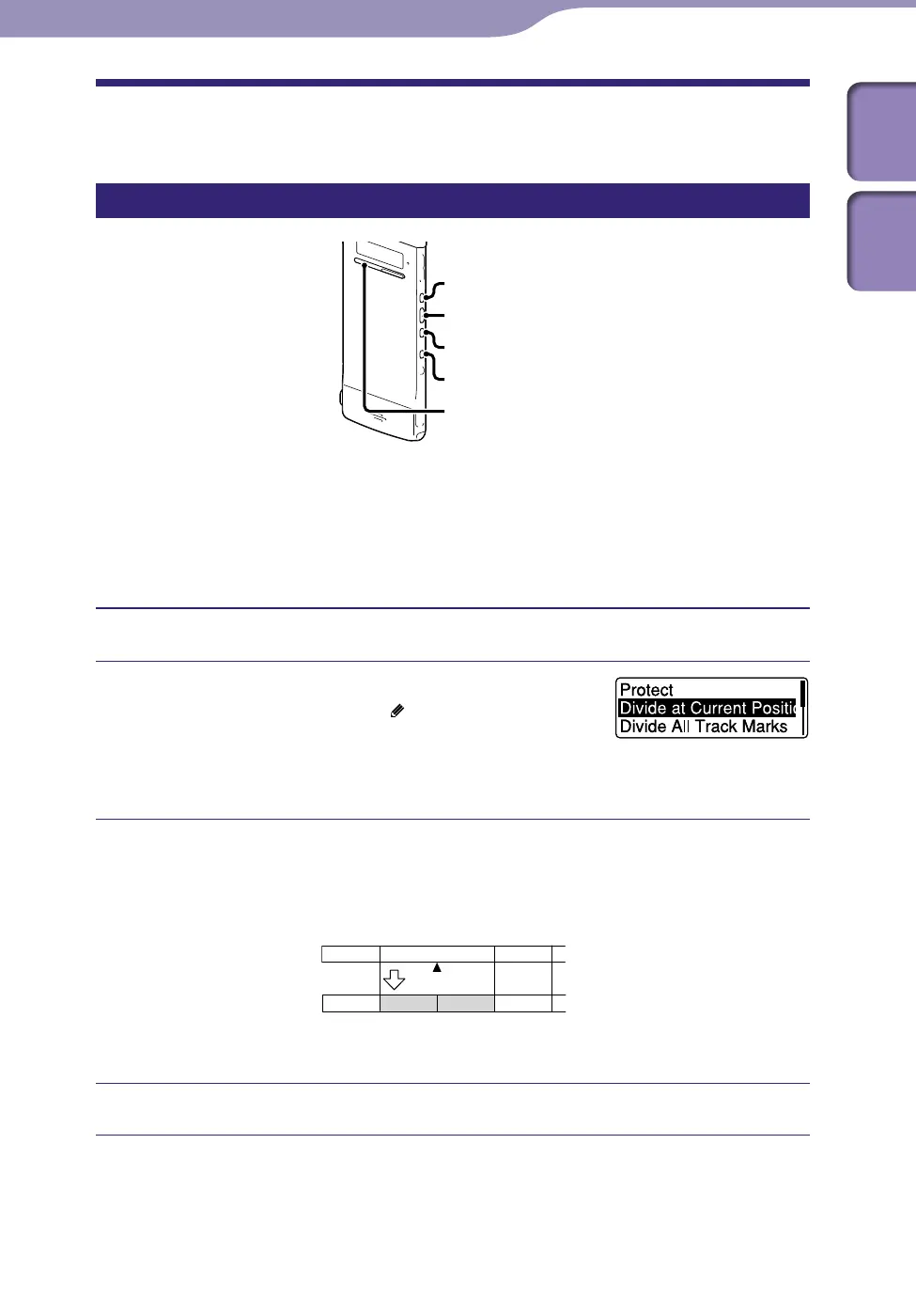
Dividing a file at the current position
ST
OP
BACK/HOME
/ENT
You can divide a file in the stop mode, so that the file is divided into two parts
and new file numbers are added to the divided file names. By dividing a file,
you can easily find the point from which you want to play back when you make
a long recording such as one made at a meeting. You can divide a file until the
total number of files in the folder reaches the maximum number allowed.
Stop the file at the position where you want to divide a file.
Press and hold BACK/HOME to display the
Home menu, then select “
Edit”
“Edit
Files”
“Divide at Current Position,” and
then press /ENT.
“Divide at Current Position?” will be displayed.
Press or to select “YES,” and then press /ENT.
The “Please Wait” animation appears, and the file is divided. The divided
files will be suffixed with a sequential number (“_1” for the original file,
and “_2” for the new file).
A file is divided.
File 1 File 2 File 3
File 2_2File 2_1File 1 File 3
A suffix made up of a sequential number is
added to a file name of the divided files.
Press STOP to exit the menu mode.
To cancel dividing
Select “NO” in step , and then press /ENT.



 To Next Page