34
34
Preparing the Recorder
Index
Table of
Contents
ModelName: ICD‑TX50
PartNumber: 4‑300‑042‑11(1)
Selecting the memory
ST
OP
BACK/HOME
/ENT
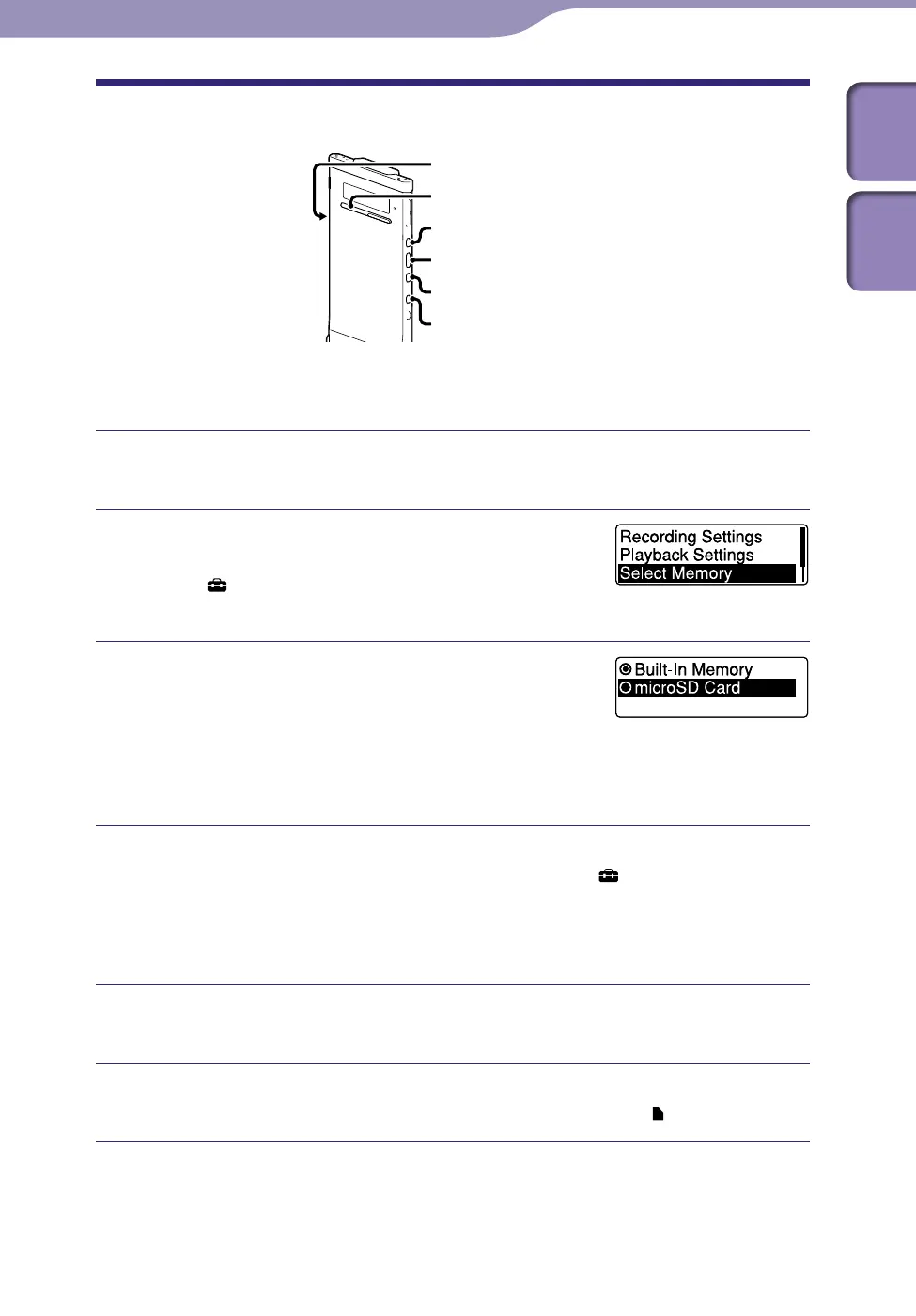
microSD card slot
You can switch the memory between the built‑in memory and a microSD card
by using the menu:
To switch the memory to the microSD card, insert a microSD card
into the microSD card slot (
p
. 32).
In the stop mode, press and hold BACK/
HOME to display the Home menu, then
select “
Settings”
”Select Memory,” and
then press /ENT.
Press or to select “microSD Card”
or “Built-In Memory,” and then press
/ENT.
If you select “microSD Card” and the microSD
card has not been formatted, proceed to the
next step. Otherwise, proceed to step 6.
When the microSD card is not formatted, press and hold BACK/
HOME to display the Home menu, then select “
Settings”
”Common Settings”
“Format,” and then press /ENT.
“All Data in microSD Card Will be Erased” is displayed. Then “Execute?”
will be displayed.
Press or to select “YES,” and then press /ENT.
The “Please Wait” animation appears, and the microSD card is formatted.
Press STOP to exit the menu mode.
When you select “microSD Card,” the microSD card icon
is displayed.



 To Next Page