41
41
Recording Files
Index
Table of
Contents
ModelName: ICD‑TX50
PartNumber: 4‑300‑042‑11(1)
Changing the Scene Select settings
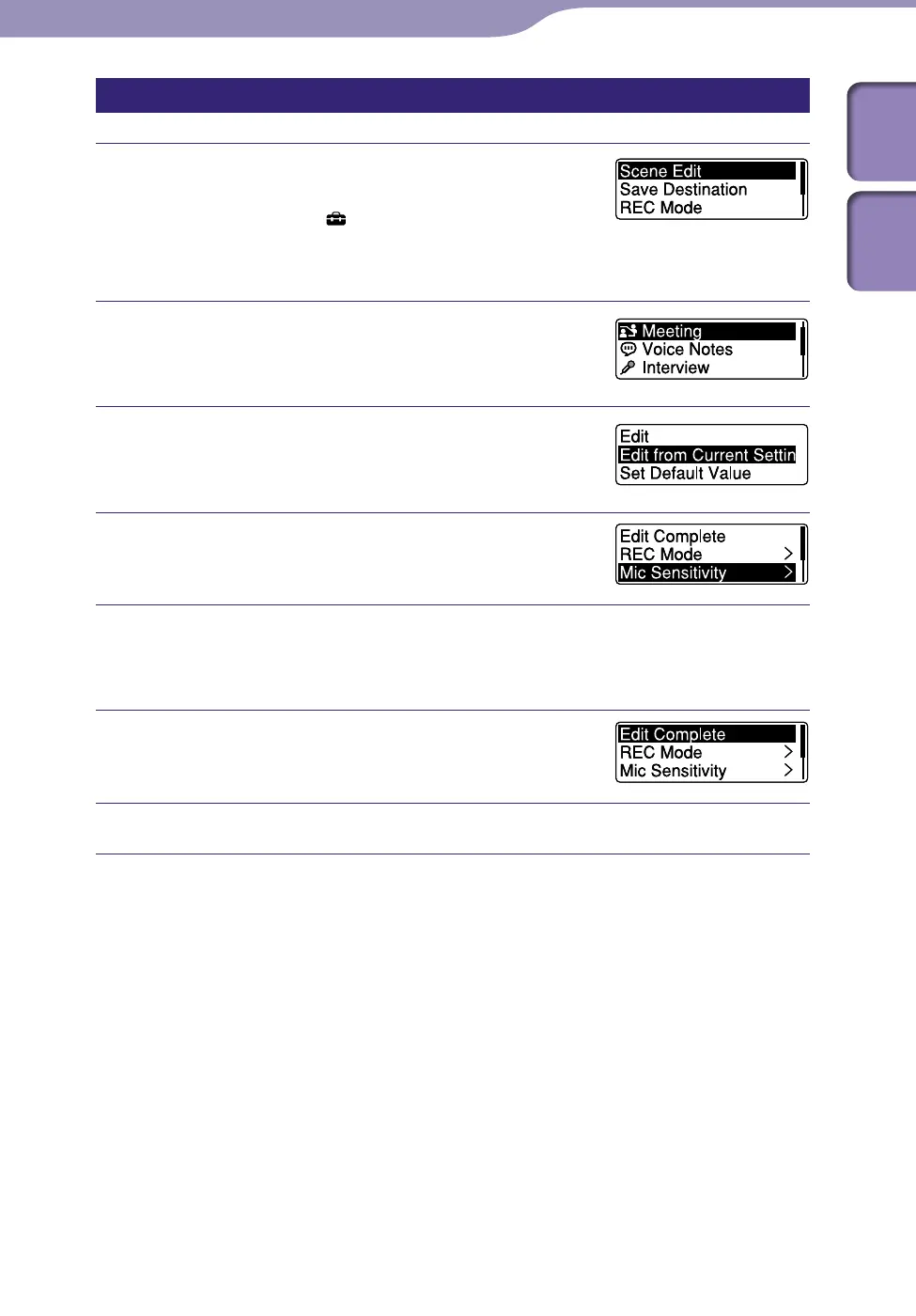
In the stop or playback mode, press and
hold BACK/HOME to display the Home
menu, then select “
Settings”
”Recording Settings”
”Scene Edit,” and
then press /ENT.
Press or to select the scene you
want to change the settings, and then
press
/ENT.
Press or to select “Edit” or “Edit
from Current Setting,” and then press /
ENT.
Press or to select the item you
want to change, and then press /ENT.
Press or to select a setting item, and then press /ENT.
For details on the menu items and settings, see “Menu Settings.”
(
p
. 72 –
73)
Press or to select “Edit Complete,”
and then press /ENT.
Press STOP to exit the menu mode.



 To Next Page