52
52
Playing Files
Index
Table of
Contents
ModelName: ICD‑TX50
PartNumber: 4‑300‑042‑11(1)
Playing Back a File at a Desired Time with an
Alarm
ST
OP
BACK/HOME
/ENT
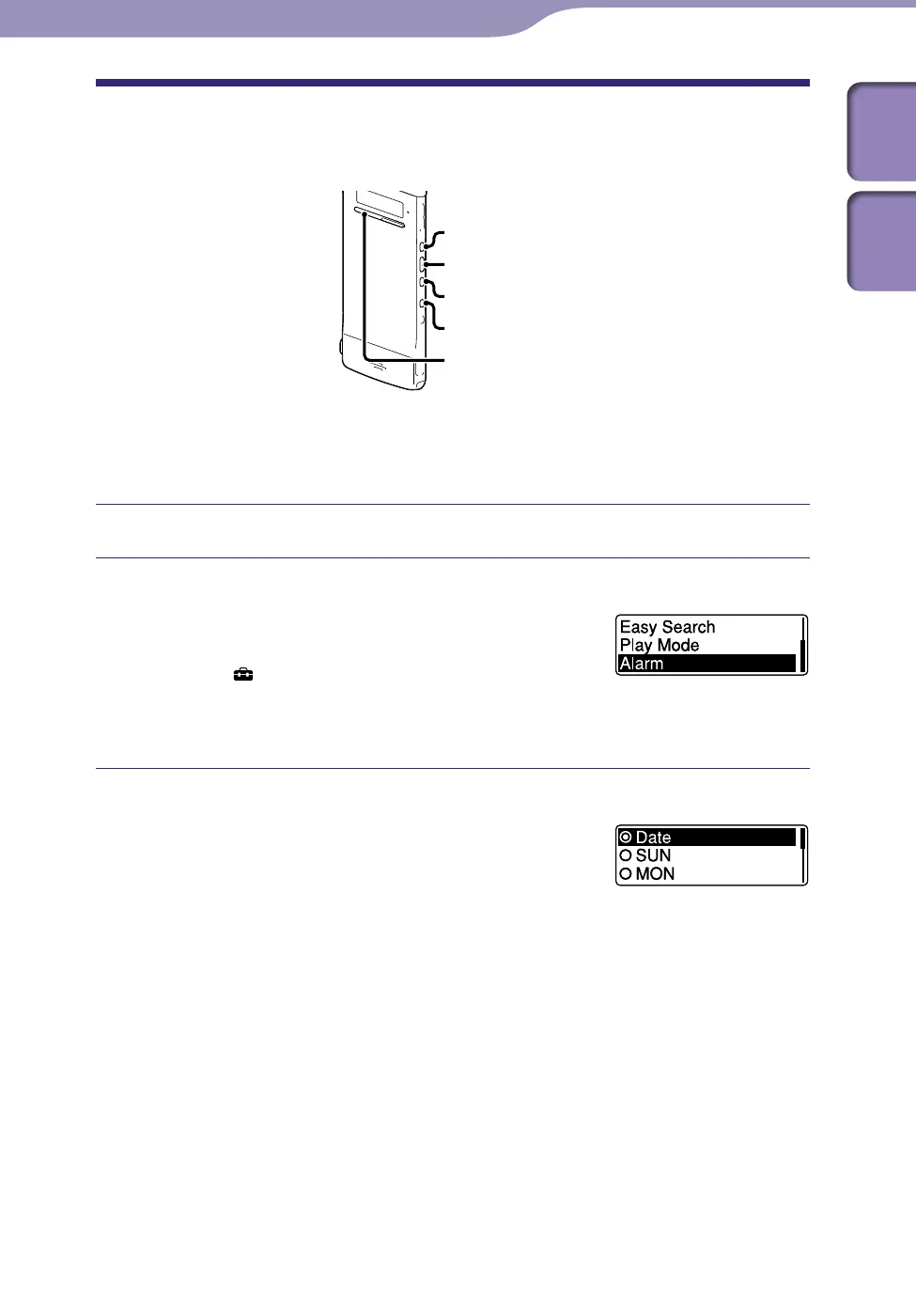
You can sound an alarm and start playback of a selected file at a desired time.
You can have a file played back on a specified date, once every week, or at the
same time every day. You can set an alarm for a file.
Select the file you want to play back with an alarm.
Enter the alarm setting mode.
In the stop mode, press and hold BACK/
HOME to display the Home menu, then
select “
Settings”
”Playback Settings,”
“Alarm,” and then press /ENT.
Press or
to select “ON,” and then press /ENT.
Set the alarm date and time.
Press or to select “Date,” a day of
the week, or “Daily,” and then press
/ENT.
When you select “Da
te”:
Set the year, month, day, hour, and minute in sequence, as described in
“Setting the Clock” (
p
. 22).
When you select a day of the week or “Daily”:
P
ress or to set the hour, and then press /ENT. Press or
to set the minute, and then press /ENT.
You can move the cursor back to an item by pressing BACK/HOME.
Continued



 To Next Page