30
30
Preparing the Recorder
Index
Table of
Contents
ModelName: ICD‑TX50
PartNumber: 4‑300‑042‑11(1)
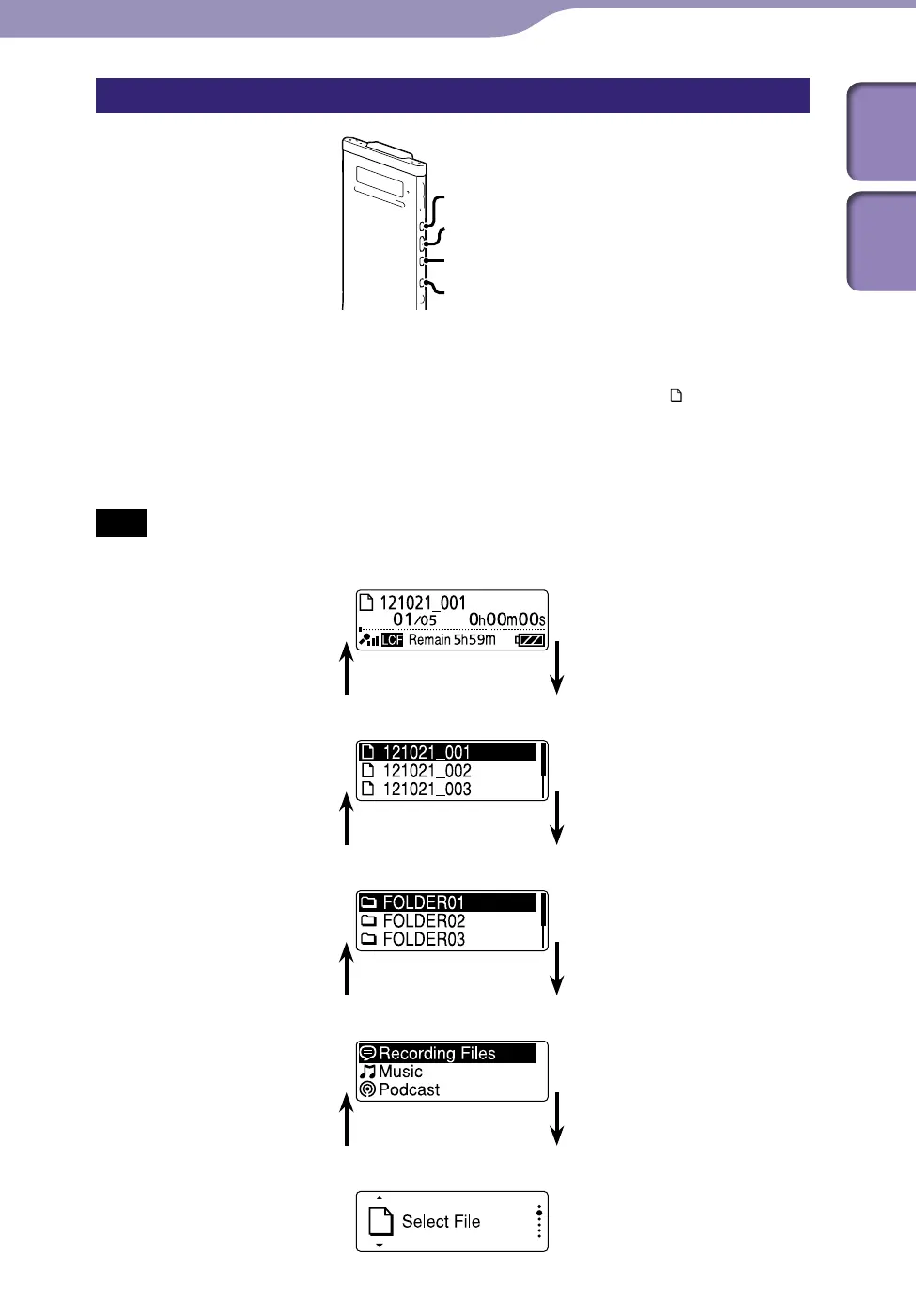
Selecting a file in the stop or playback mode window
BACK/HOME
/ENT
In the stop or playback mode, press BACK/HOME.
The file list of the current folder is displayed. By pressing BACK/HOME
repeatedly, you can display the folder list, category list, and the “
Select File”
window in sequence.
In each window, you can press or to select an item and then press
/ENT to confirm.
Note
When you display a folder list during playback, playback stops.
BACK/HOME
/ENT
File list
BACK/HOME
/ENT
Folder list
BACK/HOME
/ENT
Category List
BACK/HOME
/ENT
“Select File” window



 To Next Page