13
13
Preparing the Recorder
Index
Table of
Contents
ModelName: ICD‑TX50
PartNumber: 4‑300‑042‑11(1)
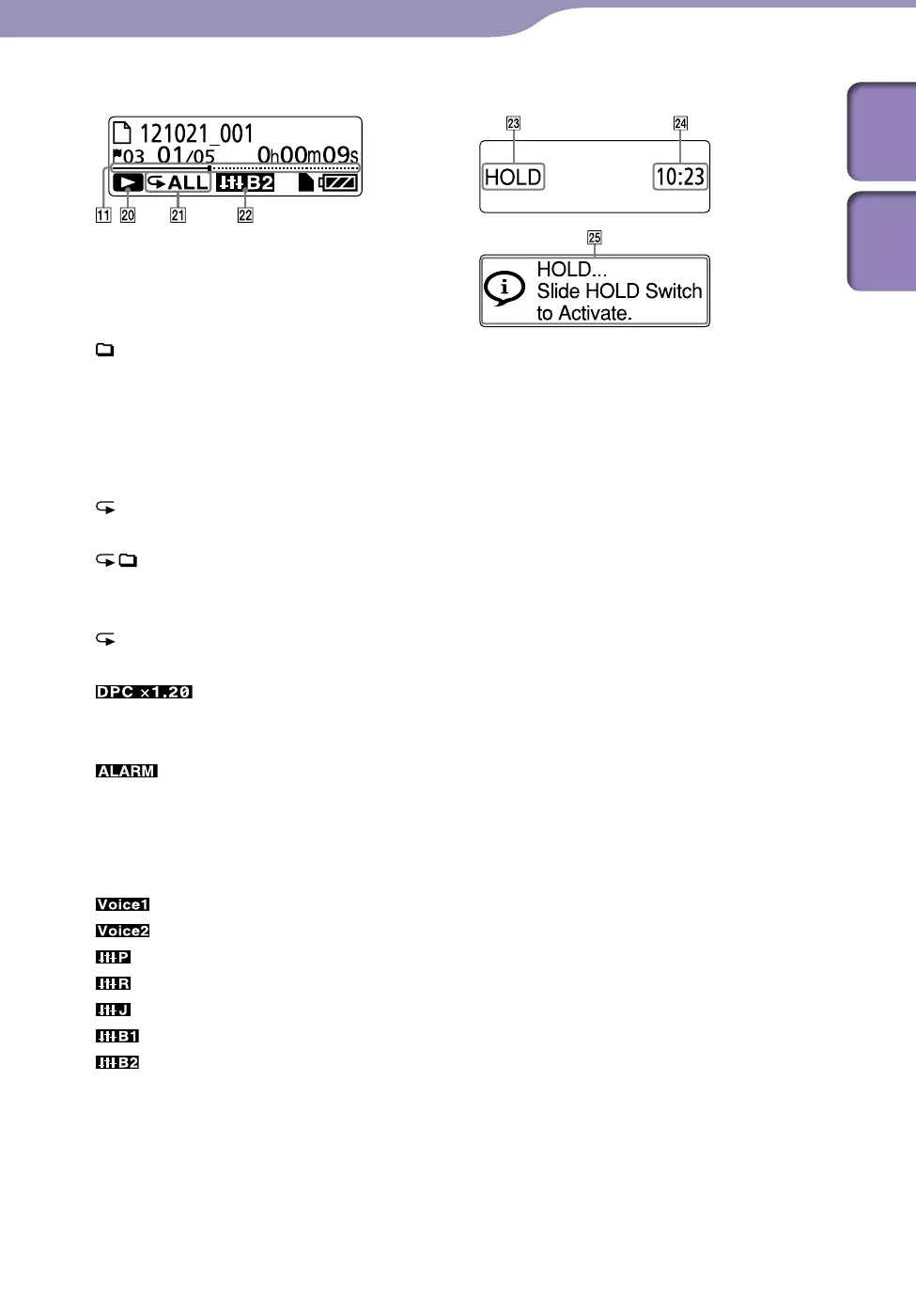
Display during playback
Play mode /DPC/Alarm indicator
1: Appears when a file is
played back.
: Appears when files in one
folder are played back
continuously.
ALL:
A
ppears when all the files
are played back
continuously.
1: Appears when one file is
played back repeatedly.
: Appears when files in one
folder are played back
repeatedly.
ALL: Appears when all the files
are played back repeatedly.
: DPC (Digital Pitch
Control) playback (specified
playback speed)
: Alarm playback
Effect indicator
Appears when the sound quality is
set with “Effect” in the menu.
: Clear Voice 1
: Clear Voice 2
: Music: Pop
: Music: Rock
: Music: Jazz
: Music: Bass 1
: Music: Bass 2
Display in the HOLD status
HOLD indicator
Appears when the IC recorder enters
the HOLD status to prevent
unintentional operations.
All the button operations are
disabled.
Current time indication
Displays the current time when the
IC recorder entered the HOLD
status.
(e.g., 12:00 (24‑Hour time
display)/12:00 PM (12‑Hour time
display))
Hold indication
Appears when you perform a button
operation while the IC recorder is in
the HOLD status.
To release the HOLD status, slide
the POWER•HOLD switch towards
the center (
p. 16).



 To Next Page