2
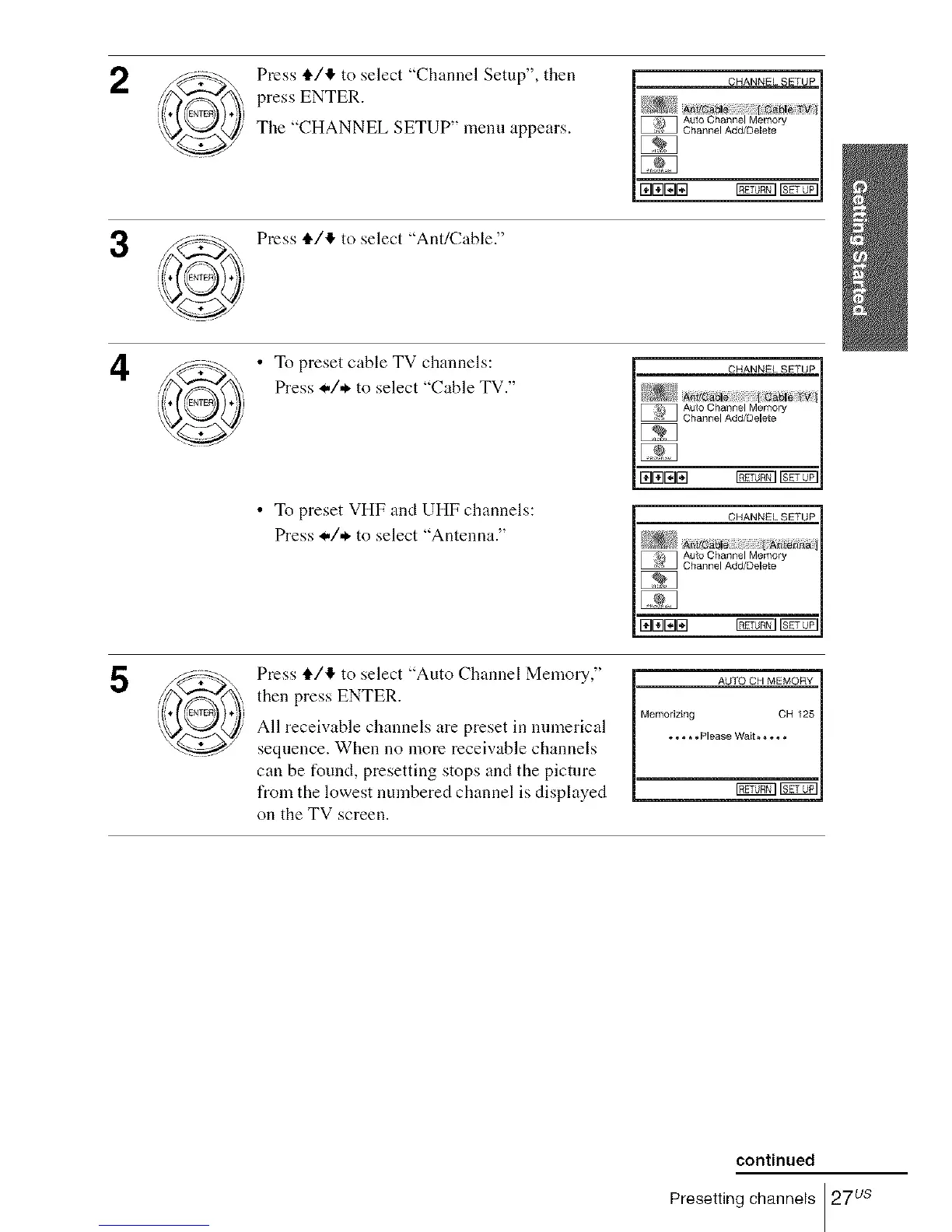
Press tl./!_ to select "Channel Setup", then
press ENTER.
The "CHANNEL SETUP" menu appears.
3
Press tl./4 to select "Ant/Cable."
4
• To preset cable TV channels:
Press */,*. to select "Cable TV."
• To preset VHF and UHF channels:
Press */,*. to select "Antenna."
5
Press tl./!_ to select "Auto Channel Memory,"
then press ENTER.
All receivable channels are preset in numerical
sequence. When no more receivable channels
can be found, presetting stops and the picture
l'rom the lowest numbered channel is displayed
on the TV screen.
AUTO CH MEMORY
Memorizing CH 125
I _[_0_1].o * * *Please Wait**. o *
continued
Presetting channels 27us














 To Next Page