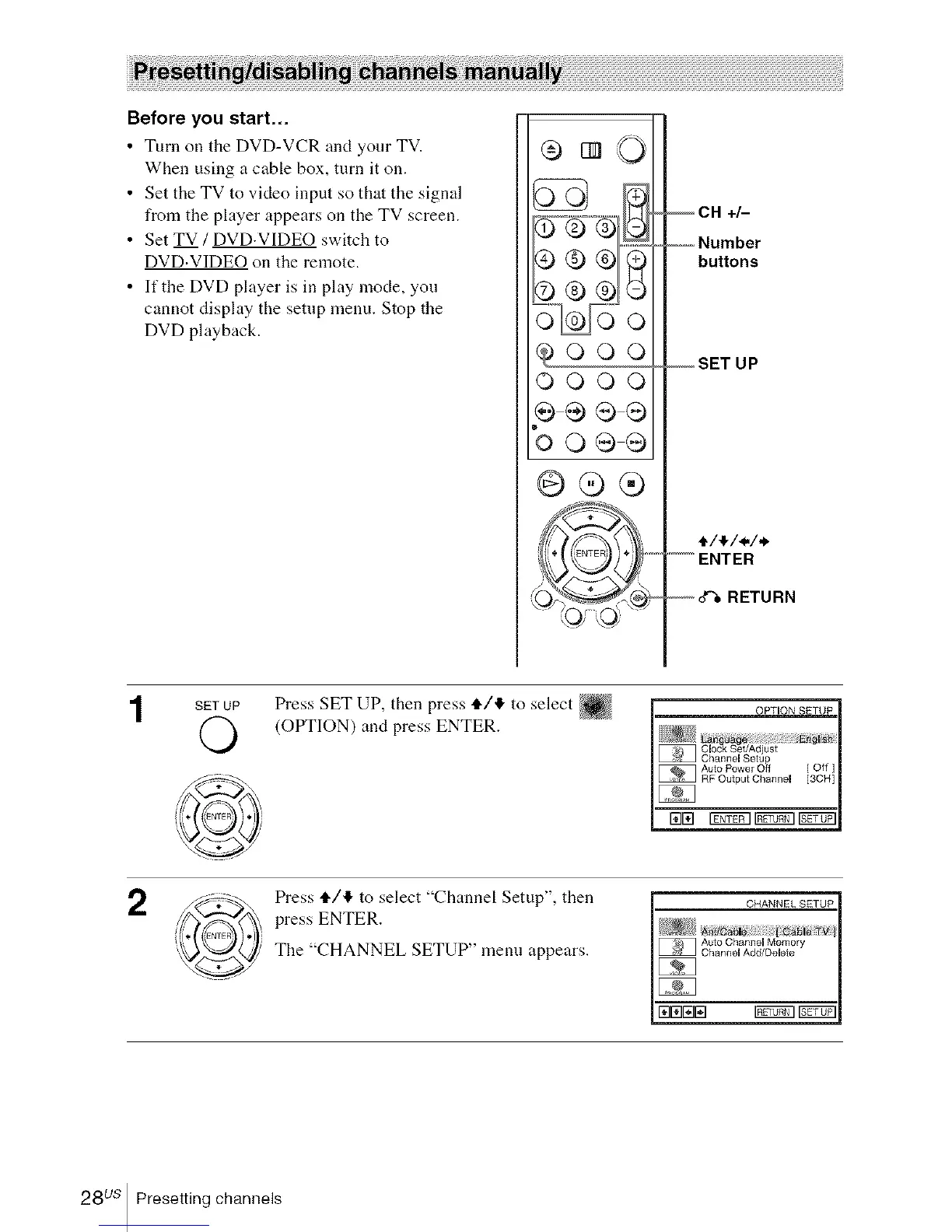
Before you start...
• Turn on the DVD-VCR and your TV.
When using a cable box, turn it on.
• Set the TV to video input so that the signal
from the player appears on the TV screen.
• Set TV / DVD.VIDEO switch to
DVD.VIDEO on the remote.
• If the DVD player is in play mode, you
cannot display the setup menu. Stop the
DVD playback.
_OOO
0000
@@®
--CH +/-
-- Number
buttons
-,,-- SET UP
t/4/_/*
....................ENTER
--,,,,,o'% RETURN
2
SETUP Press SET UP, then press It/it to •select _'
O (OPTION) and press ENTER.
Press 4,/!1, to select "Channel Setup", then
press ENTER.
The "CHANNEL SETUP" menu appears.
CHANNEL SETUP
_Auto Channel Memory
Channel Add/Delete
28 us Presetting channels














 To Next Page