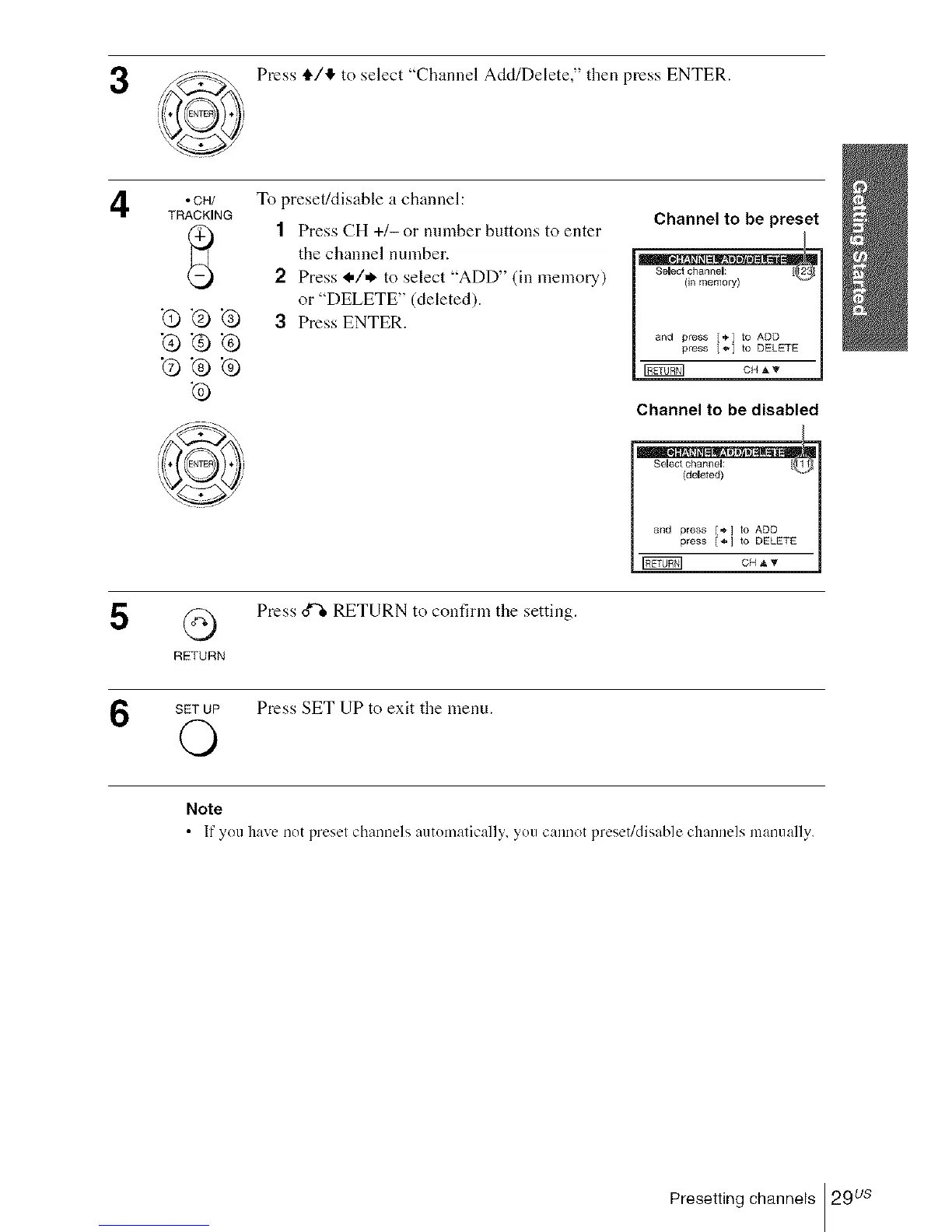
Press tl,/!_ to select "Channel Add/Delete," then press ENTER.
4
5
• CH/
TRACKING
-Q_.@
Q_G
Q
RETURN
To preset/disable a channel:
1 Press CH +1- or number buttons to enter
the channel number.
2 Press I,/* to select "ADD" (in memory)
or "DELETE" (deleted).
3 Press ENTER.
Channel to be preset
Select channel: [ 2
and press [*] to ADD |
press {'_ to DELETE |
l
Channel to be disabled
and press [÷] to ADD
press [*] to DELETE
Press d% RETURN to confirm the setting.
6
SETUP Press SET UP to exit the menu.
O
Note
• If you have nDt presel channels autDmalically, you cannot preset/disable channels manually.
Presetting channels 29 us














 To Next Page