Press @/,) to select an item.
SETUP Press SET UP to exit the menu.
O
Menu choices
• TV Type
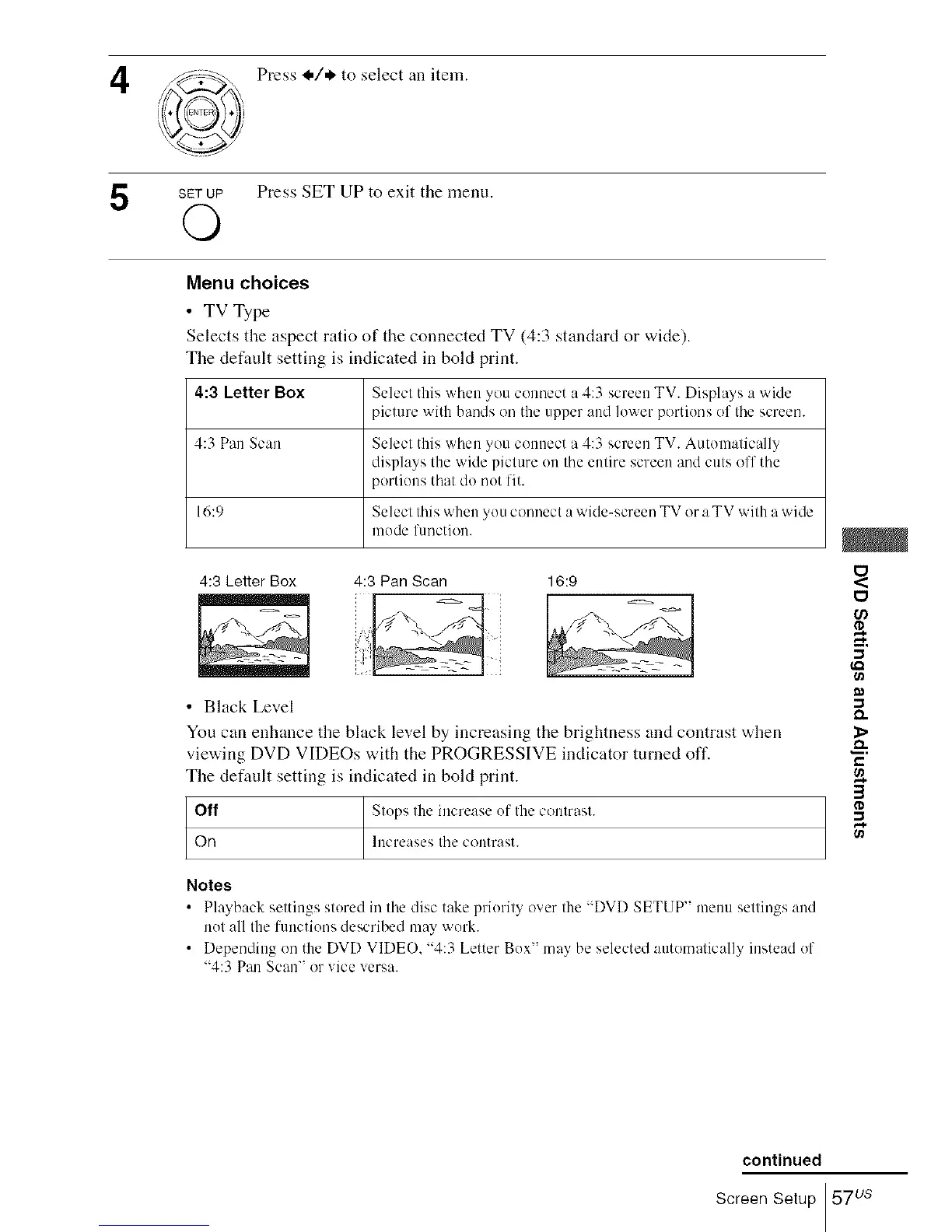
Selects the aspect ratio of the connected TV (4:3 standard or wide).
The default setting is indicated in bold print.
4:3 Letter Box Select this when you connect a 4:3 screen TV. Displays a wide
picture with bands on the upper and lower portions of the screen.
4:3 Pan Scan Select this when you connect a 4:3 screen TV. Automatically
displays the wide picture on the entire screen and cuts off the
portions that do not fit.
16:9 Select this when you connect a wide-screen TV or a TV with a wide
mode function.
4:3 Pan Scan 16:94:3 Letter Box
• Black Level
You can enhance the black level by increasing the brightness and contrast when
viewing DVD VIDEOs with the PROGRESSIVE indicator turned off.
The default setting is indicated in bold print.
Off Stops the increase of the contrast.
On Increases the contrast.
Notes
• Playback settings stored in the disc take priority over the "DVD SETUP" menu settings and
not all the functions described may work.
• Depending on the DVD VIDEO, "4:3 Letter Box" may be selected automatically instead of
"4:3 Pan Scan" or vice versa.
O
U)
O,.
&
e.,
3
continued
Screen Setup 57us














 To Next Page