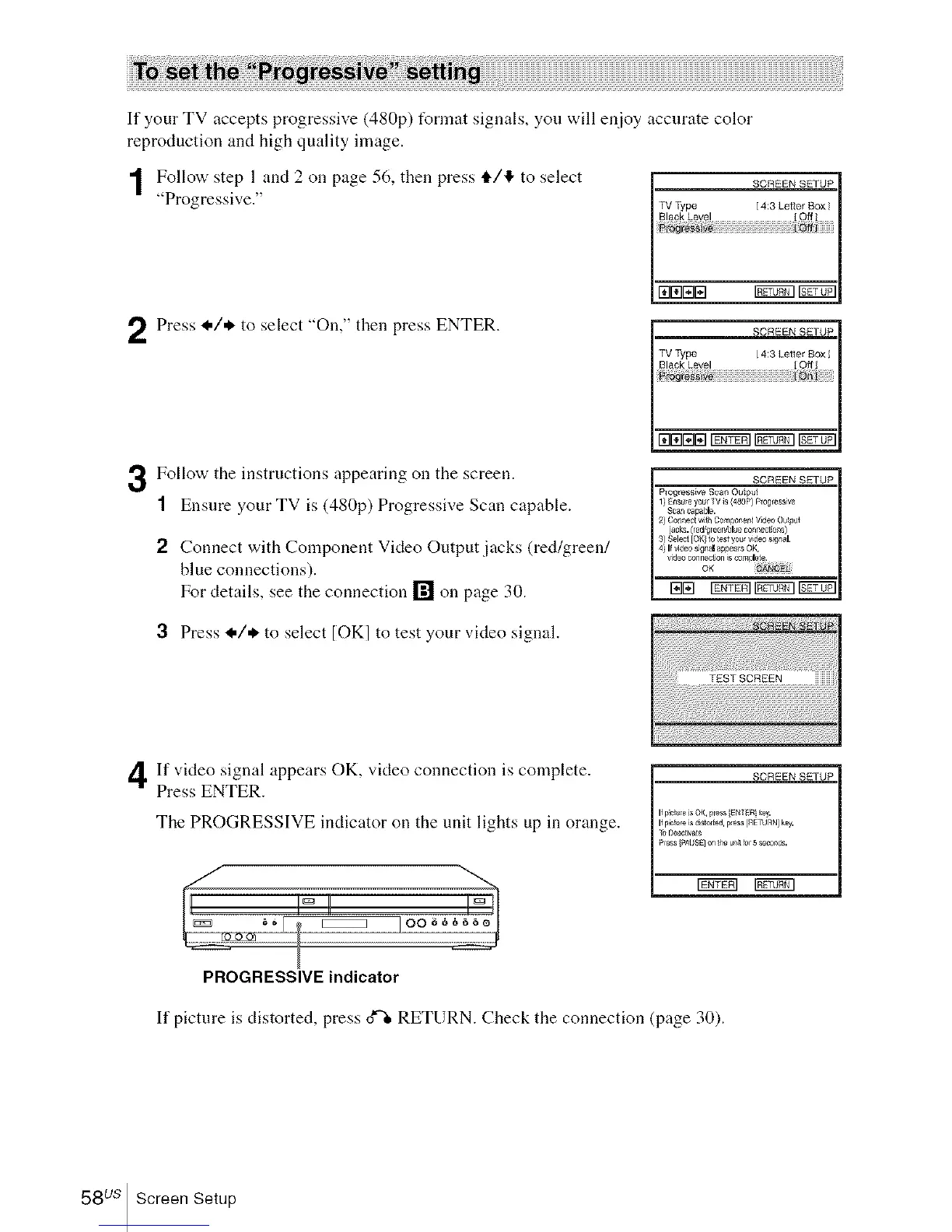
If your TV accepts progressive (480p) t_rmat signals, you will enjoy accurate color
reproduction and high quality image.
I Follow step 1 and 2 oil page 56, then press t1"/'I" to select
"Progressive." TVType [4:3 Letter Sex/
Black Level Off
ro_r_i
Press I./* to select "Oil," then press ENTER. SCREENSErU_
TV Type 4:3 Letler BOX 1
Black Level O
3 Follow the instructions appearing on the screen.
1 Ensure your TV is (480p) Progressive Scan capable.
2 Connect with Component Video Output jacks (red/green/
blue connections).
For details, see the connection [] on page 30.
SCREEN SETUP
Progressive Scan Output
2)Connectw_thCom_nem Wdeo Ot_lt
jacks.(red_e_'blue connections)
3)Select[OK?to_estyou,v_eos_nal.
4)If vi_o si_al appearsO_:
liE] Ig_N _ 1577_1
3 Press _,/* to select [OK] to test your video signal.
If video signal appears OK, video connection is complete.
Press ENTER.
The PROGRESSIVE indicator on the trait lights up in orange.
SCREEN SETUP
If Nc_ re is OK press [EN_R key.
If pic_ re is d storied pe_ [RETURN kBy,
_ Deactivate
Pess _At/SE] on _e uP41_o 5 s_ds,
rgfir_ NNN3
PROGRESSIVE indicator
If picture is distorted, press o_ RETURN. Check the connection (page 30).
58 us Screen Setup














 To Next Page