Setting the display or sound track
language
You can set various languages for the disc's
menu, sound track or subtitle.
Before you start...
• Set TV / DVD.VIDEO switch to
DVD.VIDEO on the remote.
o®ooi
O000i
_QQ
bo®®
Q®®
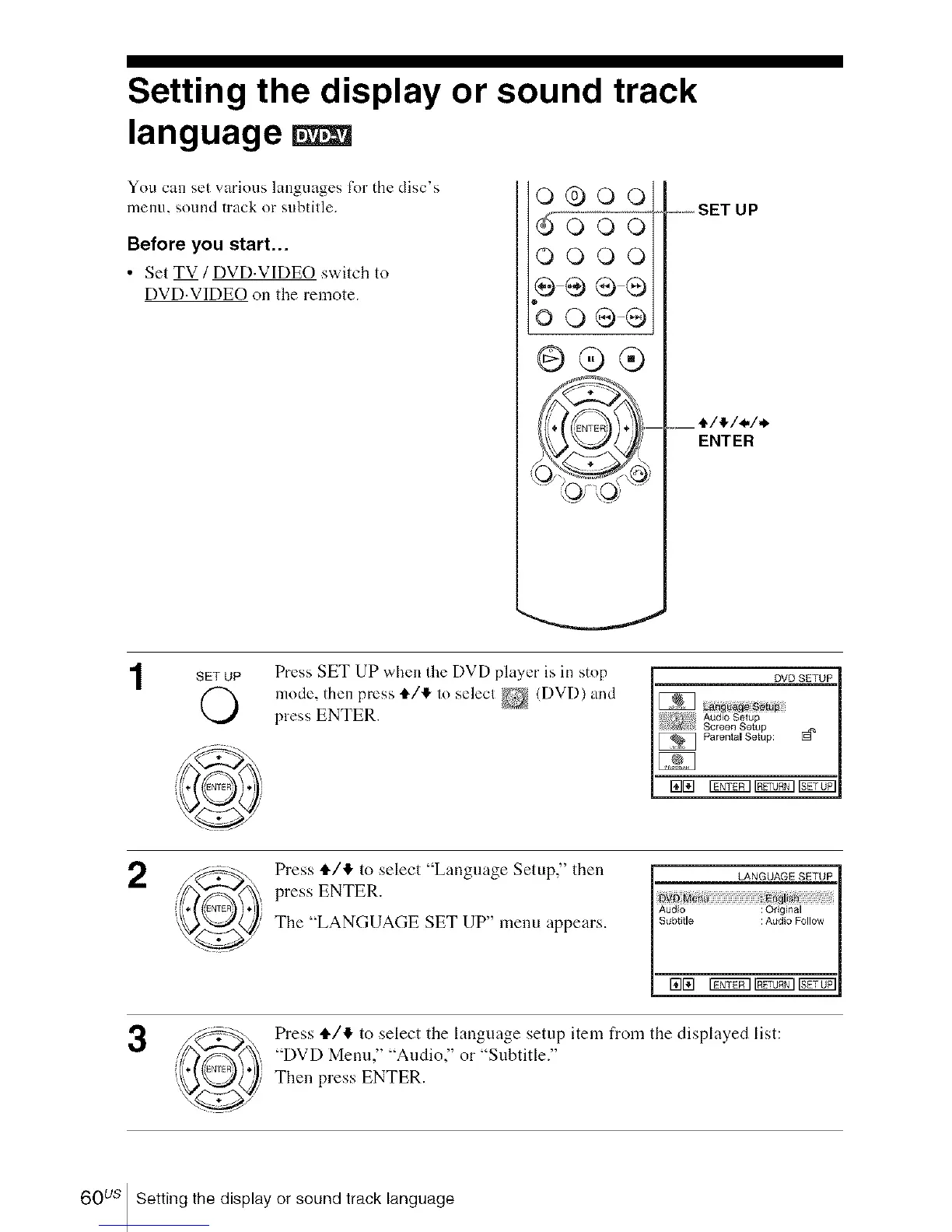
....SET UP
ENTER
SET UP Press SET UP when the DVD player is in stop
mode, then press t/l_ lo selecl _ (DVD) and
press ENTER.
DVD SETUP
Audio Selup
Screen Setup
Parental Setup: [_
rata iTfif_l _ r_771
2
3
Press ,I,/,_ to select "Language Setup," then
press ENTER.
The "LANGUAGE SET UP" menu appears.
LANGUAGE SETUP
Audio : Origlnal
Subtille=_ _: Audio Follow
Press tl./,!, to select the language setup item from the displayed list:
"DVD Menu," "Audio," or "Subtitle."
Then press ENTER.
60 us Setting the display or sound track language














 To Next Page