3
4
G
RETURN
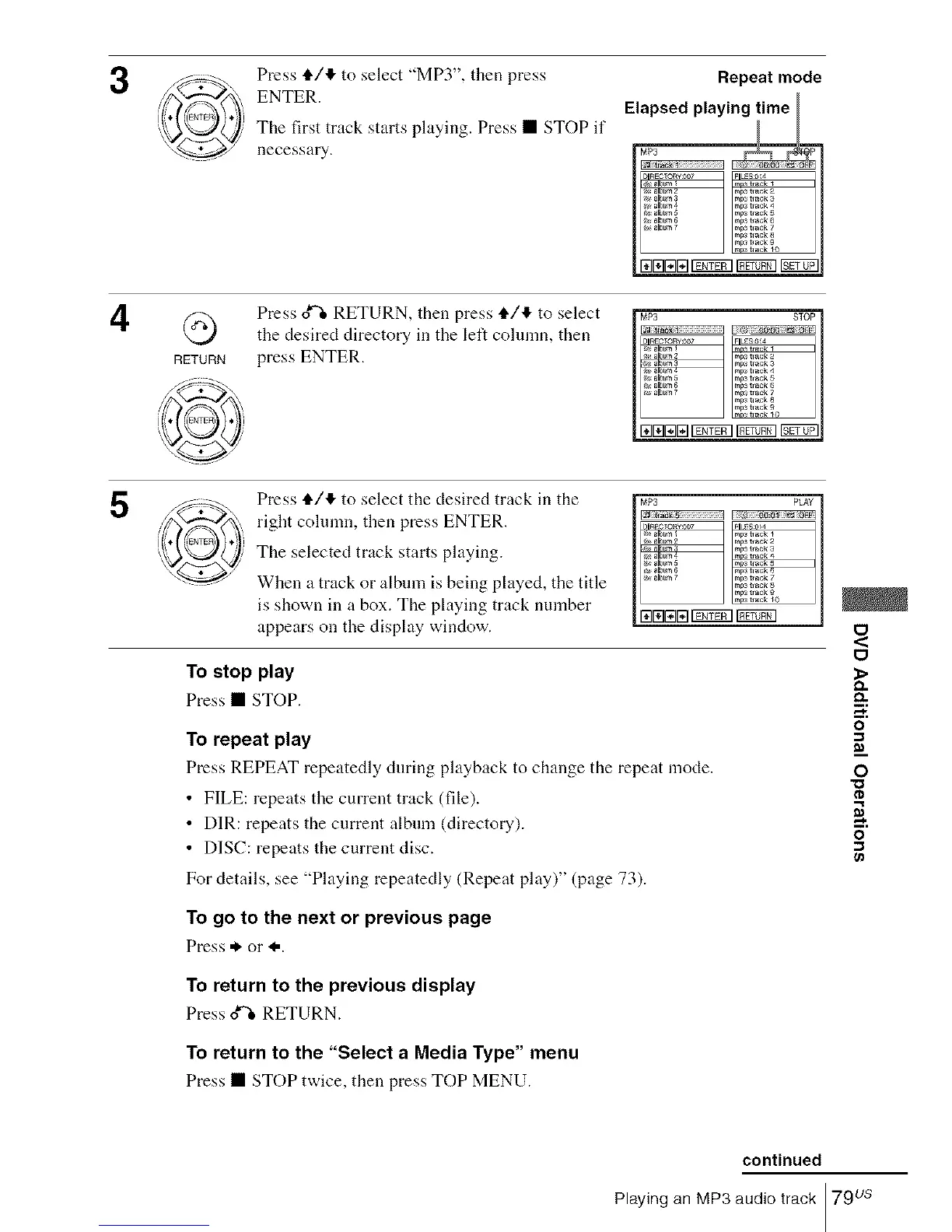
Press tl./4 to select "MP3", then press
ENTER.
The first track starts playing. Press • STOP if
necessary.
Repeat mode
_lbum1 mo_t,_ck
#< albim z rap; tlack 2
_x albl, m 3 mp_ tlack 3
albtm 4 raps tlack 4
_4 album 8 raps waek 5
_. album 6 mpa track 6
_,,,albL_7 rapstlack 7
rap3 hack 8
mp_ tlack 9
m0 hack _0
ElrarZlE117_5q_
Press ox_ RETURN, then press i./4 to select
the desired directory in the left cohmm, then
press ENTER.
MP3 STOP
tta_
DIRECTORY:_O? FILES0 4
_/_ ala_,l 3 mp_ treck 3
mp_ h ack 4
#_ alN_n 5 rap3 trsck 5
#_ album 6 rap3 tr_ck 6
_,, albm 7 rap3 t r_c'_ 7
raps tlack
rap3 tlack 9
raE]l:ll_l_ _ SETr_7_-
5
Press 4"/11"to select the desired track in the
right column, then press ENTER.
The selected track starts playing.
When a track or album is being played, the title
is shown in a box. The playing track number
appears on the display window.
MP3 PLAY
_lbL,m2 m _tr_ck2
_ a a _mP__,_ck 3
rap3track 8
m_ trac_ 9
mp_t,_k _0
EIEIraEIrg_g¢l
To stop play
Press • STOP.
To repeat play
Press REPEAT repeatedly during playback to change the repeat mode.
• FILE: repeats the current track (file).
• DIR: repeats the current album (directory).
• DISC: repeats the current disc.
For details, see "Playing repeatedly (Repeat play)" (page 73).
To go to the next or previous page
Press * or I,.
To return to the previous display
Press o_ RETURN.
To return to the "Select a Media Type" menu
Press • STOP twice, then press TOP MENU.
O
<
O
_>
D.
o
O
"O
o
continued
Playing an MP3 audio track 79us














 To Next Page