To turn off the display
Press • STOP twice, then press d% RETURN repeatedly.
Notes
• Only tile letters in the alphabet :rod mnnbers Manbe used for album or track names. An>thing
else is displayed as an asterisk.
• Upto 12 alphanumeric characters can be displayed lk_ralbum or track names.
• ID3 tags cannot be displayed.
• You cannot repeat play while in program play or shuflle play.
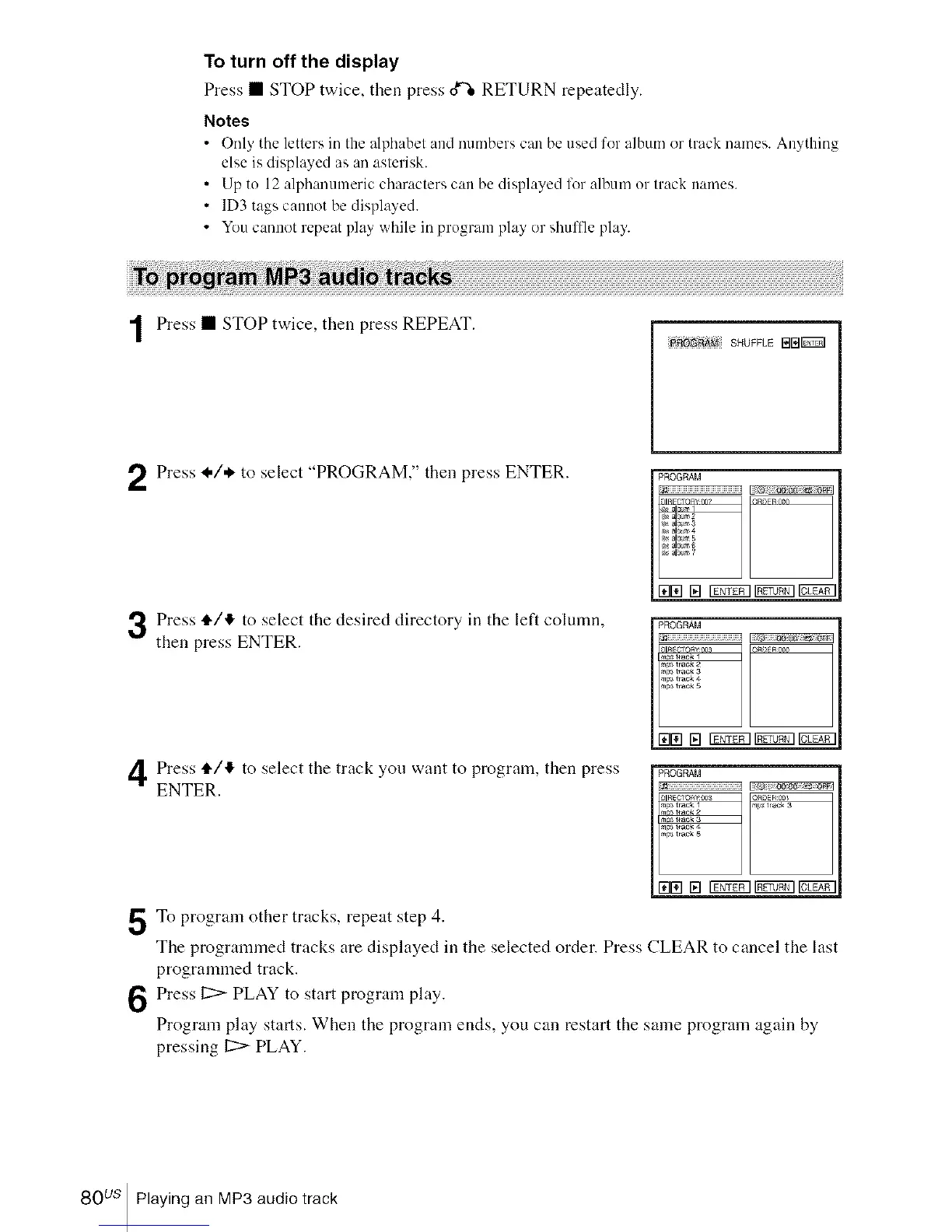
Press • STOP twice, then press REPEAT.
_AM SHUFFLE BB_
Press I./* to select "PROGRAM," then press ENTER.
Press ,11,/41,to select the desired directory in the left column,
then press ENTER.
Press 4"/'!, to select the track you want to program, then press
ENTER.
5To program other tracks, repeat step 4.
PROGRAM
_IR_CTr,RVnn_ _Rr,FR,,_n
al_Jm5
171171[] 17gr_lgr_l CLEI?_
PROGRAM
,,,t_aek
,, t, ac_ a
,s *,ack 4
_ t,ac_ 5
1711_1[] Iggggl_ cLl_
PROGRAM
no,3 rack 1 _ _rack 3
n#3 track 2
_ t_ack 3
_ tack 5
I71ril[] 17g_gllgg_gl c_l_
The progrannned tracks are displayed in the selected order. Press CLEAR to cancel the last
programmed track.
Press 12:>PLAY to start program play.
Program play starts. When the program ends, you can restart the same program again by
pressing 12:>PLAY.
80 us Playing an MP3 audio track














 To Next Page