3
4
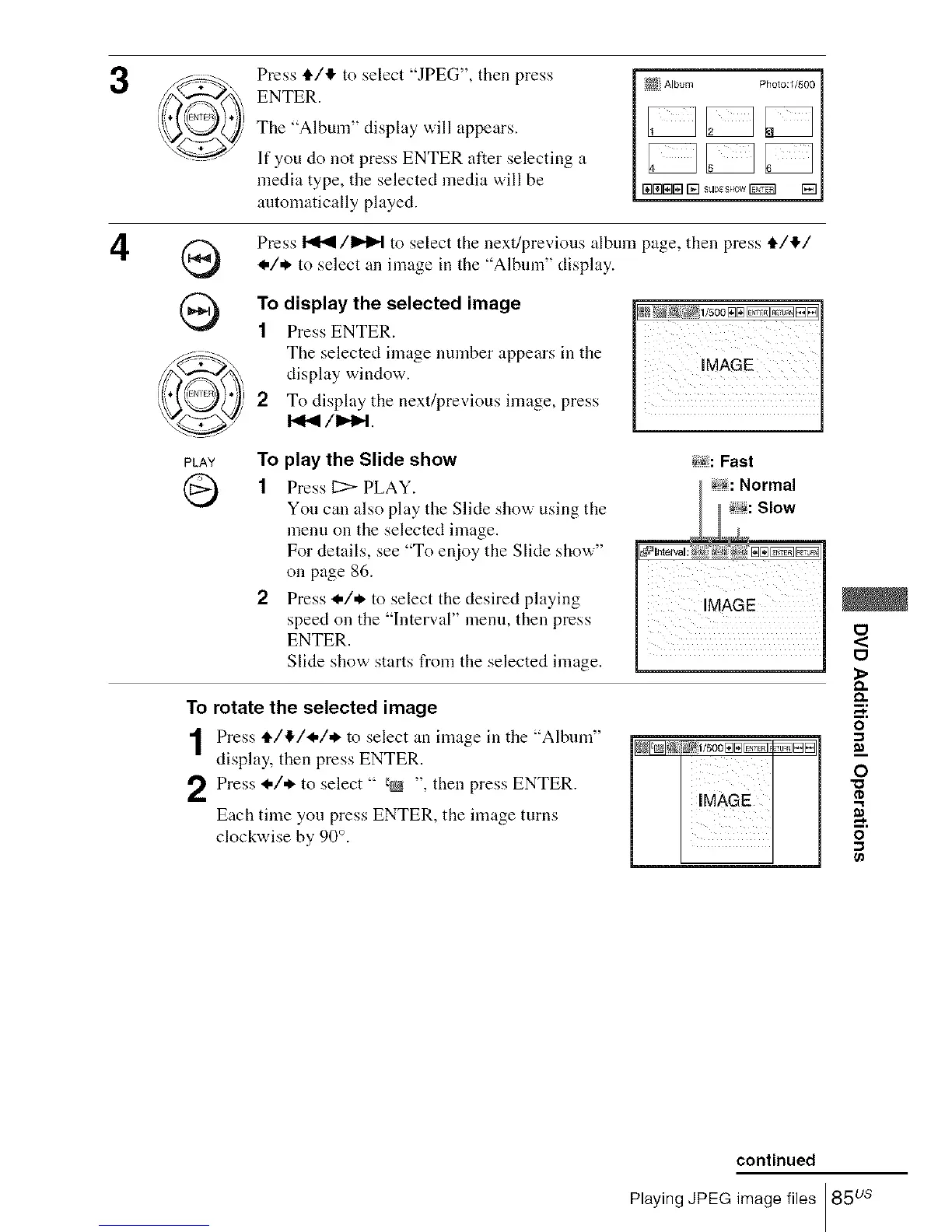
Press t/,!, to select "JPEG", then press
ENTER.
The "Album" display will appears.
If you do not press ENTER after selecting a
media type, the selected media will be
automatically played.
Press _/1_1_1 to select the next/previous album page, then press t/!/
I./* to select an image in the "Album" display.
To display the selected image
1 Press ENTER.
The selected image number appears in the
display window.
2 To display the next/previous image, press
PLAY TO play the Slide show _<_:Fast
1 Press 11:> PLAY. _: Normal
You can also play the Slide show using the : Slow
menu on the selected image.
For details, see "To enjoy the Slide show"
on page 86.
2 Press I./* to select the desired playing
speed on the "Interval" menu, then press
ENTER.
Slide show starts from the selected inaage.
O
<
O
1>
To rotate the selected image
o
, m'm e'nt"e 'U"mI 1o
display, then press ENTER. ]N_@ Eil[]] m_.
Press I./* to select " _@ " then press ENTER. "_
I "
Each time you press ENTER, the image turns
n.
clockwise by 90 °. O
continued
Playing JPEG image files 85 us














 To Next Page