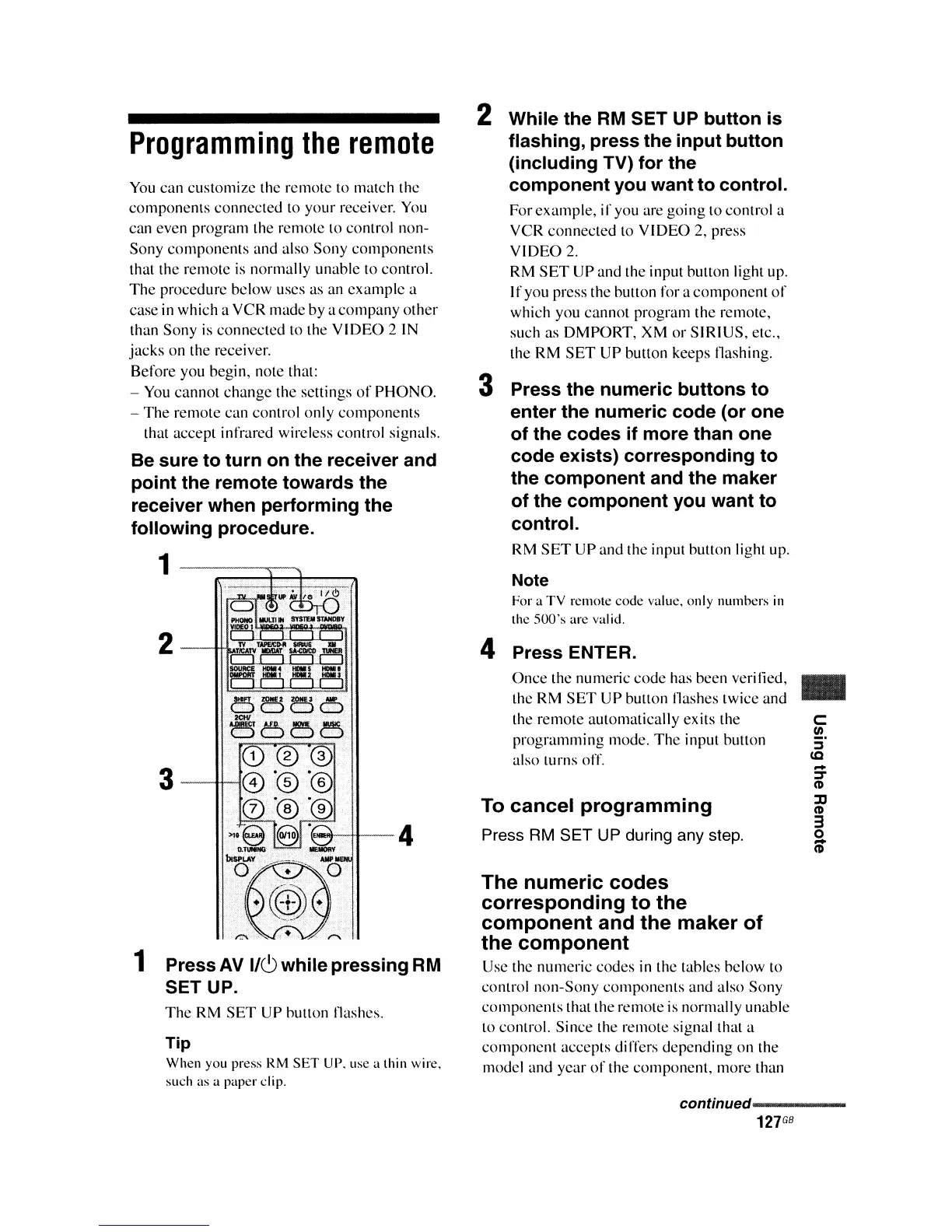
2 While the
RM
SET UP button is
flashing, press the input button
(including
TV)
for the
component you want to control.
Forexample,
if
you are going to control a
VCR
connected
to
VIDEO
2, press
VIDEO
2.
RM
SET
UP and the input Dutton light up.
I
I'
you press the button for a
component
of
which you
cannot
program the remote,
such as DMPORT, XM
or
SIRIUS,
etc.,
the RM
SET
UP
button keeps tlashing.
3 Press the numeric buttons to
enter the numeric code (or one
of the codes if more than one
code exists) corresponding to
the component and the maker
of the component you want to
control.
RM
SET
UP
and the input button light up.
Note
For a TV remote code value. only numbers
in
the
500's
are
val
id.
Programming
the
remote
You
can
customizc the remote
to
match the
components
connected to
your
receiver.
You
can even program the remote to control non-
Sony
components
and also
Sony
components
that the remote
is
normally unable to control.
The
procedure below uses as an example a
case in which a VCR made by a
company
other
than Sony
is
connected to the
VIDEO
2 IN
jacks
on the receiver.
Before you begin, note that:
- You
cannot
change
the settings
of
PHONO.
-
The
remote can control only
components
that accept infrared wireless control signals.
Be
sure to turn on the receiver and
point the remote towards the
receiver when performing the
following procedure.
2
(e...;--tJ---
4
1 Press
AV
1/6 while pressing
RM
SET UP.
The
RM
SET
UP Dutton tlashes.
Tip
When you press RM
SET
UP. lise a thin wire.
such as a paper clip.
4 Press ENTER.
Once
the numeric
code
has been veri lied,
the RM
SET
UP button !lashes twice and
the remote automatically exits the
programming
mode.
The
input button
also turns off.
To
cancel
programming
Press
RM
SET UP during any step.
The
numeric
codes
corresponding
to
the
component
and
the
maker
of
the
component
Use the numeric
codes
in the tables below to
control non-Sony
components
and also Sony
components
that the remote is normally unable
to control. Since the remote signal that a
component
accepts differs
depending
on the
model and
year
of
the
component,
more than
..
c:
!!!.
::J
(Q
-
J
(\)
%l
(\)
3
o
CD
continued-----
127
GB















 To Next Page