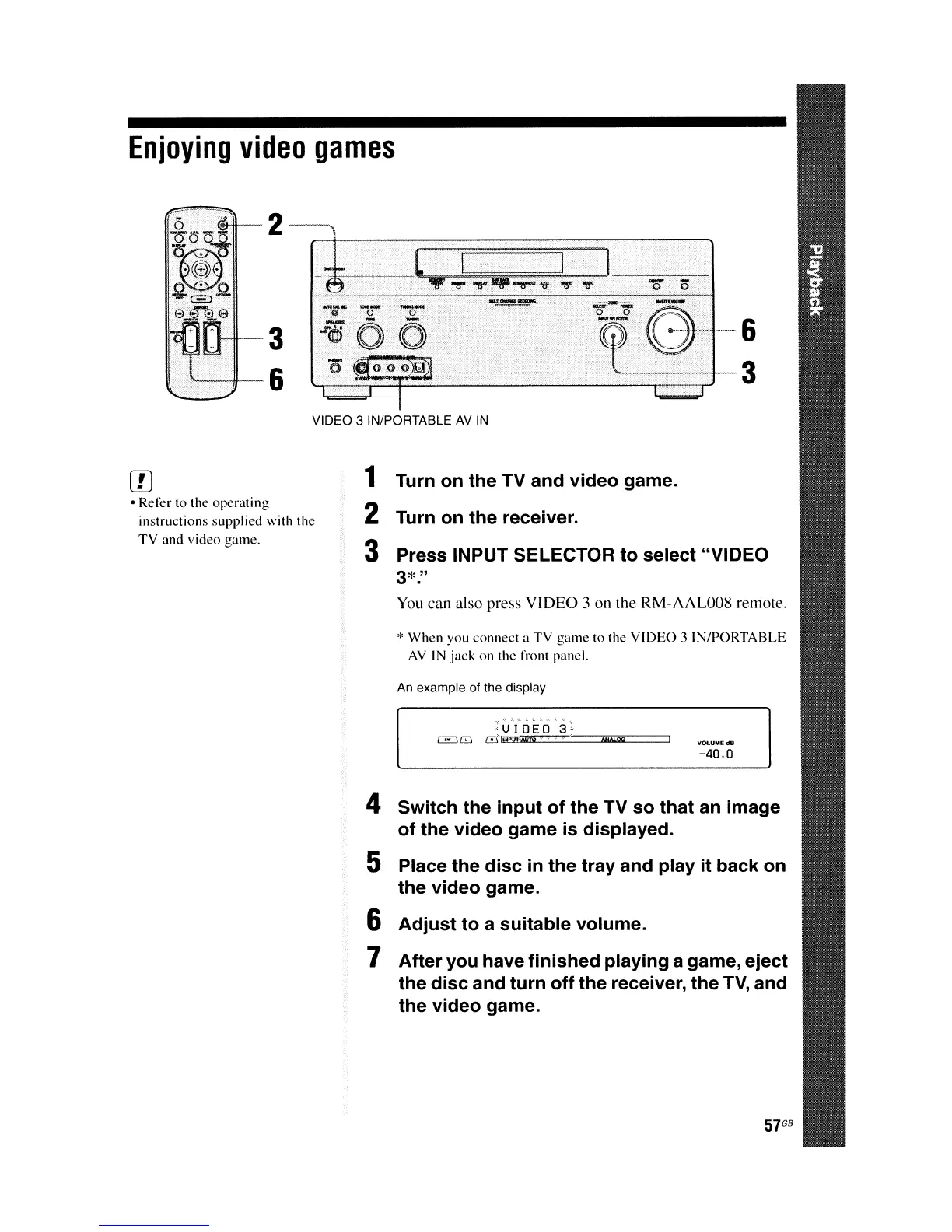
VIDEO 3 IN/PORTABLE
AV
IN
Enjoying
video
games
e-H--+-6
...
~,;
'-......--............-+-3
57
GB
-40.0
;UIDEO
3'
~[D
[~:flifttirt.~
NtMOO
An
example of the display
* When you connect a
TV
game to the
VIDEO:l
IN/PORTABLE
AV
IN
jack
on
the from panel.
You
can also press VIDEO 3 on the RM-AAL008 remote.
3*."
4 Switch the input of the TV so that an image
of the video game is displayed.
5 Place the disc
in
the tray and play it back on
the video game.
6 Adjust to a suitable volume.
7 After you have finished playing a game, eject
the disc and turn off the receiver, the
TV,
and
the video game.
1 Turn on the TV and video game.
2 Turn on the receiver.
3 Press INPUT SELECTOR to select "VIDEO
3
~+-6
[IJ
• Refer to the operating
instructions supplied
with
the
TV
and video game.















 To Next Page