Using
the
surround
back
decoding
mode
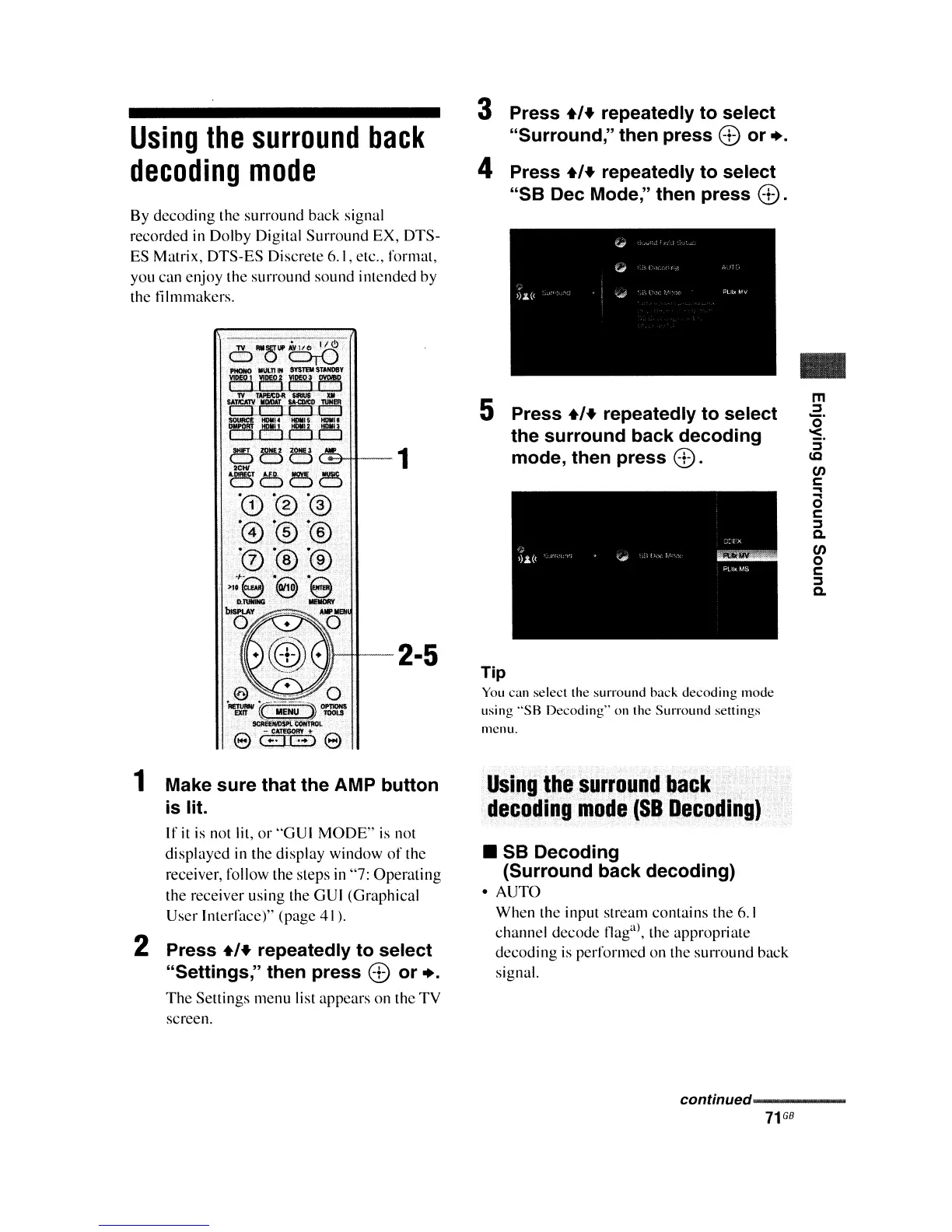
3 Press
.,+
repeatedly to select
"Surround," then press
8 or
•.
4 Press
.,+
repeatedly to select
"58
Dec Mode," then press
8.
By decoding the surround back signal
recorded in Dolby Digital Surround EX, DTS-
ES Matrix, DTS-ES Discrete 6.1, etc., format,
you can enjoy the surround sound intended by
thc
IiImmakers.
-1
1 Make sure that the AMP button
is lit.
If
it
is not lit,
or
"GUI
MODE"
is
not
displaycd
in
thc display window
of
the
receiver, follow the steps
in
"7: Operating
the receiver using the GUI (Graphical
User Interface)" (page 41).
2 Press
.,+
repeatedly to select
"Settings," then press
8 or
•.
The
Settings menu list appears on the TV
screen.
5 Press
.,+
repeatedly to select
the surround back decoding
mode, then press
8.
Tip
You
can select the surround back
decoding
mode
using
"SB
Decoding·' on the Surround settings
nlcnu.
Using
the
surround
back
decoding
mode
(S8
Decoding)
•
58
Decoding
(Surround back decoding)
• AUTO
When the input stream contains the
6.1
channel decode flag
al
, the appropriate
dccoding
is
performcd on the surround back
signal.
..
m
:J
~.
:;'
lC
en
c
..,
a
c
:J
a.
en
o
c
:J
a.
continued-----
71
GB















 To Next Page