4b:
Connecting
the
video
components
How
to
hook
up
your
components
This
section describes how to hook up
your
components to this receiver. Before you hegin,
refer to "Component to
he
connected" helow
for the pages which describe how to connect
each
component.
After
hooking up all
your
components,
proceed
to
"5:
Connecting the antennas
(aerials)" (page 38).
Component
to
be connected
TV
monitor
Wilh HDMI
jaek
DVD
player. Blu-my Disc
Pbyer
Salellite tUller, CATV syslem
DVD
recorder, VCR
Call1conJcr, video game, etc.
Page
20
2S
31
32
33
Vldeqlnput/output
jacks
to
be
connected
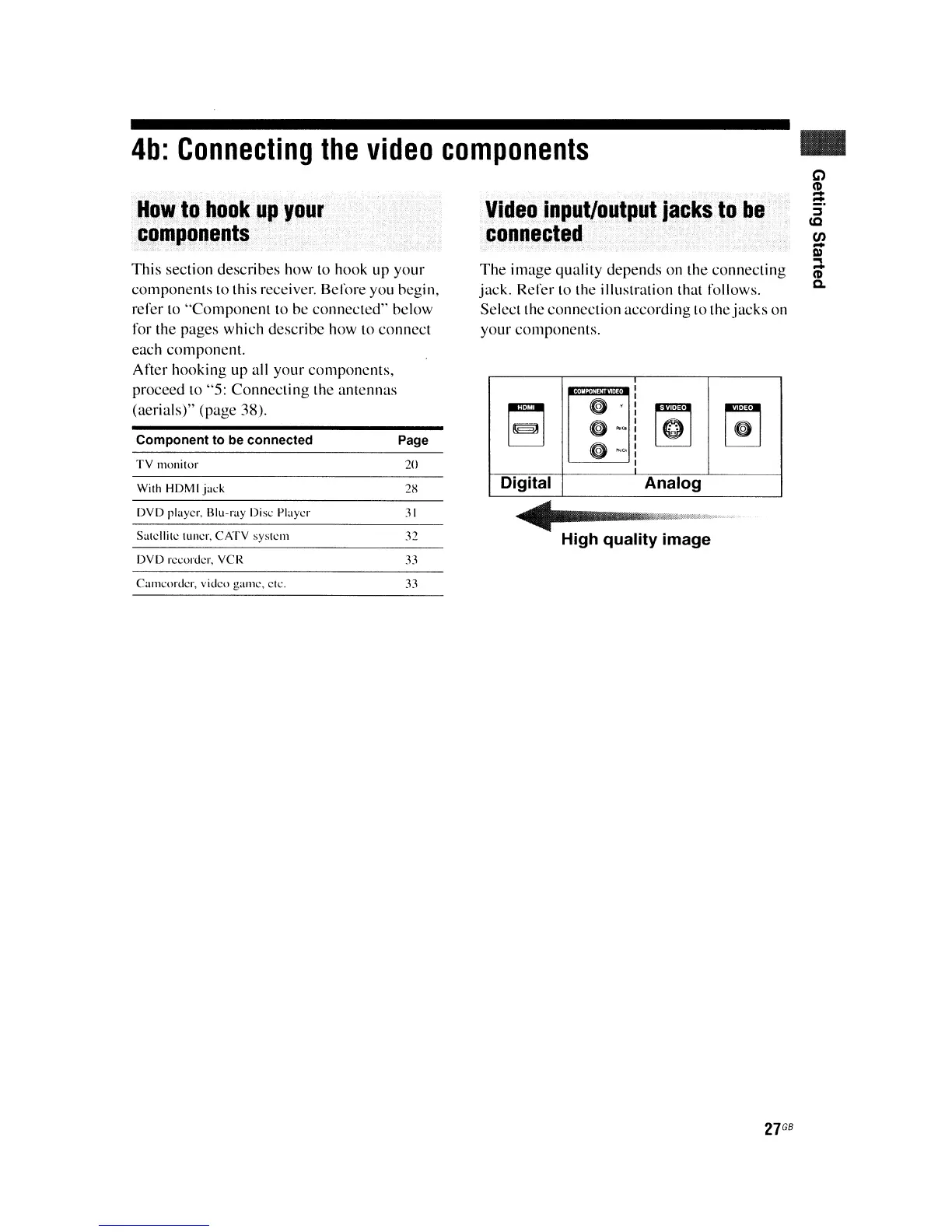
The image
quality
depends
on
the connecting
jack. Refer
to
the illustration that follows.
Select the connection according to the jacks
on
your components.
r;1
[1]
ri1
~
o
~Q:
I
G
~:
I
Digital
Analog
~
--",,~.
High quality image
..
C>
~
:;-
IC
en
-
III
..,
-
ttl
Q.
27
GB















 To Next Page