Playback
Selecting
a
component
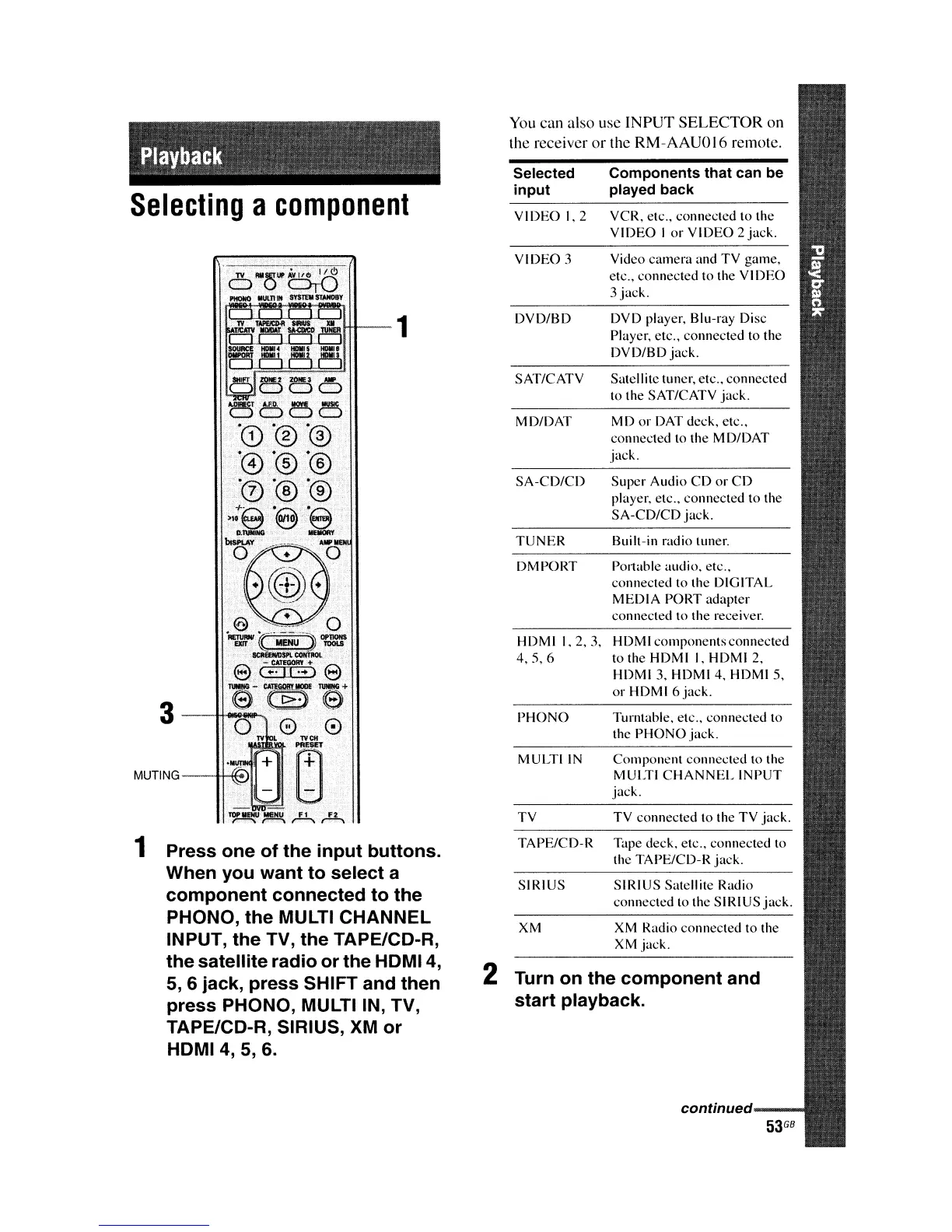
1 Press one of the input buttons.
When you want to select a
component connected to the
PHONO, the MULTI CHANNEL
INPUT, the TV, the TAPE/CD-R,
the satellite radio or the
HDMI4,
5,
6 jack, press SHIFT and then
press PHONO, MULTI IN, TV,
TAPE/CD-R, SIRIUS, XM or
HDMI4,
5, 6.
You
can also use INPUT SELECTOR on
the receiver
or
the RM-AAUQI6 remote.
Selected Components that can be
input played back
VIDEO
1,2
VCR, elC., connected 10 the
VIDEO
I
or
VI
DEO 2
jack.
VIDEO
3
Video
camera
and
TV
game,
etc., connected to the
VIDEO
3 jack.
DVD/BD
DVD player, Blu-ray Disc
Playcr, etc., connected to Ihe
DVD/BD
jack.
SAT/CATV Satellitc tuner, etc.. connected
to Ihe SAT/CATV jack.
MD/DAT MD
or
DAT deck. etc..
connected to Ihe MDIDAT
jack.
SA-CD/CD
Super
Audio
CD
or
CD
player. etc., connccted to the
SA-CD/CD
jack.
TUNER
Buill-in radio tuner.
DMPORT
POllable audio. elc.,
connecled to Ihe DIGITAL
MEDIA
PORT adapter
connecled to the receiver.
HDMI
1.2,3,
HDMI
components
connected
4.5,6
to the HDMI I. HDMI 2,
HDMI 3. HDMI 4. HDMI
S.
or
HDMI 6
jack.
PHONO
Turntable, elc
..
connecled to
the PHON
a jack.
MULTI
IN
Componenl
connected to the
MULTI
CHANNEL
INPUT
jack.
TV
TV connected 10 the
TV
jack.
TAPE/CD-R
Tape deck. etc.. connected to
the TAPE/CD-R jack.
SIRIUS SIRIUS
Salellite Radio
connected
10 the SIRIUS
jack.
XM XM Radio connected to the
XM jack.
2 Turn on the component and
start playback.
continued















 To Next Page