Starting macro play
1 Press AMP.
The
AMP
button lights up,
and
then turns
off.
2 Press MACRO 1 or MACRO 2 to start
the macro.
The macro starts
and
execute the
commands in the order you assigned them.
While
the commands
are
being sent, the
RM
SET UP button flashes
and
the
AMP
button lights
up.
When
the
commands
have
been
sent, the
RM
SET UP and
AMP
buttons turn
oiT.
To
erase a programmed macro
1 Press MACRO 1 or MACRO 2 for more
than
1 second while pressing
RM
SET
UP to clear the stored macro.
The
RM
SET UP button flashes,
repeatedly.
2 Press RM SET UP.
Settings stored
as
macro
are
cleared.
132
GB
Setting
remote
control
codes
that
are
not
stored
in
the
remote
Even
if
a remote control eode
is
not one
of
the
presets stored in
the
remote, it
is
possible for
the
remote to learn the code usi ng
the
learning
function.
Note
When setting up Ihe receivcr 10 learn Ihe remOle
command
modes. replace Ihe batteries with new
ones.
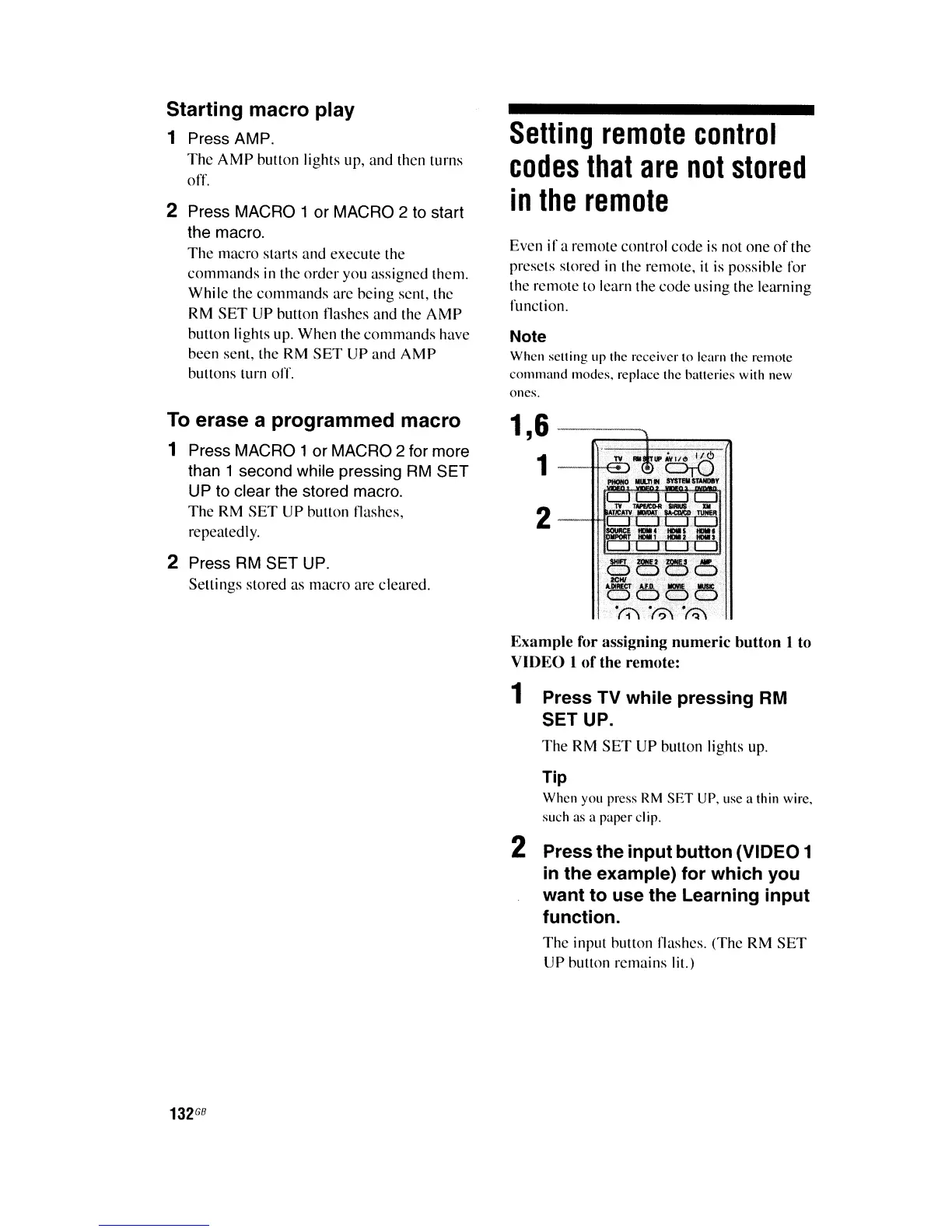
Exampte for assigning numeric button I to
VIDEO I
of
the remote:
1 Press TV while pressing RM
SET UP.
The
RM
SET UP button lights
up.
Tip
When you press
RM
SET
UP. use a Ihin wire.
such as a paper
cl
ip.
2 Press the input button (VIDEO 1
in
the example) for which you
want to use the Learning input
function.
The input button flashes. (The
RM
SET
UP button remains lit.)















 To Next Page