EasyManua.ls Logo

Sony STR-DA5300ES - Enjoying the Surround Effect at Low Volume Levels (NIGHT MODE)

Sony STR-DA5300ES
172 pages
Print Icon
To Next Page IconTo Next Page
To Previous Page IconTo Previous Page
Loading...
Enjoying
the
surround
effect
at
low
volume
levels
(NIGHT
MODE)
This
function allows you to retain a
theater
like
environment
at
low volume levels.
This
function
can
be used with
other
sound !ields.
When
watching
a
movie
late at night, you will
be
able
to
hear
the
dialog
clearly even at a low
volume level.
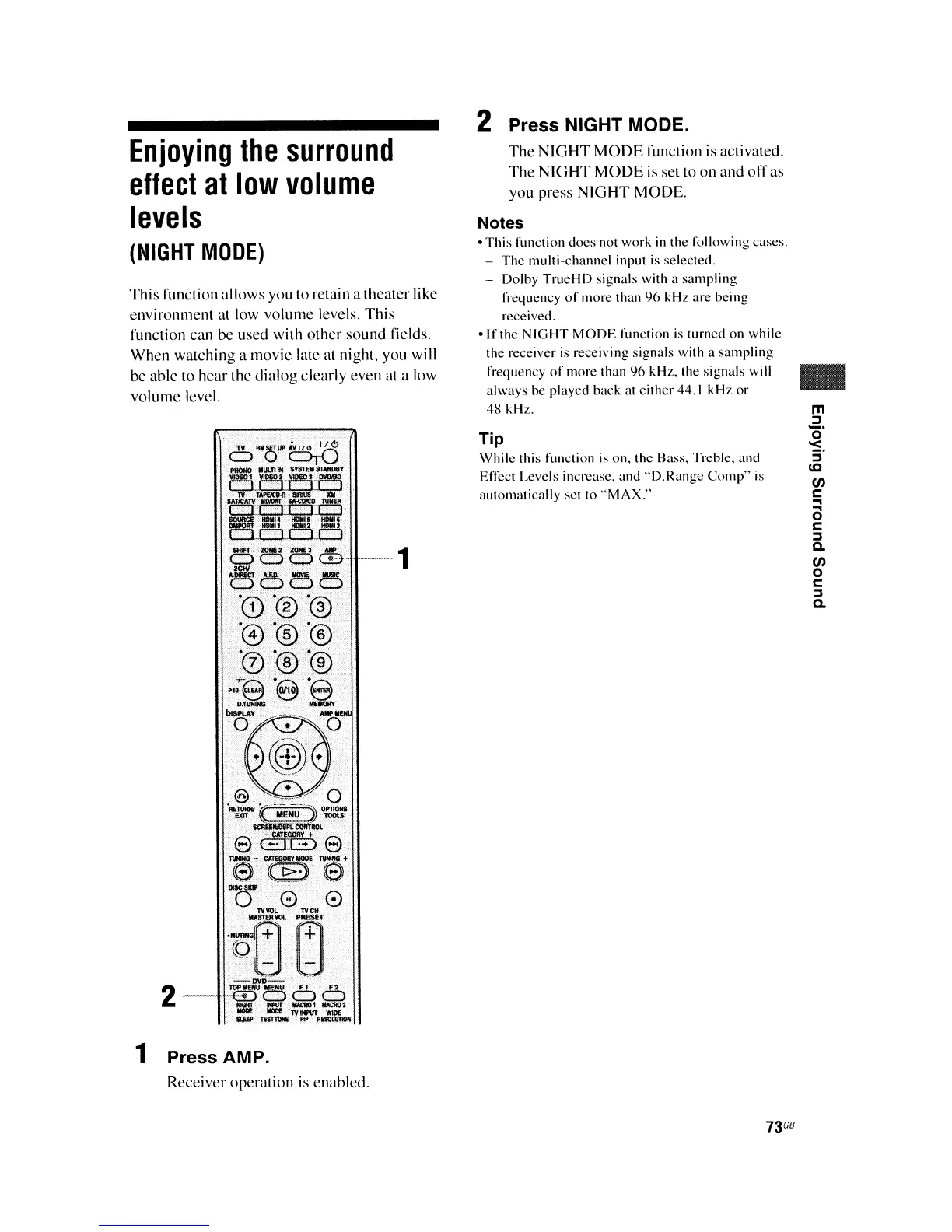
1 Press AMP.
Receiver operation is enabled.
2 Press NIGHT MODE.
The
NIGHT
MODE
function is activated.
The
NIGHT
MODE
is set to on
and
off
as
you press
NIGHT
MODE.
Notes
-
This
function
does
not
work
in
the
following
cases.
-
The
multi-channel
input
is
selected.
- Dolby
TrueHD
signals
with a
sampling
frequency
of
more
than
96
kHL
are
being
received.
-If
the
NIGHT
MODE
function
is
turned
on
while
the receiver is
receiving
signals with a
sampling
frequency
of
more
than
96
kHz.
the
signals
will
always
be
played
back
at
either
44.1
kHz
or
48
kHz.
Tip
While
this function
is
on.
Ihe Bass,
Treble.
and
Effect Levels increase.
and
"D.Range
Comp"
is
aulomatically
set 10
"MAX."
73
GB
..
m
:::J
~.
5'
lC
00
r::::
...
o
r::::
:::J
Q.
00
o
r::::
:::J
Q.

Table of Contents

Other manuals for Sony STR-DA5300ES

Related product manuals