Advanced
Speakers
Setting
Up
Adjusting
the
speaker
settings
manually
You
can adjust the each speaker manually.
You
can also adjust the speaker levels after the
auto calibration
is
completed.
Making
settings
with
the
Manual
$etup
menu
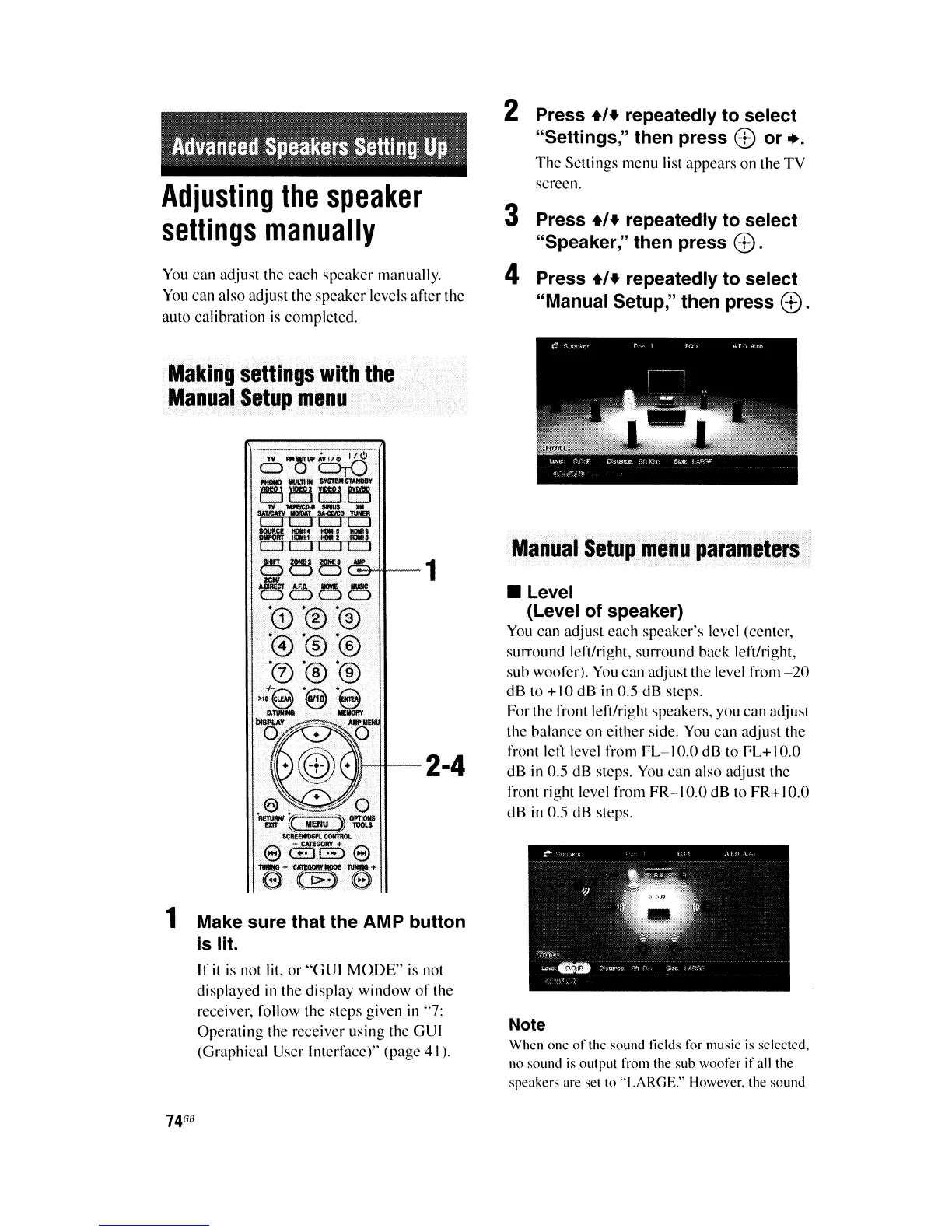
1 Make sure that the AMP button
is lit.
If
it
is
not lit,
or
"G
UI
MODE"
is not
displayed in the display window
of
the
receiver, follow the steps given in "7:
Operating the receiver using the GUI
(Graphical User Interface)" (page
41
).
74
GB
2 Press
+'+
repeatedly to select
"Settings," then press
8)
or
...
The
Settings menu list appears on the
TV
screen.
3 Press
+'+
repeatedly to select
"Speaker," then press
8).
4 Press
+'+
repeatedly to select
"Manual Setup," then press
®.
Manual
Setup
menu
parameters
• Level
(Level of speaker)
You
can adjust each speaker's level (center,
surround left/right, surround back left/right,
sub woofer).
You
can adjust the level from
-20
dB to +10 dB
in
0.5 dB steps.
For the front left/right speakers, you can adjust
the balance on either side.
You
can adjust the
front left level from
FL-I
0.0 dB to
FL+
I
0.0
dB in 0.5 dB steps.
You
can also adjust the
front right level from FR-IO.O dB to FR+IO.O
dB in 0.5 dB steps.
Note
When one
of
the sound fields for music is selected,
no sound is outpUI from the sub woofer
if
all the
speakers are set
10
"LARGE." However, the sound















 To Next Page