68 Installation and set-up manual 208668
6. The exhibition stand CRANEX Novus e
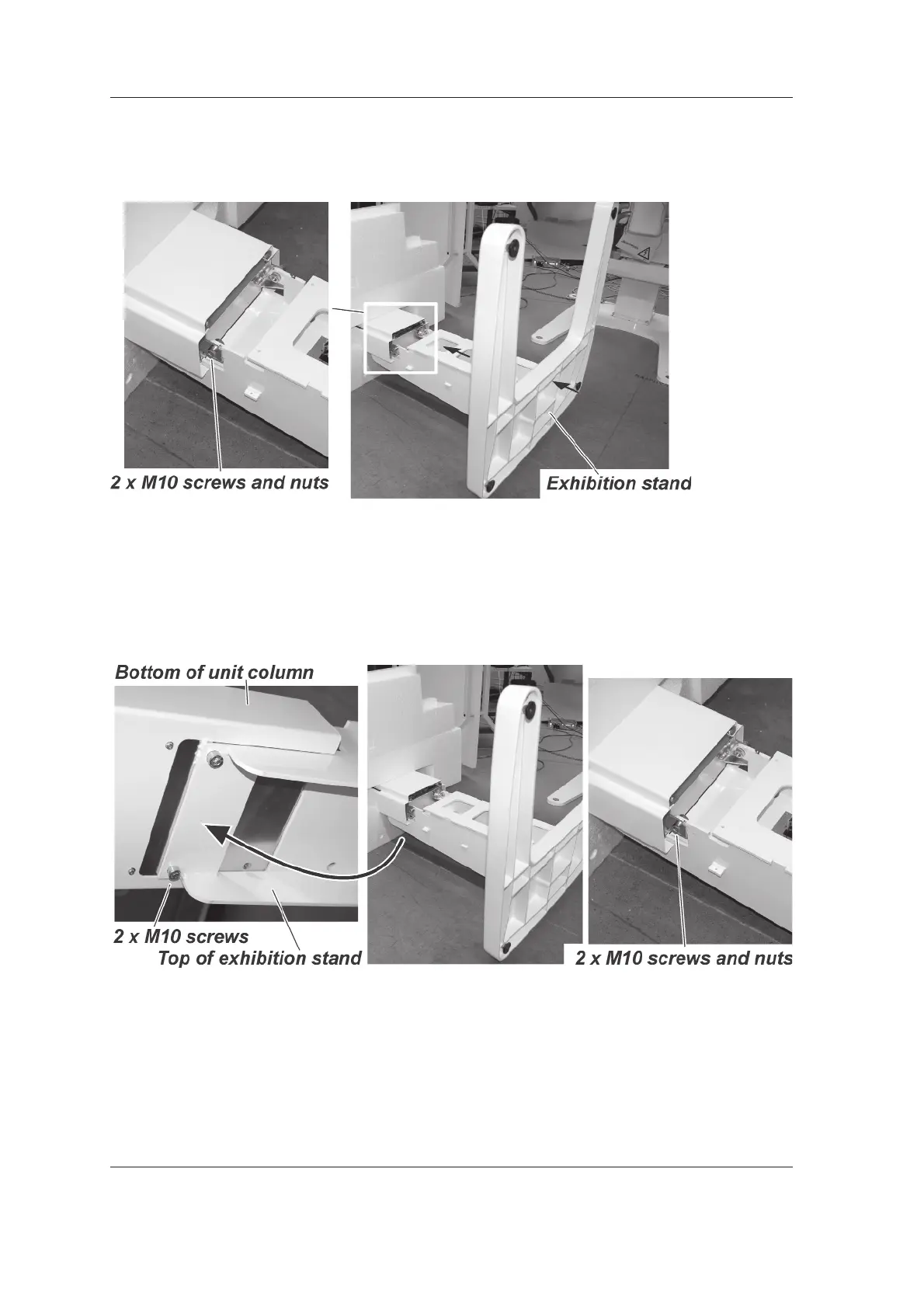
Attach the top of the exhibition stand to the
bottom of the unit column with the 2 x M10
screws and nuts. Do not fully tighten the nuts
yet.
8. While the unit and stand are still on the fl oor,
attach the 2 x M10 screws to the rear of the
exhibition stand. Tighten these screws and
then tighten the 2 x M10 nuts on the inner
sides of the unit.



 To Next Page