4 Setup
Screen Actions and Comments
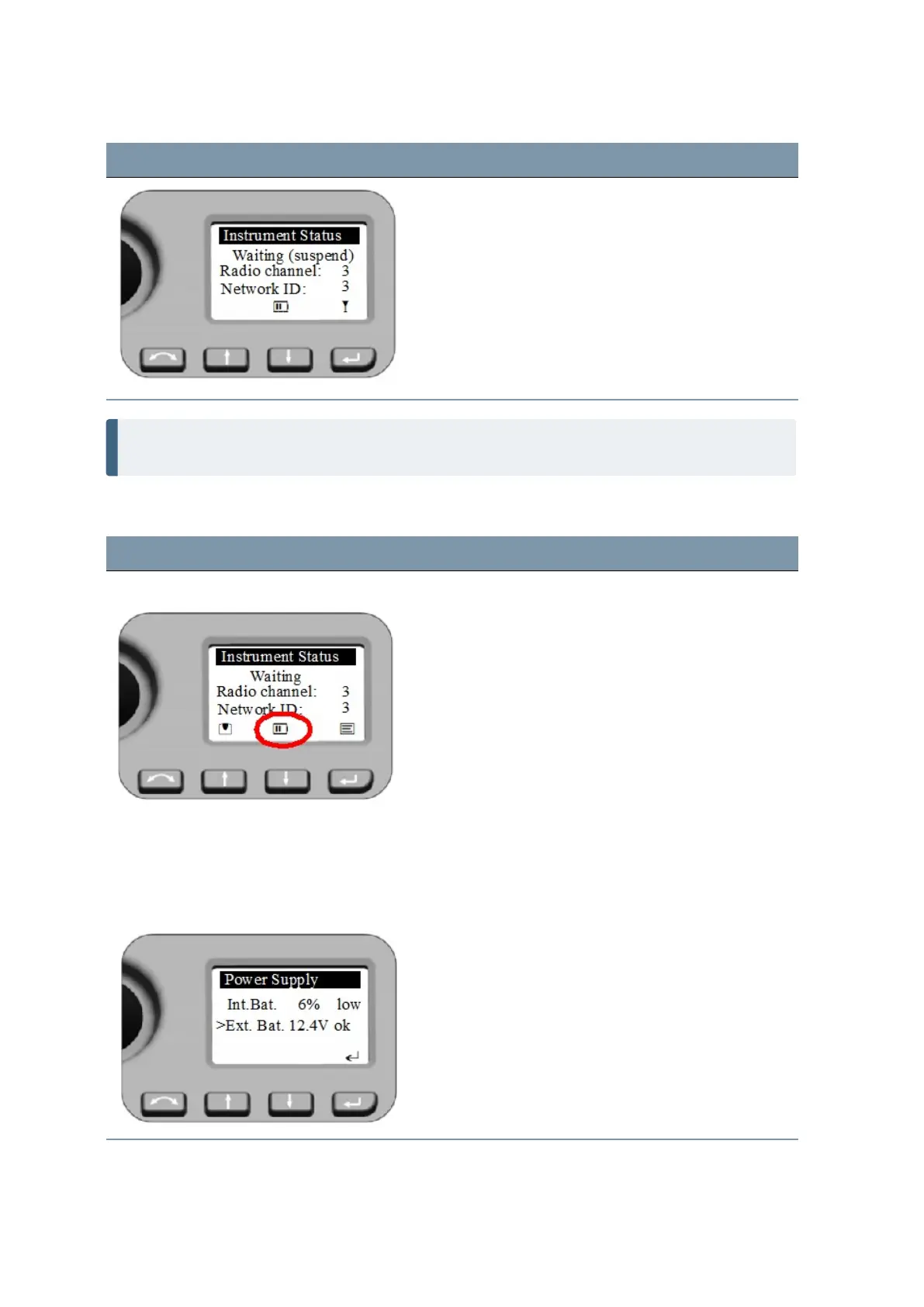
The instrument will leave the Suspend Mode by starting
the field software at the instrument, a short P key
press or a z key press (single beep).
* - Indicates Suspend Mode
NOTE – In Suspend Mode - menu shows Waiting (suspend) - instrument and telescope can be
turned by hand, whereas StepDrive motor system and Focus System are not usable.
Status Power supply
Screen Actions and Comments
Instrument Status Menu - Waiting
Symbol for battery (&) or external power (F) supply.
Battery symbol with bars or x indicates battery capacity:
& - 75 to 100%
$ - 50 to 75%
? - 25 to 50%
! - less than 25% (below 10% ok will be changed to low)
( - no function possible
For more details and information about external power
supply select with a short O key press in the Power
Supply Menu.
Power Supply - external source Menu shows the voltage of the source.
Leave the menu with P press.
FOCUS 35 Total Station User Guide | 55



 To Next Page