4 Setup
Leveling
Screen Actions and Comments
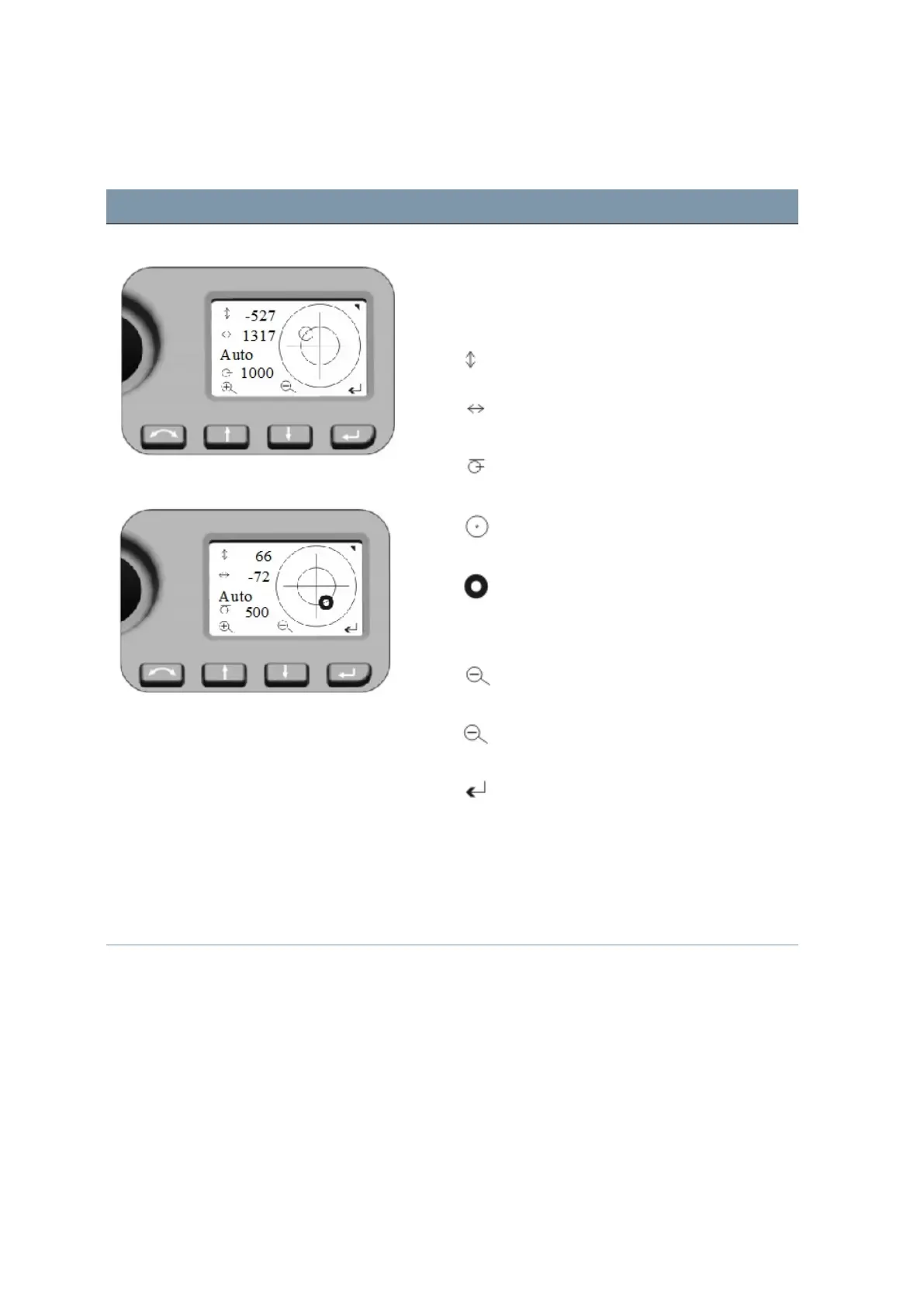
Leveling Menu
Leveling Menu bubble adjustment
Once you have selected the Level menu, the
electronic bubble appears in Face2 display.
NOTE – Values always in 0.1 mgon; (0.3 mgon = 1”;
0.1 mgon = 1 cc)
Telescope direction
Trunnion Axis direction
Bubble Scale value (Auto - max. 35 000;
min. 500)
Instrument inclination> 100 mgon
Instrument inclination < 100 mgon
Second key functions
Scale expansion (Manual mode - min. 100)
Scale reduction (Manual)
Back to Instrument Status menu
NOTE – If there is field software at Control Unit
Face1 started, this field software controls the
Face2 display. While using the field software in
every menu the Main Menu from the Face2 display
can be opened with a long P key press!
FOCUS 35 Total Station User Guide | 56



 To Next Page