4 Setup
Screen Actions and Comments
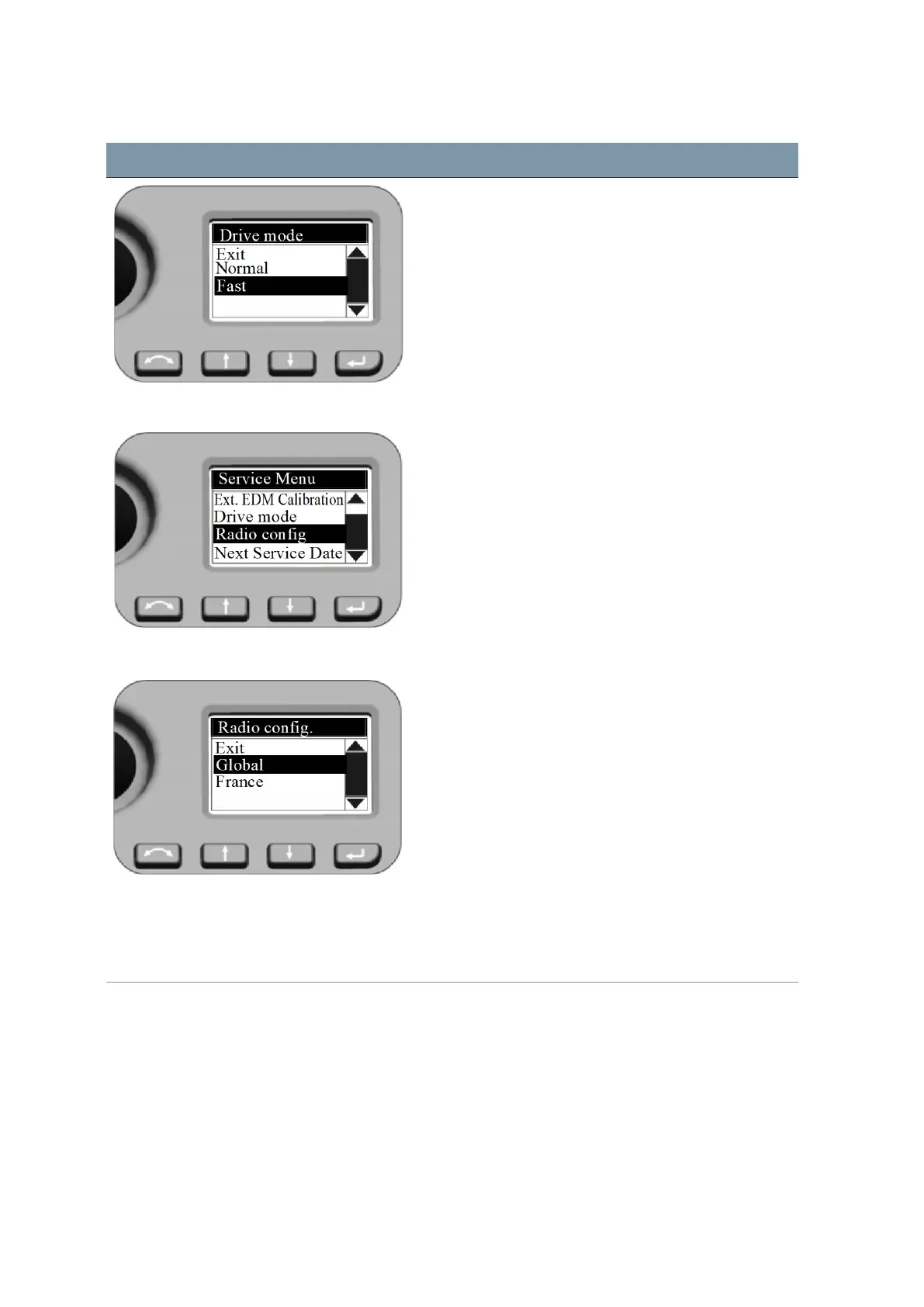
Normal:
This mode is the default mode. Mode is suitable for all
instrument mounts.
Fast:
Mode can be a choice for instrument mount on tripods.
Service Menu - Radio configuration Setting Radio configuration
Press N and O to scroll to Radio config. and then
press P.
Radio configuration Information to users in France only! To comply with
French radio regulations, the radio must be set to French
settings.
Press N and O to scroll to France and then press P.
Service Menu - Next Service Date Setting Next Service date
Press N and O to scroll to Next Service date and
then press P.
FOCUS 35 Total Station User Guide | 67



 To Next Page