Navigating the Menus of the TDI
Chapter 4. Operating the Ranger
Converter 3000
This section presents the display and the controls on the Ranger Converter 3000.
4.1.
The Display
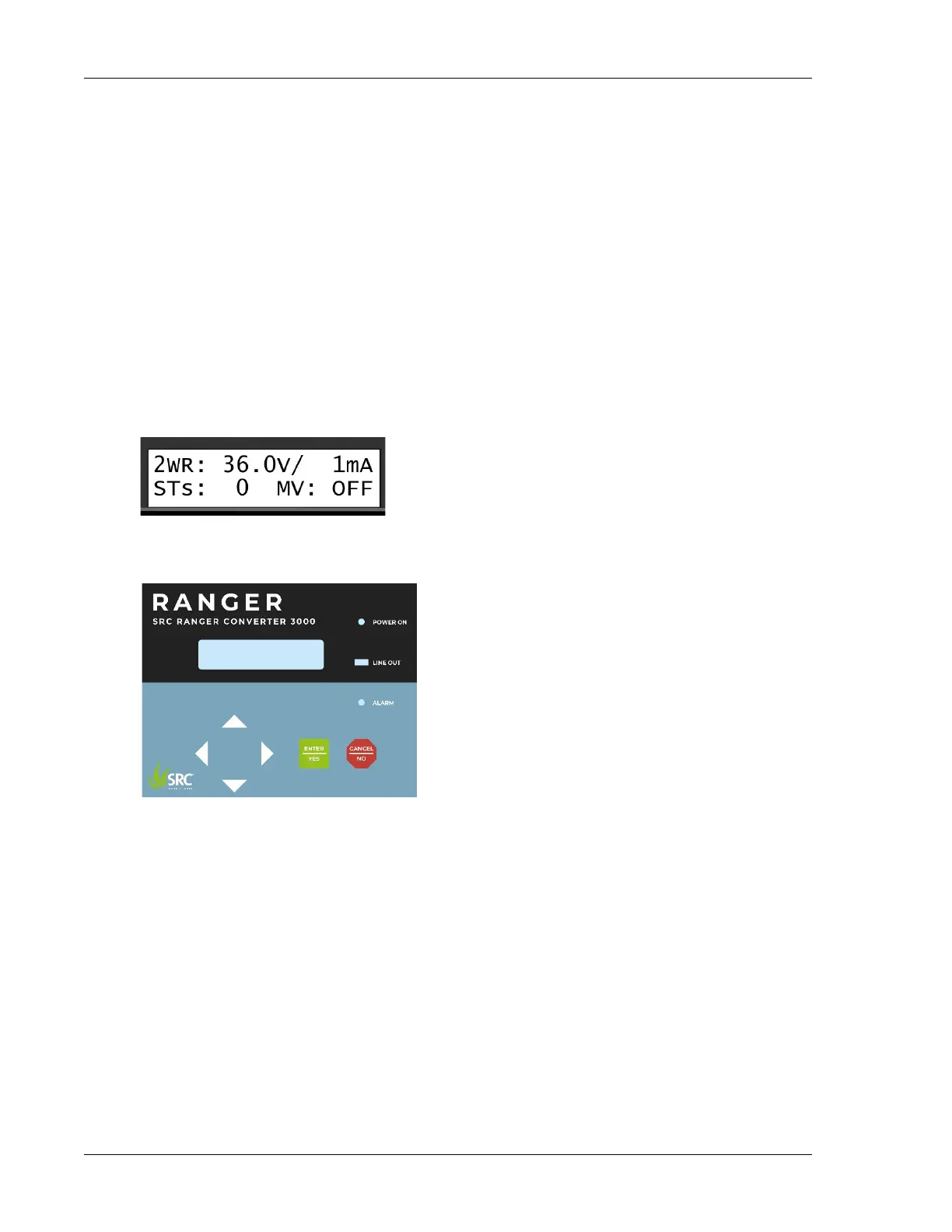
The Ranger Converter 3000 has a back lit LCD display with two rows of 16 characters. Since the limit is 16
characters per row, sometimes words are abbreviated, but all messages should still be easy to understand.
If in doubt about a message, consult this manual.
A typical message is the following that is displayed when the Ranger Converter 3000 is idle and displaying
the present status.
4.2.
Buttons and LEDs
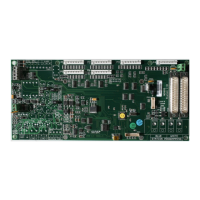
The front plate of the Ranger Converter 3000 contains the following controls and LEDs:
• Item selectors: These buttons let you scroll up, down and sideways in the various menus and commands
of the Ranger Converter 3000.
• CANCEL / NO: Press this button to cancel the current operation or exit the current menu.
• ENTER / YES: Press this button to activate the selected menu or accept the current setting.
• POWER ON: When the Ranger Converter 3000 is turned on, the POWER ON LED will light green.
• LINE OUT: When the Ranger Converter 3000 is turned on and the 2-wire is functioning properly, the
LINE OUT LED flashes green and red every half second. See Section 7.2, “Testing the Two-wire Path”
[41] for troubleshooting.
• ALARM: Flashes when the Ranger Converter 3000 has registered one or several alarms. The display
will show you more information about the alarm type. See Section 5.2.5, “Displaying the Alarm Status”
[23] for alarm causes.


 To Next Page