Setting the Master Valve Override
Chapter 6. Configuring the Ranger
Converter 3000
6.1.
Setting Up the Ranger Converter 3000 System
All set-up is done by using the menus and commands accessible from the Main menu.
When setting up the Ranger Converter 3000 system, we recommend you use the following
sequence:
1. Programming Decoders
2. Setting the Master Valve Override
3. Adjusting the Power Levels
4. Resetting your Configuration Data
6.2.
Programming Decoders
When programming decoders you perform two actions for each decoder:
1. Assign a unique ID to the decoder.
2. Test the decoder.
To program a decoder:
1. Connect the decoder’s white and blue wires to the sockets labelled White and Blue on the Ranger
Converter 3000.
2. Scroll sideways to the Main menu, then scroll to the Dec Program menu, and press ENTER.
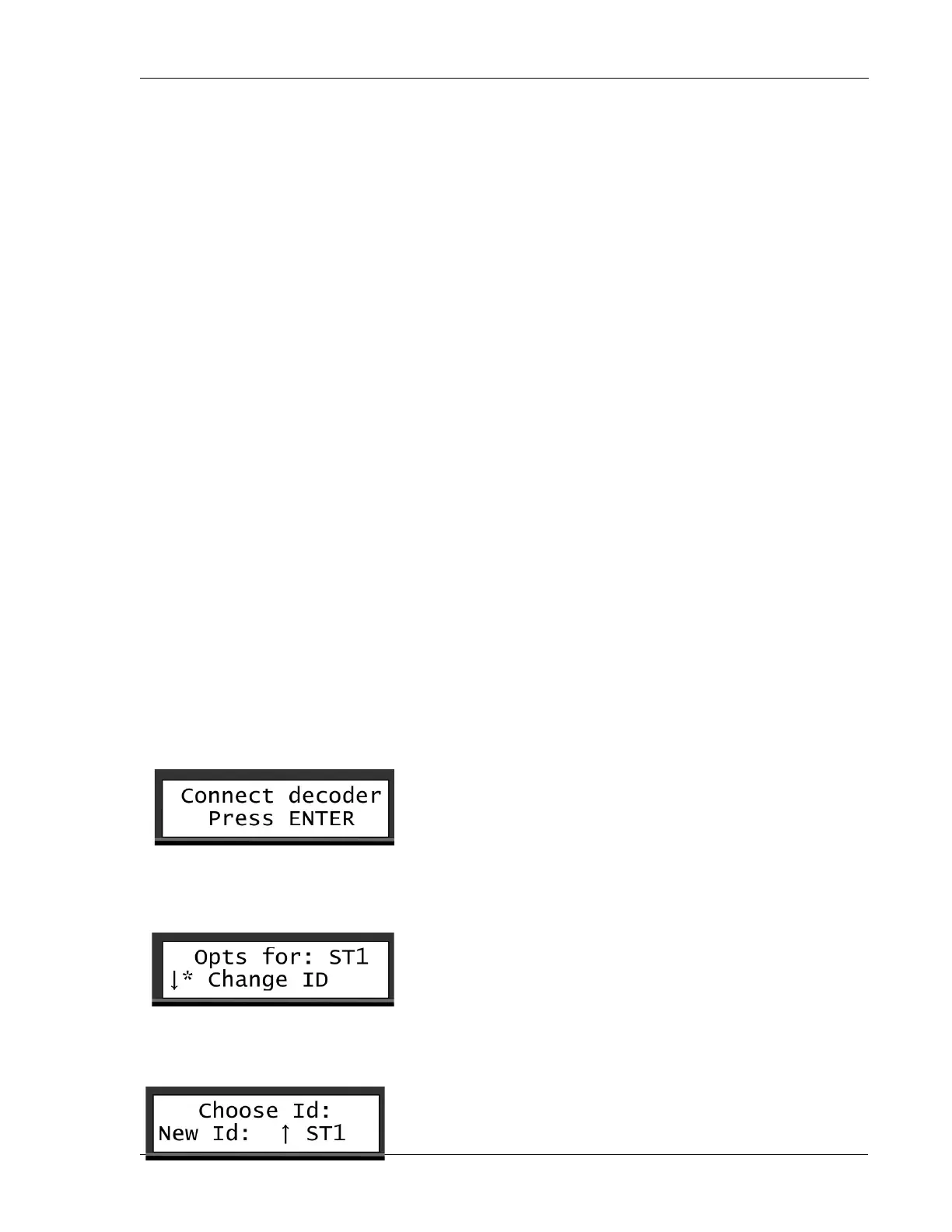
3. If you did not already connect the decoder, you will be prompted to do so at this point. Once it is connected,
press ENTER.
4. Scroll to the Change ID menu to open the Choose ID window.
5. Scroll through the IDs (ST1, ST2, ST3, etc). Press ENTER two times to confirm your selection.


 To Next Page