The Built-in Short Finding Test
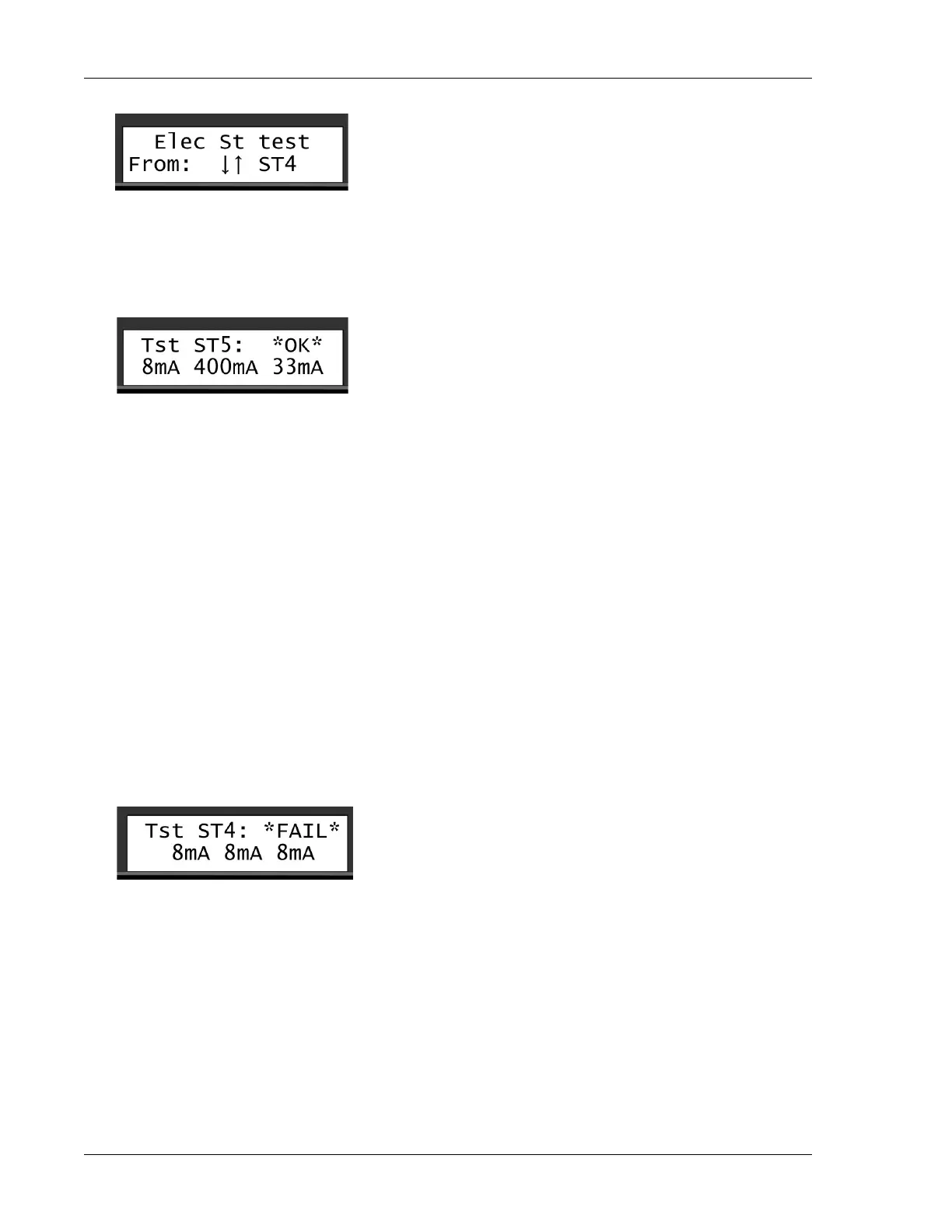
3. Use the item selectors to select a station and push the ENTER button to start the test.
The screen will either confirm that the test went OK or it failed.
In addition to this basic information, three values are displayed: The Before current mA, the Inrush
current mA and the Holding current mA:
• Before current: Shows the current just before the station is activated.
• Inrush current: Shows the current in the "inrush" period, which is the short period when the station
activates the decoder. In this case, the station pulled a current of 400mA.
• Holding current: Shows the current level after the decoder was open, in this case 33mA
Numbers in this range are normal. The Before current corresponds to the number of stations multiplied
by 0,5 mA. In this case, there are 16 decoders in the system which amounts to 8mA. As for the Inrush
current it takes a larger charge in the "inrush" period to pull the solenoid open, and then a smaller current
(the Holding current) to keep it open afterwards. Typically, the Holding current is approximately 25mA
higher than the Before current, in this case 33mA.
If the station fails, the display will look something like this:
In this case, there was no response from the station.
Regardless of whether the station fails or turns out OK, you move on to testing the next station in line
by pushing the
ENTER button.
7.1.3.
The Built-in Short Finding Test
If you suspect your system has a short somewhere in the field, use the built-in short test in the Ranger
Converter 3000. This test won't tell you anything you can't already see if you've configured the controller
to display voltage and current in the display, but it's the first step in the troubleshooting process.


 To Next Page