Adjusting the Master Valve Power
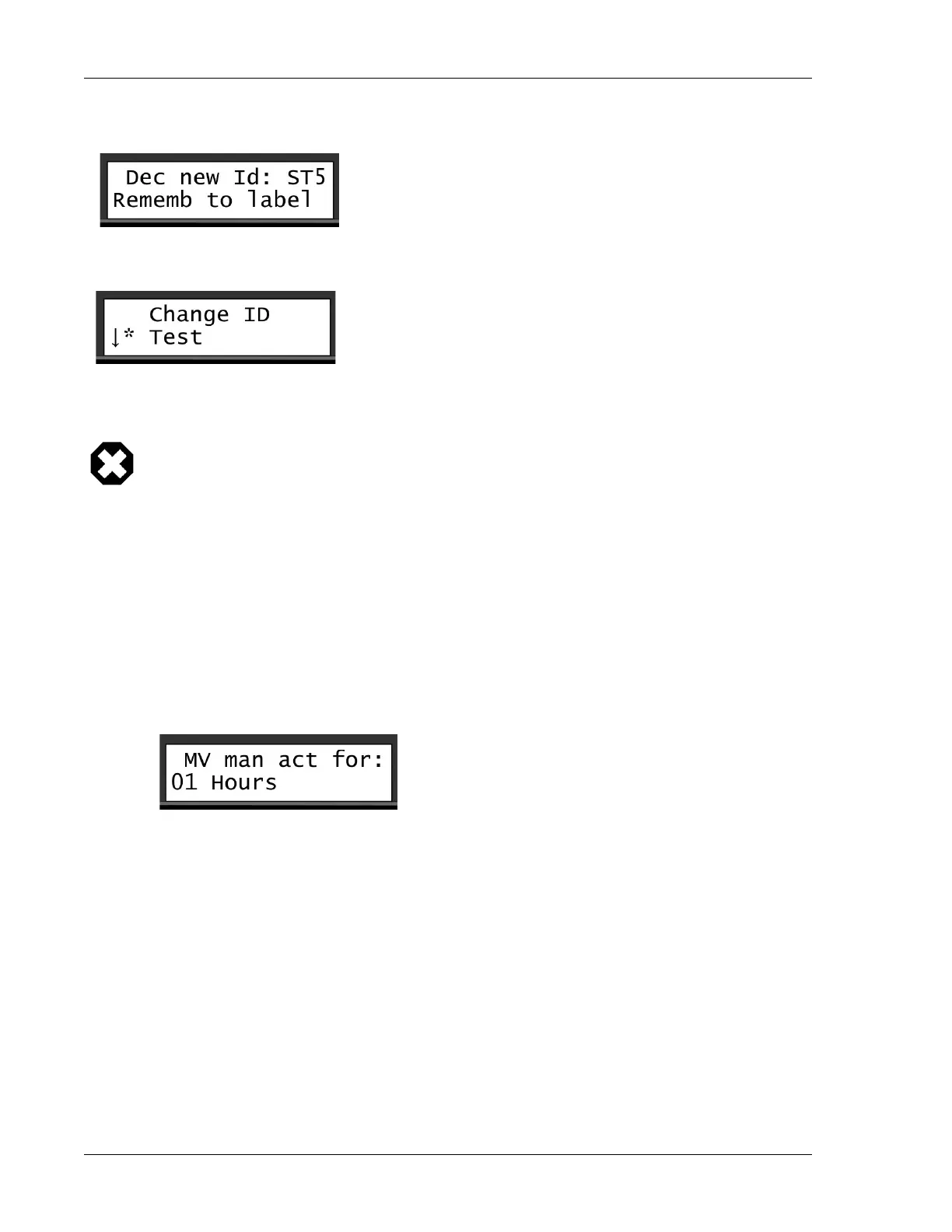
6. The Ranger Converter 3000 will use a few seconds to verify the ID, then prompt you to label the decoder for
future identification. Press ENTER.
7. Scroll down to the Test command and press ENTER to test the output of the decoder. If the decoder has
a defect you will encounter an error at this point.
8. If you want to program another decoder, use the item selectors to select the Another command, and
press ENTER. Repeat steps 2 through 6.
Warning
The Ranger Converter 3000 contains no in-built control mechanism that prevents you from
assigning the same ID to several stations. Consequently, we advise you to assume caution
when assigning IDs to the stations and the master valve to minimize the risk of assigning
identical station IDs. Creating identical stations will likely overload the system and cause
failures.
6.3.
Setting the Master Valve Override
With this setting you control the activation time (in hours) for the manual activation of the master valve.
To set the master valve override:
1. Scroll sideways to the Main menu, then scroll down to the MV Override menu, and press ENTER.
2. Use the item selectors to set the time period (in hours). The range is 1 to 12 hours press ENTER to
confirm your selection.
6.4.
Adjusting the Power Levels
Ranger Converter 3000 allows you to adjust the power levels for each station and the master
valve independently. Choose between:
• Normal power
• High power
• Higher power
• Highest power


 To Next Page