Navigating the Menus of the TDI
Chapter 5. Running the Ranger
Converter 3000
This chapter contains information how to run the Ranger Converter 3000 once it
has been set up. Read more about:
• The main view
• Displaying controller status
5.1.
The Main View
The main view is the active view when the system is up and running. Use the main view to get an overview
of the overall status of the two-wire. In case of alarm(s), the display will alternate between the normal display
and the display of each alarm.
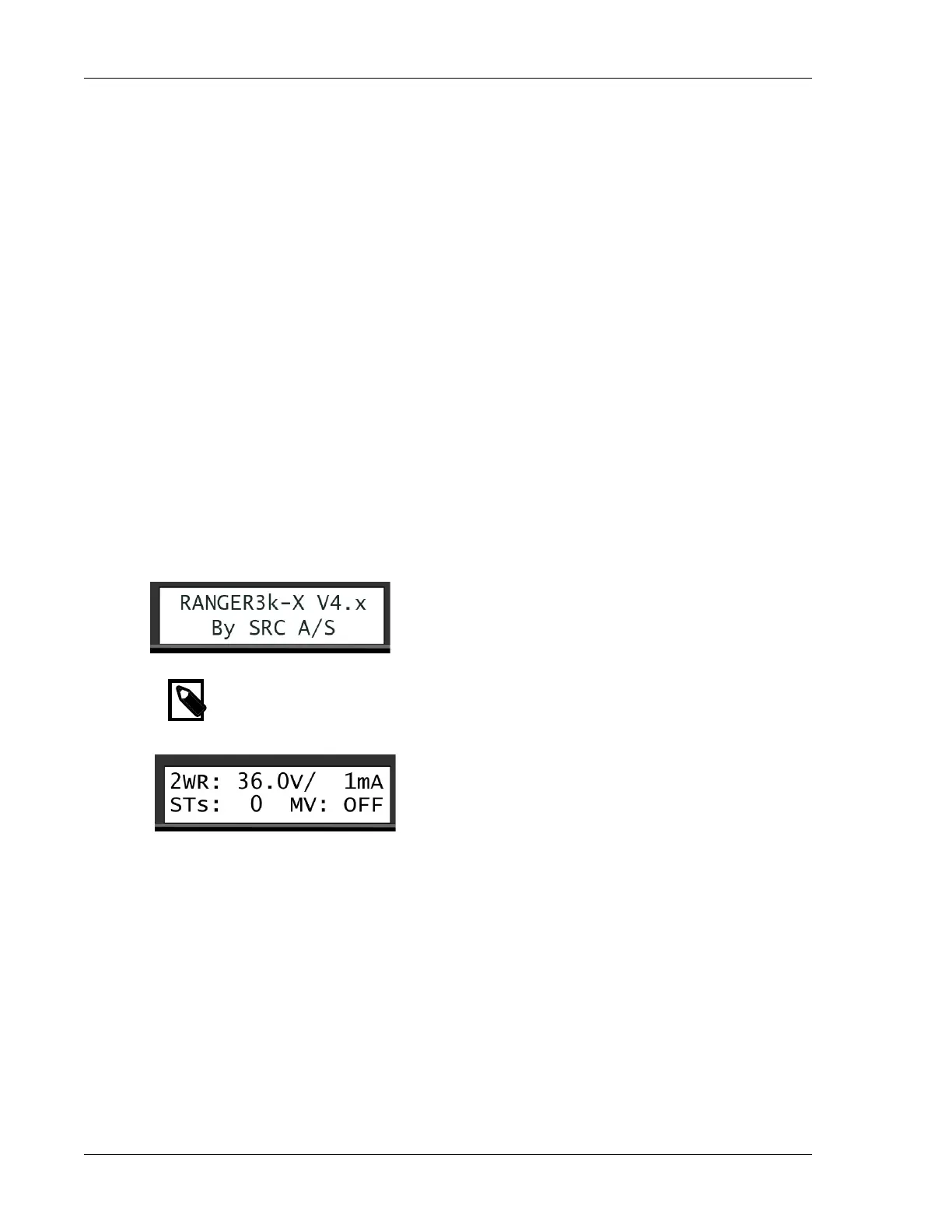
1. Power up the Ranger Converter 3000. For a few seconds the current firmware information and the
Ranger Converter 3000 number shows on the screen. While the Ranger Converter 3000 is turned on,
the POWER ON LED will light green, and the LINE OUT LED will flash red/green every ½ second.
2. The main view displays.
Note
Except when you work in the submenus, the Ranger Converter 3000 will revert to the main view
after 10 seconds with no panel activity.
The top line of the main view shows the voltage and mA measured on the two-wire. The voltage should
show 32V to 36V on a 2-wire with no decoders installed, and the mA should be close to 0 mA. On a 2-wire
with decoders installed (but not running), the mA should show approximately 0.5 mA per decoder.
The bottom line shows the total number of active stations (i.e. decoders) and the status of the master valve
(MV), i.e., if it is turned on or off.
For active decoders, the mA depends on the power level. The more power you assign, the less number of
simultaneous active stations is possible. For more information turn to Adjusting the Power Levels.


 To Next Page