EasyManua.ls Logo

Stanley NB08PT-18 - User Manual

Stanley NB08PT-18
626 pages
Print Icon
To Next Page IconTo Next Page
Loading...
Touch Screen
Instruction Manual
NB08PT-18 Insert Nut Tool
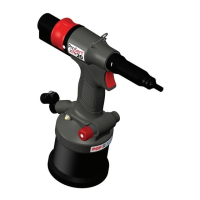
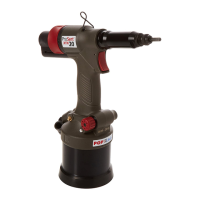
PB2500Smart Blind Rivet Tool
Battery Power Tool
EN
Battery Power Tool
AR
Battery Power Tool
BG
Акумулаторен електрически инструмент
CZ
Nářadí napájené baterií
EL
Ηλεκτρικό εργαλείο μπαταρίας
ET
Akutoitega elektritööriist
HR
Baterijski alat
HU
Akkumulátoros szerszám
LT
Akumuliatorinis įrankis
LV
Akumulatora elektroinstruments
RO
Unealtă cu acumulator
RU
Электроинструмент с аккумуляторной батареей
SK
Akumulátorom napájané náradie
SL
Akumulatorsko orodje
TR
Şarjlı Elektrikli Alet
UK
Акумуляторний електричний інструмент

Table of Contents

Other manuals for Stanley NB08PT-18

Questions and Answers

  • J
    Jessica WalkerSep 3, 2025
    Why Stanley Power Tool has insufficient or excessive fastening stroke?
    • V
      Victor BarrySep 3, 2025
      If you observe insufficient or excessive fastening stroke on your Stanley Power Tool: 1. The setting value of fastening stroke or fastening load may be inappropriate. Use an appropriate setting value. 2. There might be a malfunction of the control part. Set up to factory default condition. If it does not return, contact a local service centre. 3. The setting file might be malfunctioning. Restore to factory settings. 4. The trigger module or screen module could be malfunctioning. Contact a local service center.
  • M
    mooneyzacharySep 18, 2025
    What to do if Stanley NB08PT-18 screen freezes at logo?
    • T
      Timothy WhiteSep 18, 2025
      If your Stanley Power Tool screen freezes at the Stanley Engineered Fastening Logo, it could be due to: * A data reading error. Remove and reinsert the battery, then press the trigger to turn it on. * Broken setting data. Restore the tool to its factory settings.
  • W
    william67Sep 16, 2025
    Why does my Stanley NB08PT-18 Power Tool fasten a low number of nuts on a full charge?
    • S
      Scott HarrisonSep 16, 2025
      If your Stanley Power Tool fastens a low number of nuts even with a fully charged battery: * The battery may not be fully charged. Check the battery level and fully charge it. * The battery might be malfunctioning. If power consumption is faster than usual, consider replacing the battery.
  • F
    fuenteschristinaSep 14, 2025
    How to fix insufficient or excessive fastening stroke on Stanley NB08PT-18?
    • C
      cassandra68Sep 14, 2025
      If you're experiencing insufficient or excessive fastening stroke with your Stanley Power Tool: * The setting value of fastening stroke or fastening load may be inappropriate. Use an appropriate setting value. * There might be a malfunction of the control part. Set the tool to factory default condition. If it still doesn't work, contact a local service center. * The setting file may be malfunctioning. Restore to factory setting. * The trigger module or screen module may be malfunctioning. Contact a local service center.
  • D
    Daniel MyersSep 12, 2025
    What to do if Stanley Power Tool does not function when mandrel is pushed?
    • R
      Reginald SantosSep 12, 2025
      If your Stanley Power Tool isn't working when you push the mandrel, it could be due to: * The screen not being on the home screen. Touch the 'Back home' icon to return to the home screen. * A screen malfunction, freezing, or turning all white. Remove and reinsert the battery, press the trigger to turn it on, or reset the tool to default. If the issue continues, contact a local service center. * An alarm message with a beep sound. Reset the alarm according to the related pages. * Broken setting data. Restore the tool to its factory settings. * A radio communication error. Restore to factory settings. If the issue persists, contact a local service center.
  • J
    Jenny CombsSep 12, 2025
    What to do if Stanley Power Tool does not operate when trigger is pressed?
    • J
      Jonathan LopezSep 12, 2025
      If your Stanley Power Tool isn't working when you press the trigger switch, here's what might be happening: * The screen may not be on the home screen. Get the screen to the home screen by touching the 'Back home' icon. * The screen could be malfunctioning, freezing, or all white. Remove and reinsert the battery, then press the trigger to turn it on. Alternatively, set the tool to default. If the problem persists, contact a local service center. * The tool may not be in operating mode. Ensure the tool is set to operate.
  • H
    Haley NelsonSep 9, 2025
    What to do if my Stanley Power Tool does not count correctly?
    • S
      swareSep 9, 2025
      If your Stanley Power Tool isn't counting correctly, consider these potential causes and solutions: * The fastening force might be too low. Reset the stroke and force settings. Note that for aluminum M3 at extremely low force, it may not count in some cases. * The battery may not be fully charged. Check the battery charge level and charge if necessary. * A malfunctioning battery could be the issue, so replace it. * The setting files may be corrupted; restore to factory settings. * There may be a calibration issue, and you should contact a local service center.
  • E
    Elizabeth BookerSep 7, 2025
    Why won't my Stanley NB08PT-18 Power Tool turn on?
    • G
      Gina SullivanSep 7, 2025
      Your Stanley Power Tool might not turn on due to several reasons: * The battery may not be fully attached. Try removing and re-inserting the battery, then reset the tool. * The battery might not be fully charged. In this case, charge the battery. * The battery could be malfunctioning, requiring a replacement. * There may be a trigger module malfunction. If that is the case, contact a local service center.
  • J
    judithsellersSep 5, 2025
    Why Stanley NB08PT-18 Power Tool assumed fully charge battery fasterned low number of nuts?
    • D
      Dustin TaylorSep 5, 2025
      If you find that a fully charged battery on your Stanley Power Tool fastens a low number of nuts: 1. The battery might not be fully charged. Check the battery level and fully charge the battery. 2. The battery could be malfunctioning. If power consumption is faster than usual, replace the battery.
  • J
    Joan MeyersAug 20, 2025
    Why does my Stanley Rivet Tools power not turn on?
    • J
      Jessica MillerAug 20, 2025
      If your Stanley Rivet Tool's power isn't turning on, there are several potential causes: * The battery might not be fully attached. Try removing the battery and re-inserting it, then reset the tool. * The battery could be low on charge. Make sure to fully charge the battery. * The battery may be malfunctioning, in which case you should replace it. * There may be a trigger module malfunction.

Summary

Safety Definitions

General Safety Rules

Essential safety guidelines for tool operation.

Electrical Safety

Precautions against electrical hazards.

Lithium-Ion Battery Safety

Specific safety precautions for Li-Ion batteries.

Precautions for Use

Tool Use and Set Up

NB08 PT-18 Special Tool Settings

Choosing Control Mode

Selecting between stroke, force, or multi control modes.

Setting Stroke and Force

Adjusting stroke and force parameters for fastening.

PB2500 Smart Special Tool Settings

Assessment Criteria Setup

Defining criteria for average and free setting modes.

NB08 PT-18 Troubleshooting Guide

PB2500 Smart Troubleshooting Guide

Stanley NB08PT-18 Specifications

General IconGeneral
BrandStanley
ModelNB08PT-18
CategoryPower Tool
LanguageEnglish

Related product manuals