1656 & 1657 Battery Element Tester Owner’s Manual
STS Instruments Page 81 of 88
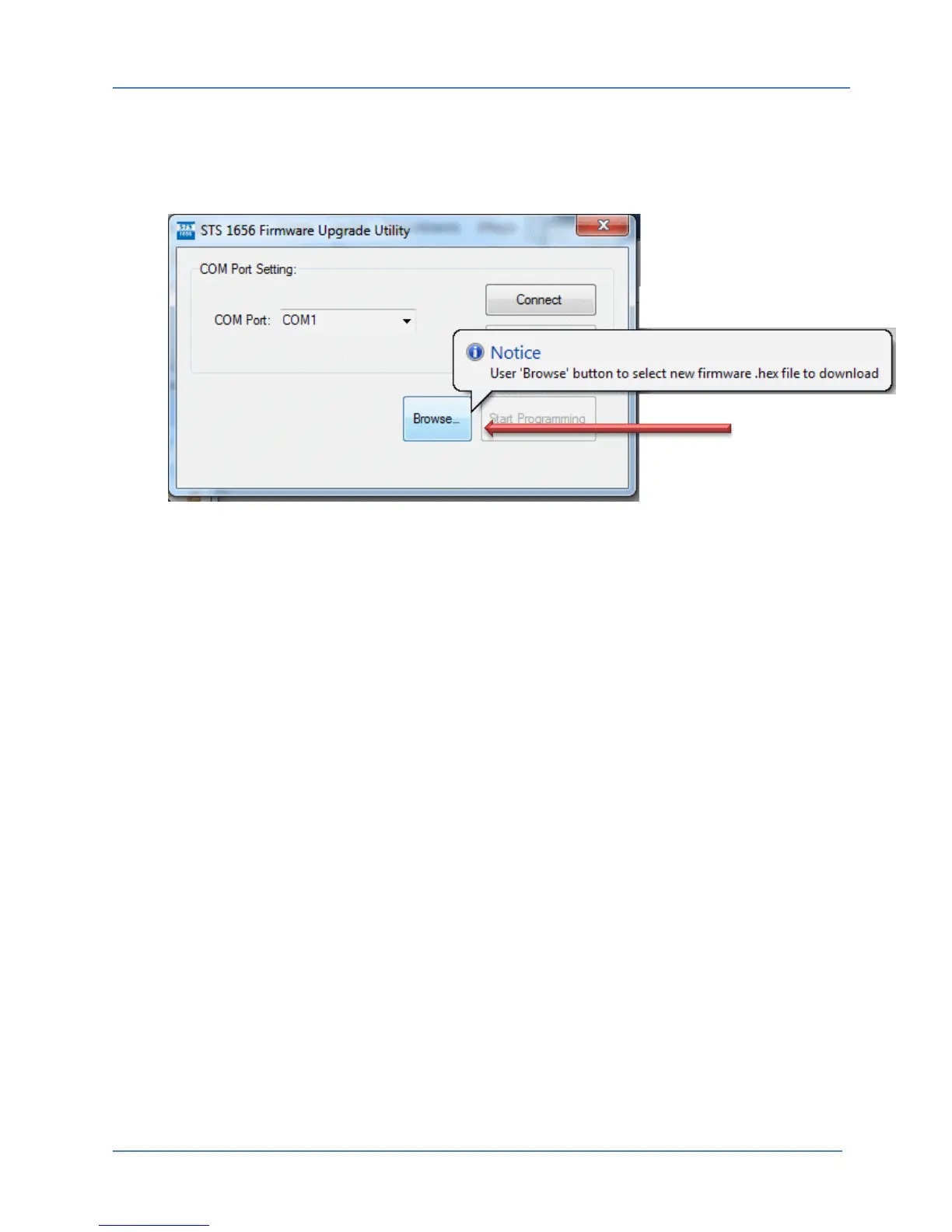
From the flash loader main screen, press the “Browse” button to locate the firmware HEX file
you received or downloaded for your instruments. The file must have the extension “.hex”.
NOTE: Do not alter or modify the firmware HEX file in any way or it will be corrupted and could
render your instrument inoperative.
Clicking on the “Browse” button will display the Windows File Open dialog box. Use this dialog
to locate the correct firmware hex file and click on the “Open” button.
Once the correct firmware hex file has been selected, the “Start Firmware Upgrade” button will
be enabled. Click this button to start the download.
Note that the download may take several minutes to complete. Watch for any error messages
reported by the Flash downloader utility program. If the download is successful, the 1656/1657
will reboot and display the normal start up screen.
If for some reason the firmware download is not successful, turn the unit off and back on in
Flash loader mode as described above.



 To Next Page