Chapter 3 Replacing the Motherboard and Associated Components 3-3
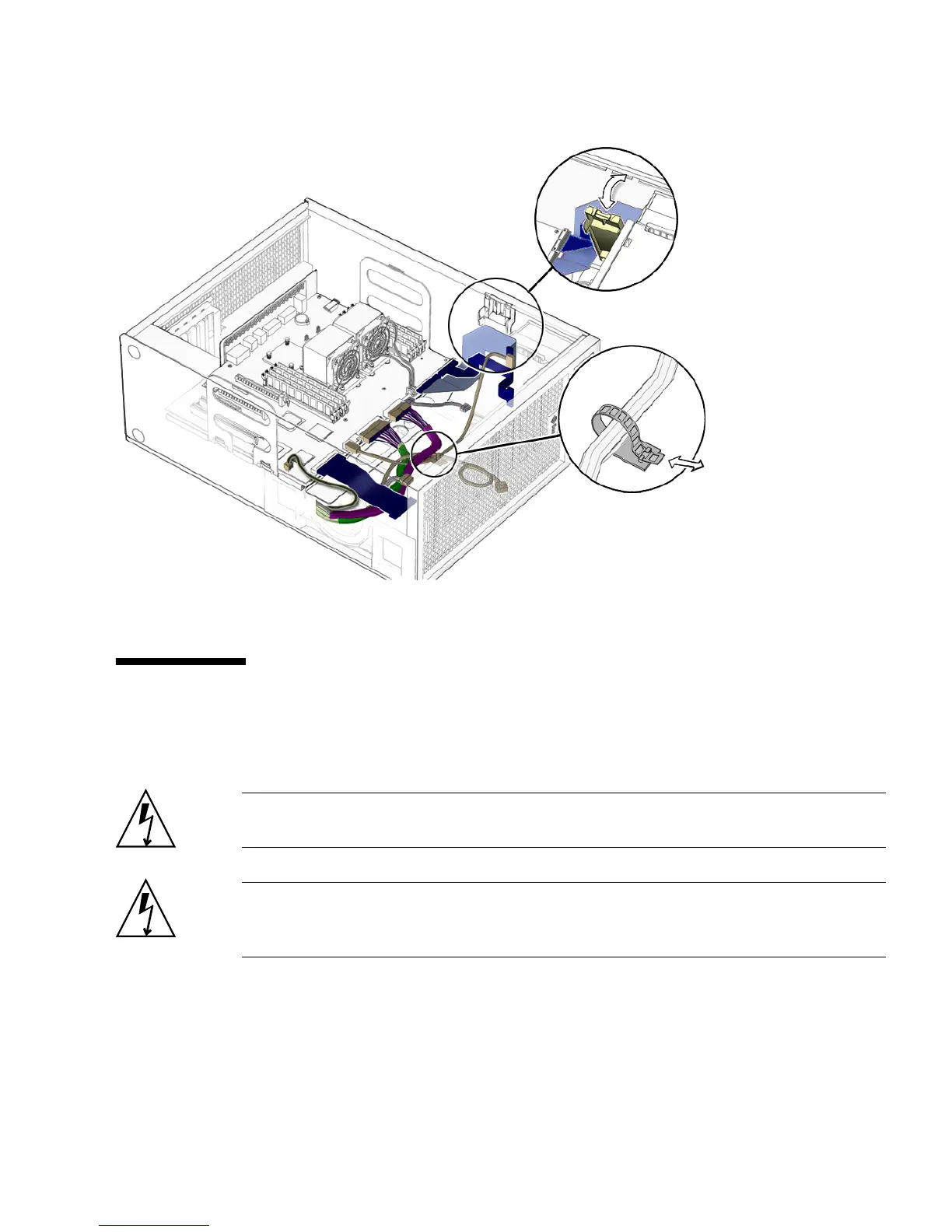
FIGURE 3-2 Motherboard Cables and Cable Clips
3.2 Replacing the DIMMs
This section describes removal and installation of the memory modules.
Caution – DIMM memory is installed in pairs. If you replace a single DIMM, the
new DIMM must be identical to the DIMM that you removed.
Caution – Handle the DIMMs along the outside edges. Do not handle the DIMM
along the gold contact edge. Do not touch DIMM components or other metal parts.
Always wear an antistatic wrist strap when handling DIMMs.














 To Next Page