3-14 Sun Ultra 45 and Ultra 25 Workstations Service and Diagnostics Manual • May 2006
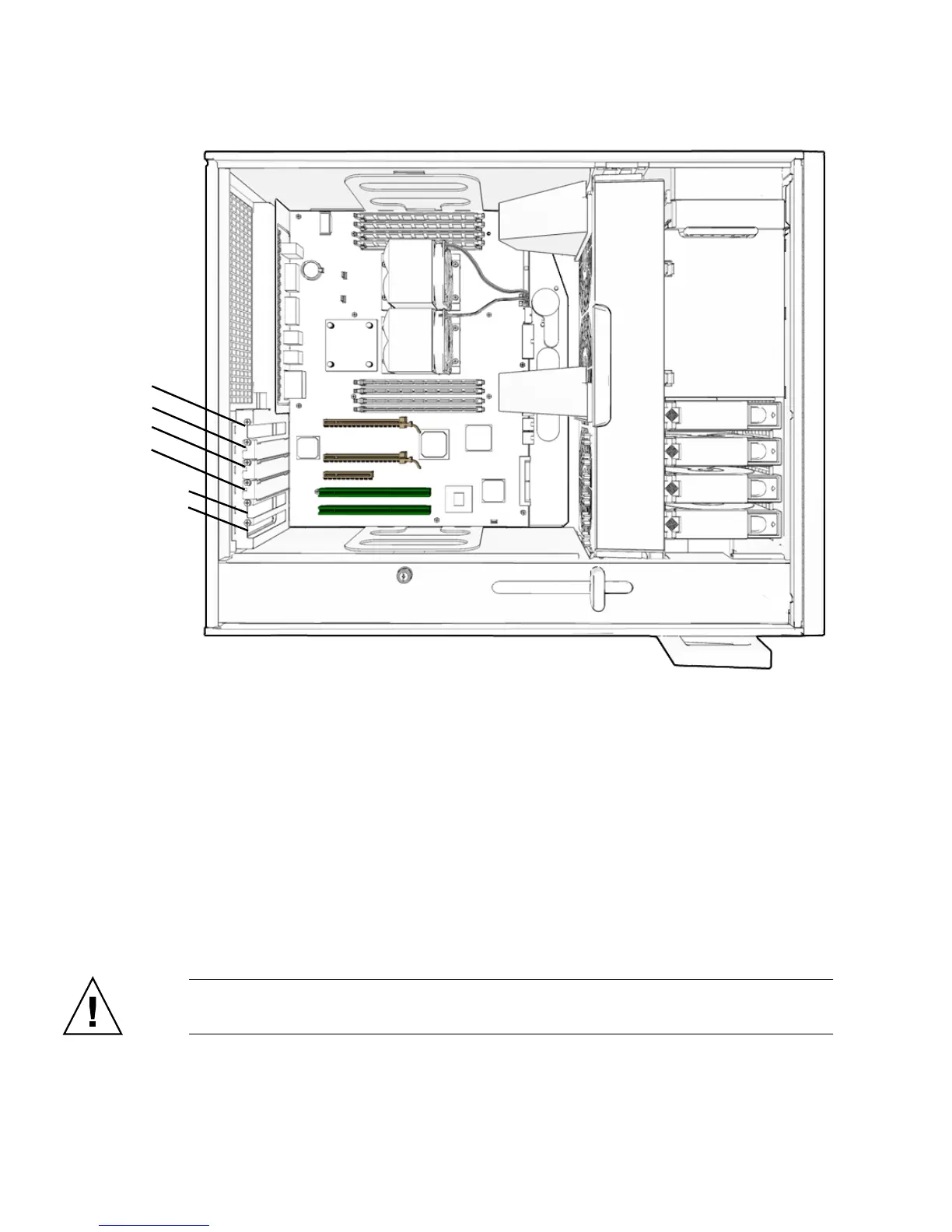
FIGURE 3-8 PCI Card Location and Identification
3.5.2 Removing a PCI Card
1. Power off the system and attach an antistatic wrist strap. If necessary, disconnect
external cables. Open and position the chassis, and remove the access panel.
Refer to “Powering Off the Workstation” on page 2-4.
2. Using a No. 2 Phillips screwdriver, remove the screw that secures the PCI card
retainer to the chassis rear panel (
FIGURE 3-9).
Set the screw aside in a container.
Caution – If you are removing a graphics accelerator from a PCI-Express connector,
be sure that you release the PCI-E connector latch (FIGURE 3-9).
PCI-E2 x8
PCI-E1 x8
PCI-E0 x4
PCI-X1 100 MHz
PCI-X0 100 MHz
Blank slot














 To Next Page