Chapter 3 Replacing the Motherboard and Associated Components 3-15
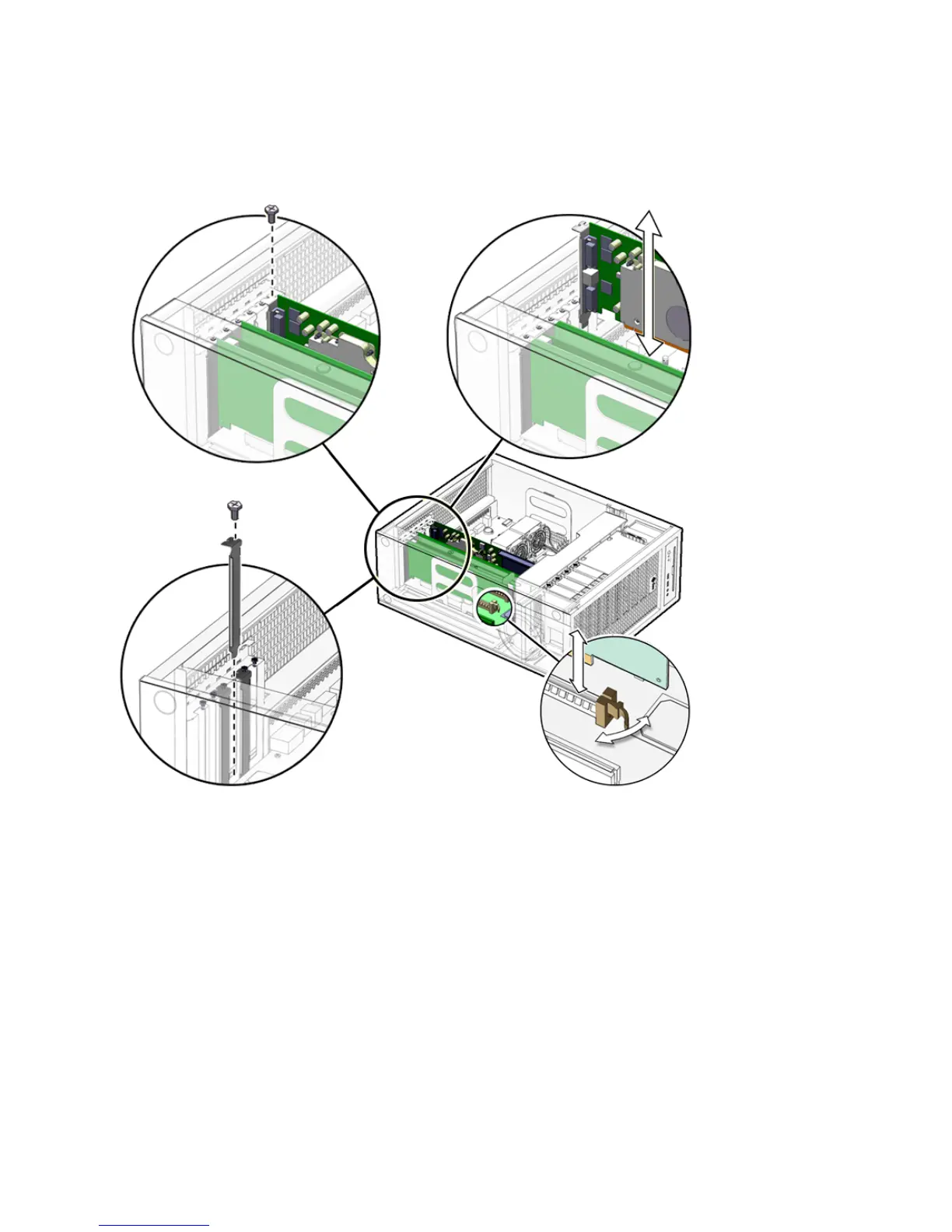
3. Gently rock the PCI card forward, then lift it straight out of the PCI card slot, and
set it aside on an antistatic mat.
FIGURE 3-9 Removing the PCI Card
4. If you are not installing another PCI card in the empty slot, insert a filler panel
into the rear panel slot.
The rear panel slot must be closed with a filler panel to meet system Electromagnetic
Interference (EMI) and airflow requirements.
3.5.3 General PCI Card Guidelines
The total power consumption of all installed PCI cards must not exceed 400 Watts.














 To Next Page