118
Software update
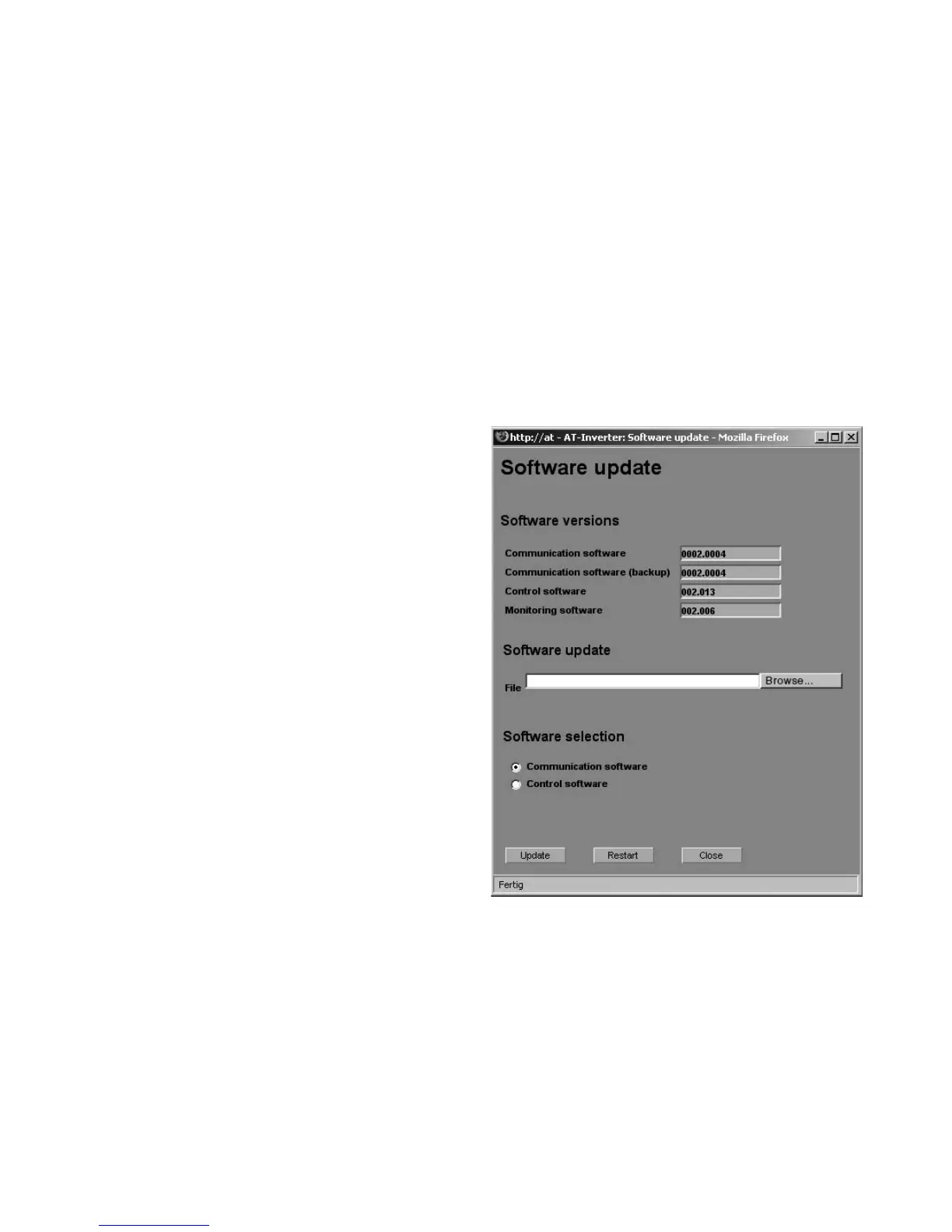
The software update is used to expand
functions on your solar inverter. The
communication software (responsible for
LCD display, interfaces, communication
and Sunways Browser) and the control
software can be updated.
1. Call up the function «Settings – Soft
-
ware Update» for this purpose. This
function requires entry of a password
(default: ******** or the customer
password you have changed).
2. In the upper section of the screen you
see the software versions that are
currently running. If a new version is
made available on our website
(www.sunways.de), then you can
download this file and load it via the
Sunways Browser. Select the file on
your hard disk in the File field with the
«Browse...» button and confirm the
File dialogue with «OK».
3. Then select the software you want to
update (communication software, con
-
trol software or monitoring software).
4. The current software is copied to the
solar inverter with the «Update»
button.
5. The unit is restarted and the new
software is loaded with the «Restart»
button.



 To Next Page