7272
Settings – Network (only possible with customer password)
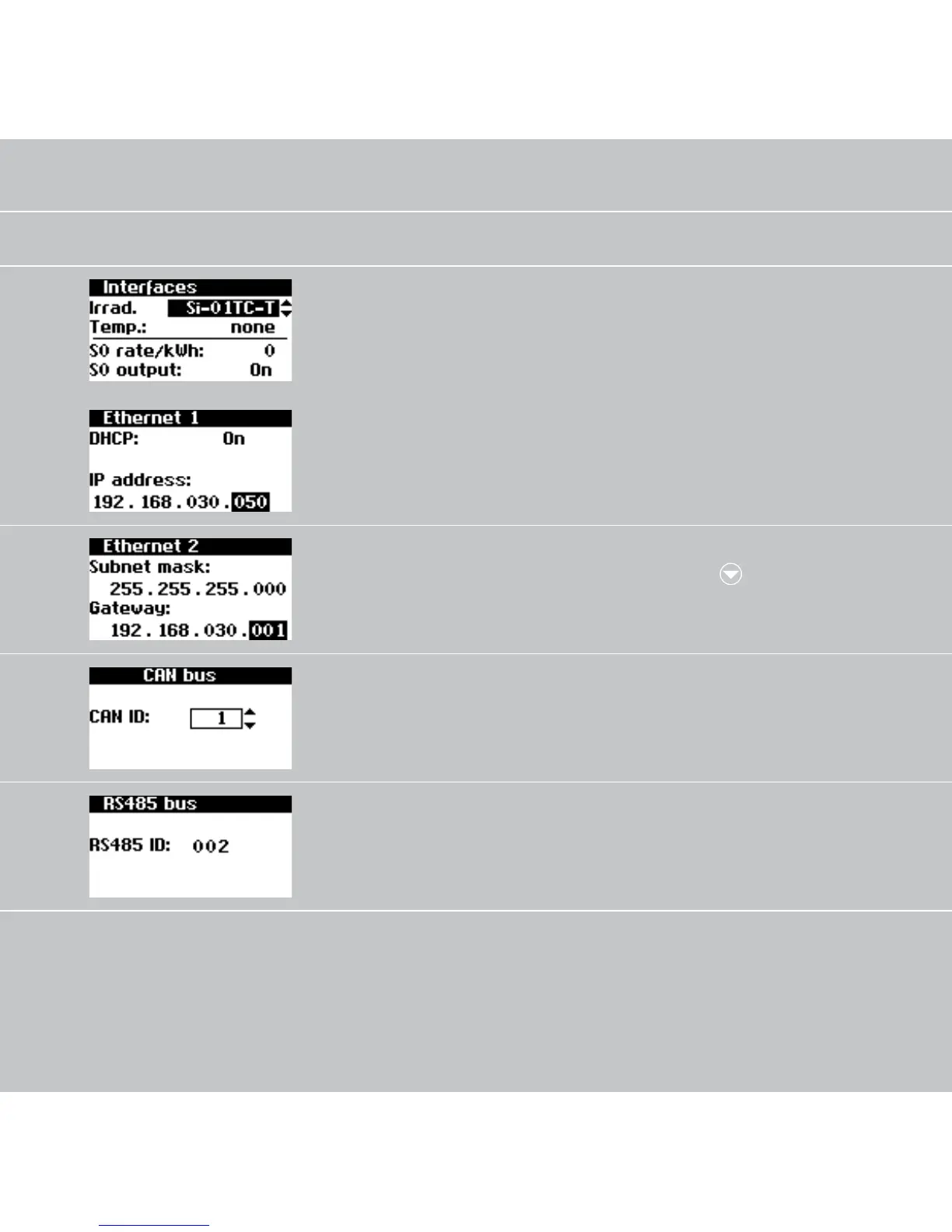
Setting of the irradiation
and temperature sensor
and configuration of the S0
pulse output
Settings – Network
– Interfaces
Network settings (Screen 1):
Activate DHCP for the auto
-
matic IP address setting or
enter IP address manually
Settings – Network
– Ethernet
Network settings (Screen 2): Settings – Network
– Ethernet –
Have CAN bus ID assigned
by the main unit
Settings – Network
– CAN bus
Assign RS485 address to the
unit (only necessary if NT
units are connected in the
network)
Settings – Network
– RS485 bus



 To Next Page