127
Setup
Check whether you meet all require
-
ments. Configure the specified settings if
necessary.
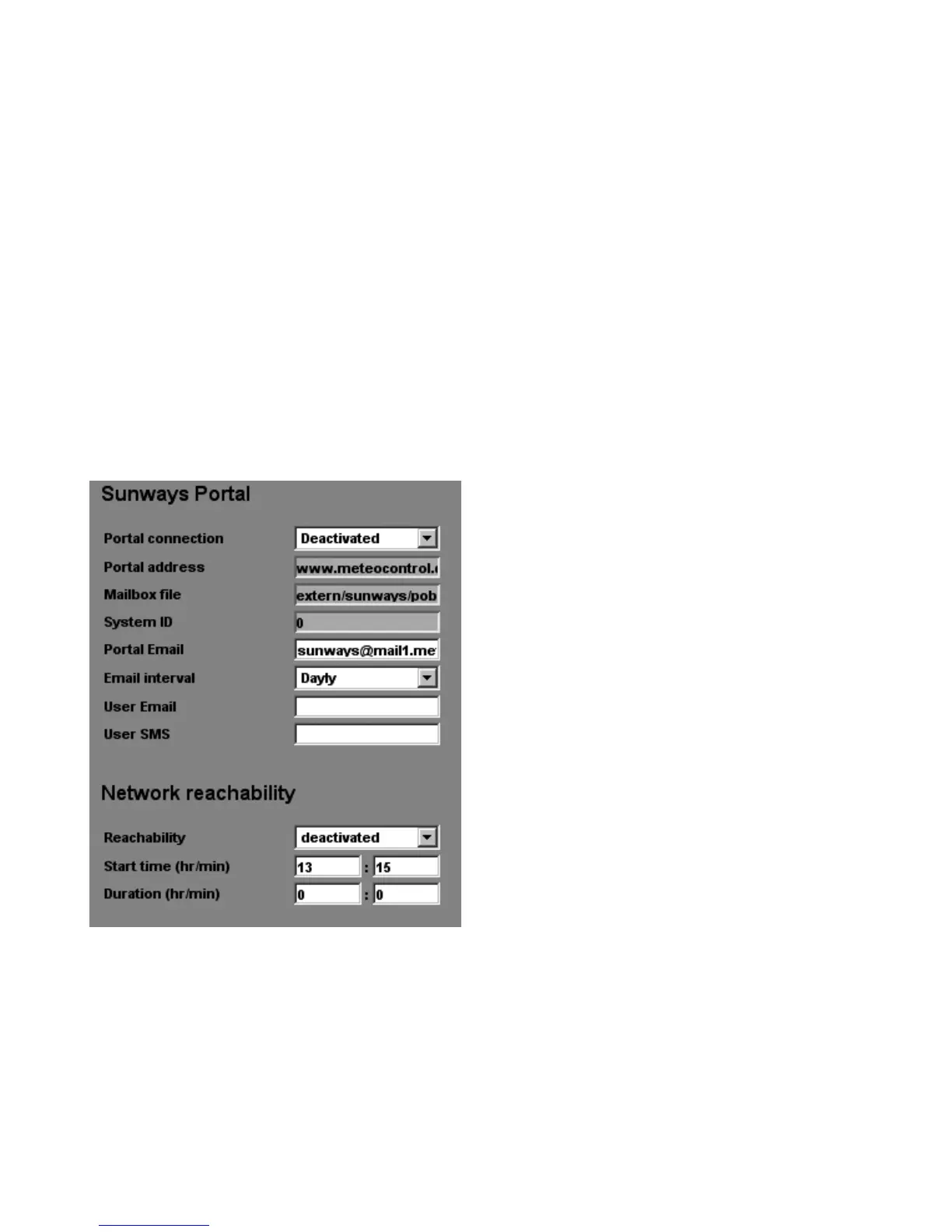
Open the setting page in the Sunways
Browser. This can be accessed under «Set
-
tings – System Monitoring» in the section
«Sunways Portal».
Portal connection
Activation or deactivation of the portal
connection.
Portal address
Preset for the Sunways Portal
Mailbox file
Preset for the Sunways Portal
System ID
System ID assigned by the portal. This is
automatically entered following the por
-
tal activation of the solar inverter.
Portal Email
Preset for the Sunways Portal. Here as
well, you can enter another address if
you want to evaluate the operating data
yourself.
Email interval
Select the Email interval. If you operate
the system on a DSL modem, you can
set a short interval. If you use a modem
connection, select a longer interval (e.g.
daily) to eliminate unnecessary telephone
costs



 To Next Page