OPERATION OF THE MJB4
18 MJB4 - Operation Rev07 05-10
3
3.2.3. Topside (TSA) Microscope
Manipulator
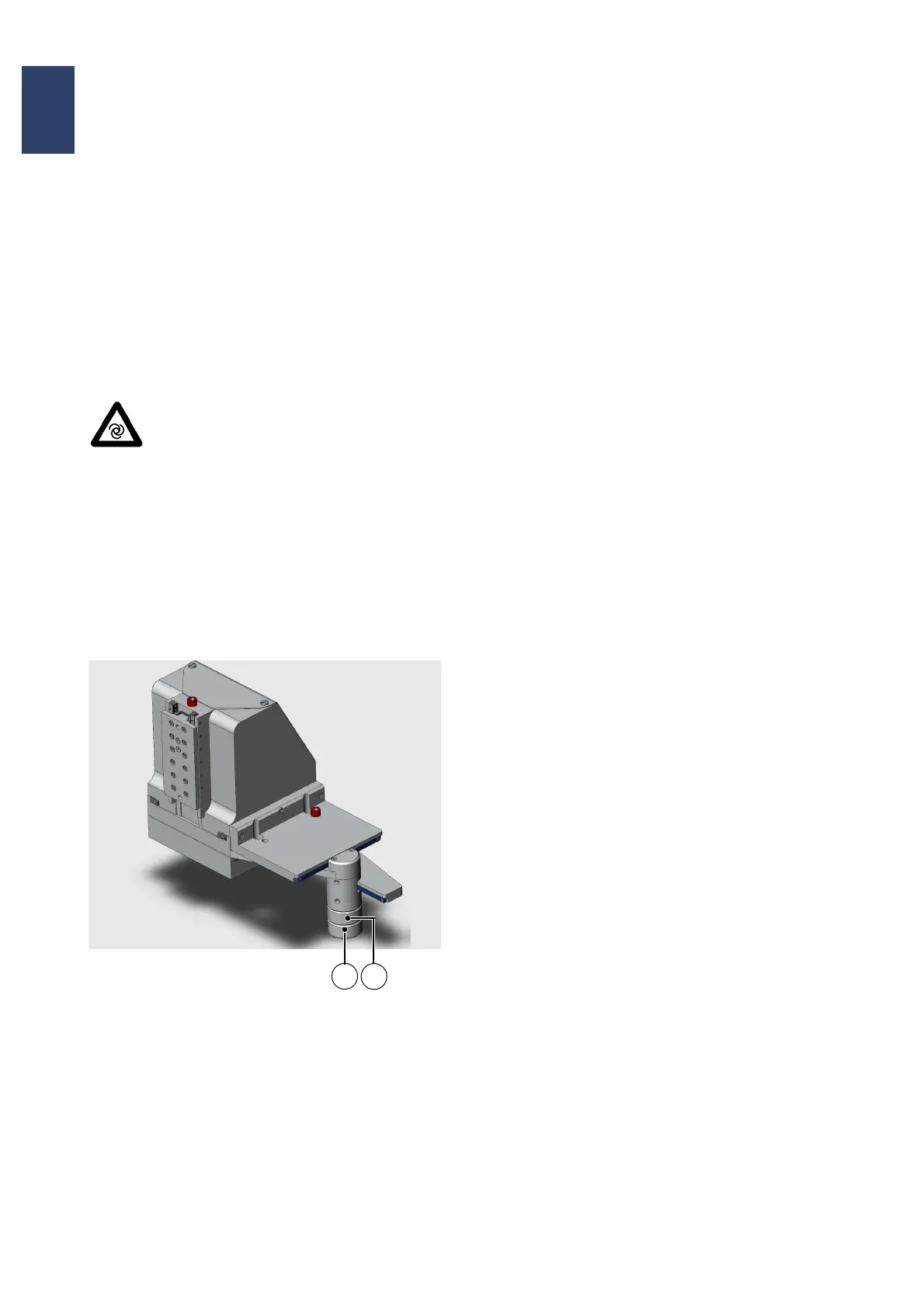
The microscope manipulator is moved in the X- and
Y-directions using the split knurled knob on the right
side of the manipulator.
The upper knob moves the microscope in the X-
direction. The travel path is ±40 mm.
The lower knob moves the microscope in the Y
direction. Here the travel path is +30 mm/-50 mm.
Attention!
Before exposure and during mask load-
ing and unloading, the microscope
moves up by 20mm and the exposure
unit moves approx. 150 mm toward the
operator.
Caution!
The machine warns by a beep prior to
microscope movements in upward or
forward direction. When the beep
sounds, back off from the microscope
immediately.
TSA Microscope Manipulator
1 Movement in the Y direction
2 Movement in the X direction
3.2.4. TSA Microscope
3.2.4.1. M500 Microscope
The Brightness is regulated with the left controller
under the main power switch.
TSA Beam Splitter
This slide to the right of the microscope selects the
lens image for the eyepiece, the monitor or both.
TSA Z Motion
These large knobs are located above the
microscope on both sides.
Fine focusing takes place with very little torque up to
one revolution. Further rotation with increased
torque activates coarse focusing.
TSA Illumination Aperture
The aperture diaphragm is used to set lens
illumination separately.
4x Lens Revolver
Lenses can be changed by turning the thumb wheel
by 90°.
3.2.4.2. M604 Microscope
Before using the microscope, the microscope
illumination must be switched on using the
corresponding button on the touch panel.
Brightness is regulated by the controllers under the
main power switch.
TSA Beam Splitter
This slide to the right of the microscope selects the
lens image for the eyepiece, the monitor or both.
TSA Z-Motion
These large knobs are located behind the
microscope body on both sides. Fine focusing takes
place with very little torque up to one revolution.
Further rotation with increased torque activates
coarse focusing.
TSA Theta Motion
The small knob on the front upper right side rotates
the microscope around the Z-axis.
1
2



 To Next Page