OPERATION OF THE MJB4
28 MJB4 - Operation Rev07 05-10
3
3.4.5. Loading the Mask
Caution!
If the microscope is in the lower posi-
tion when loading or unloading the
mask, the microscope must be moved
to the upper position by pressing the
“Microscope is down” button. The but
-
ton changes to “Microscope is up” and
displays the actual position of the mi
-
croscope.
Mask Loading Routine
Remove the mask holder by loosening both knurled
screws on the mask holder frame and then place on
a tray upside down. Unload any mask if necessary
and insert the desired mask.
For safety reasons the „Mask vacuum is on“ button
must be pressed for 2 seconds to switch off the
mask vacuum.
The mask can be removed as soon as the button
changes to „Mask vacuum is off“.
Load the Mask
Place the mask on the mask holder against the stop
pins.
The button“ Mask vacuum is off“ is used to switch
on the mask vacuum.
Loading and Clamping the Mask Holder
With the top side facing up, push the mask holder
into the alignment station and then fasten it in the
mask holder frame using the knurled screws.
Attention!
Proper wedge error compensation is
not possible if the mask holder is not
clamped correctly in the alignment sta
-
tion. The exposure result will be insuffi-
cient!
3.4.6. Loading the Substrate
Pulling out the transport slide and loading the
substrate
Pull out the transport slide as far as it is possible.
Insert a suitable substrate chuck with the substrate
resting on the stop pins.
There is a hand valve on the front right side of the
transport slide that switches on the transport
vacuum for the contact and vacuum chuck.
Carefully insert the transport slide until it reaches the
end stop.
3.4.7. Setting the Mask Substrate
Thickness
For newly loaded equipment, the thickness setting at
the alignment station must be checked and reset if
necessary.
To do so, turn the thickness setting on the adjusting
table clockwise until it is at its lowest position. Now
load the new equipment with mask and substrate. In
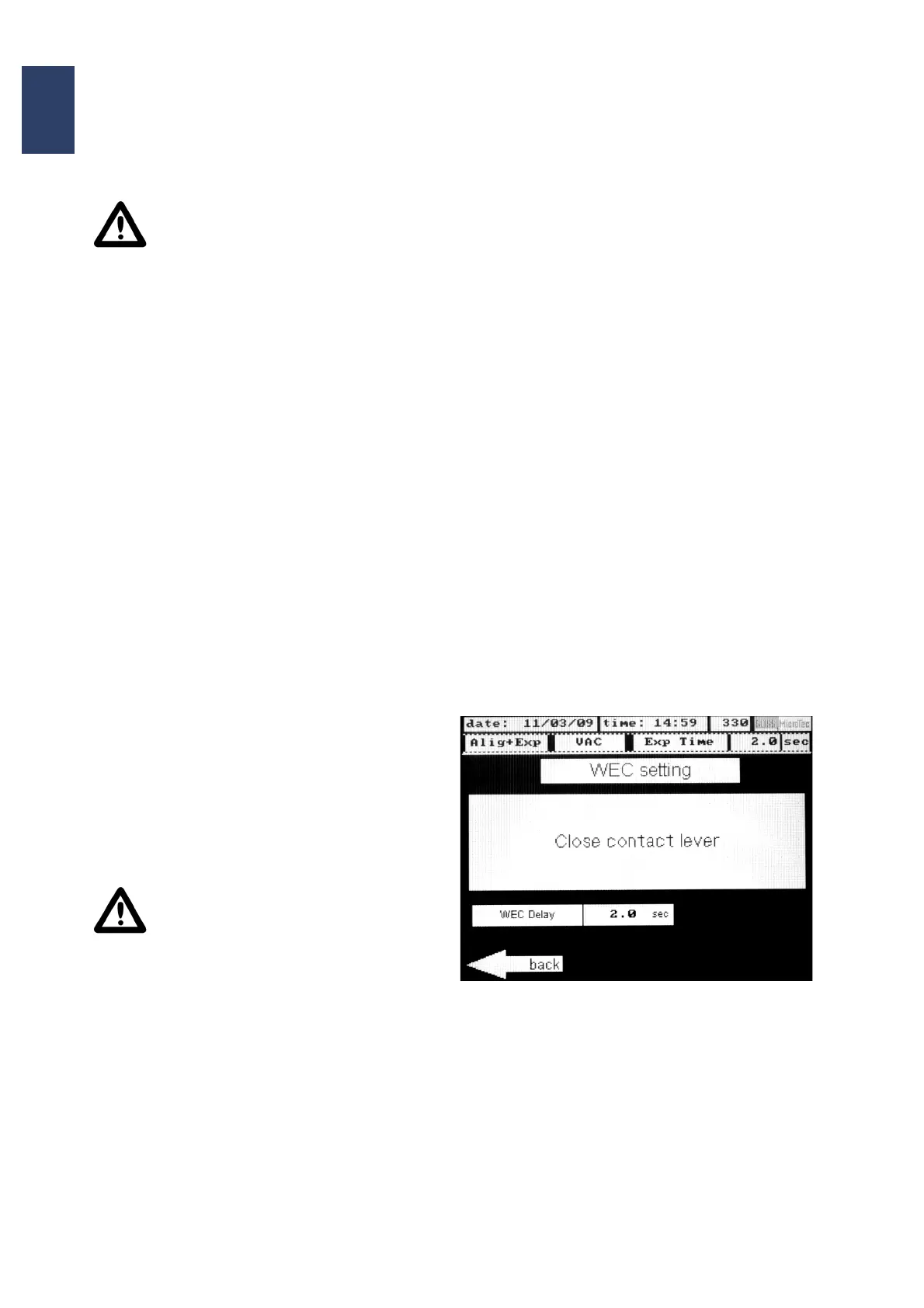
the main menu select WEC settings.
• At the touch screen appears:
„Close contact lever“
Move the substrate towards the mask by pushing
the contact lever forwards. Afterwards turn the
thickness setting upwards (counterclockwise)
until the information „WEC setting OK“ appears
on the display.



 To Next Page