OPERATION OF THE MJB4
26 MJB4 - Operation Rev07 05-10
3
3.4.2. Switching On and Calibrat-
ing the Exposure Lamp
(also refer to the operating manual of the respective
power supply)
Lamp power supply CPC200/CPC350
If the mask aligner is equipped with a CPC200/
CPC350 power supply, the lamp can be switched on
or off directly with the ON/ OFF switch of the mask
aligner. For this purpose the toggle switch of the
CPC200/ CPC350 has to set to „1“.
The lamp can also be switched on and off with the
toggle switch of the CPC if the machine is already
switched ON. (see also user manual CPC200/
CPC350).
Lamp Power Supply CIC1200
If the mask aligner is equipped with a CIC1200
power supply, the lamp can only be switched on
directly at the CIC1200 and only if the mask aligner
is already switched on.
To switch off the lamp either the ON/ OFF switch of
the aligner or the power supply can be used.
The calibration of the CIC1200 is performed
according to the user manual directly at the power
supply (see manual CIC1200).
For both applications a 10 minutes long waiting
period must be kept. Within this period the lamp
must not (and cannot) be ignited.
Warning!
The exposure lamp is switched off au-
tomatically if there is nitrogen loss for
longer than 3 minutes or 5 minutes re
-
sp. depending on the lamp type!
If problems occur with the power supply unit during
ignition of the exposure lamp, shut down the
machine immediately via the EMO at the mask
aligner and inform the service department of SUSS
MicroTec.
SUSS MicroTec assumes no liability for damages
resulting from the improper use of the mask aligner.
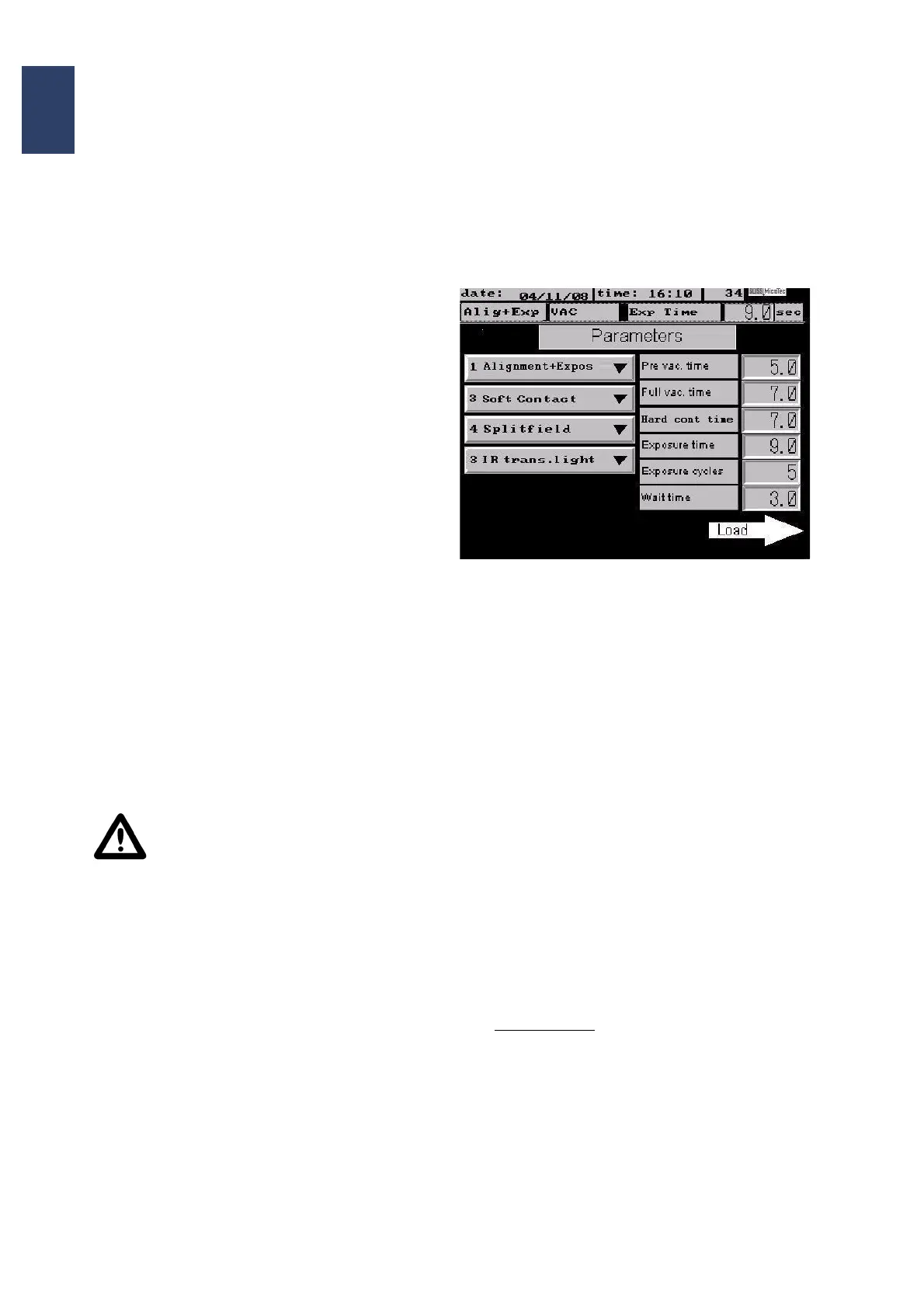
3.4.3. Setting the Parameters
This selection is activated by pressing the Parame-
ters button in the main menu. Depending on the se-
lected exposure program (button 1 and 2) a choice
of different parameters are displayed.
Parameters
Pre-Vacuum Time
Sets the pre-vacuum time for LOW vacuum and
vacuum contact.
Full Vacuum Time
Sets the main vacuum time before exposure for
LOW vacuum and vacuum contact.
Hard Contact Time
This function is used to set the time for nitrogen
pressure under the substrate before exposure.
Exposure Time
Pressing this button opens a key board which al-
lows you to enter the desired exposure time.
Confirm your entry with the ENTER button. The
display automatically switches back to the Pa
-
rameters menu and adds the value that you just
set.
Exposure Cycles
If more than one exposure cycle is entered, the
pause time between the individual cycles can be
changed. Press Wait time on the display to do
so.
Pressing the arrow key Load adds the set
parameters.



 To Next Page