OPERATION OF THE MJB4
MJB4 - Operation Rev07 05-10 19
3
Fine Setting of Lens Focus
Separate fine focusing of the M604 microscope is
only possible using the controllers to the left and
right of the microscope body.
Lens X Separation Button
The left/right lens can be moved separately in the X-
direction using the left/right controller.
TSA Illumination Aperture Diaphragm
The left and right aperture diaphragms are used for
the separate setting of the left and right lens
illumination.
TSA Splitfield Switch
This switch on the front of the microscope selects
the left and/or right lens images as the source for the
eyepiece and the monitor.
3.2.4.3. TSA Splitfield Switch for IR Use
The splitfield switch for IR use of an M604
microscope is set within the display in the
Parameter menu. The settings can be done as
follows:
– right frame
– left frame
– splitfield
3.2.5. Microscope Illumination
TSA/IR Illumination Switch
The illumination for the TSA microscope or IR use
can be switched using the “Incident light“ or
“Infrared transmitted light” button on the touch
panel within the Parameter menu. The light is
supplied via a fiber optic cable.
TSA/IR Microscope Illumination
Depending on which illumination type is selected,
the TSA or IR illumination can be set using the left/
right ILLUMINATION potentiometers on the left front
plate.
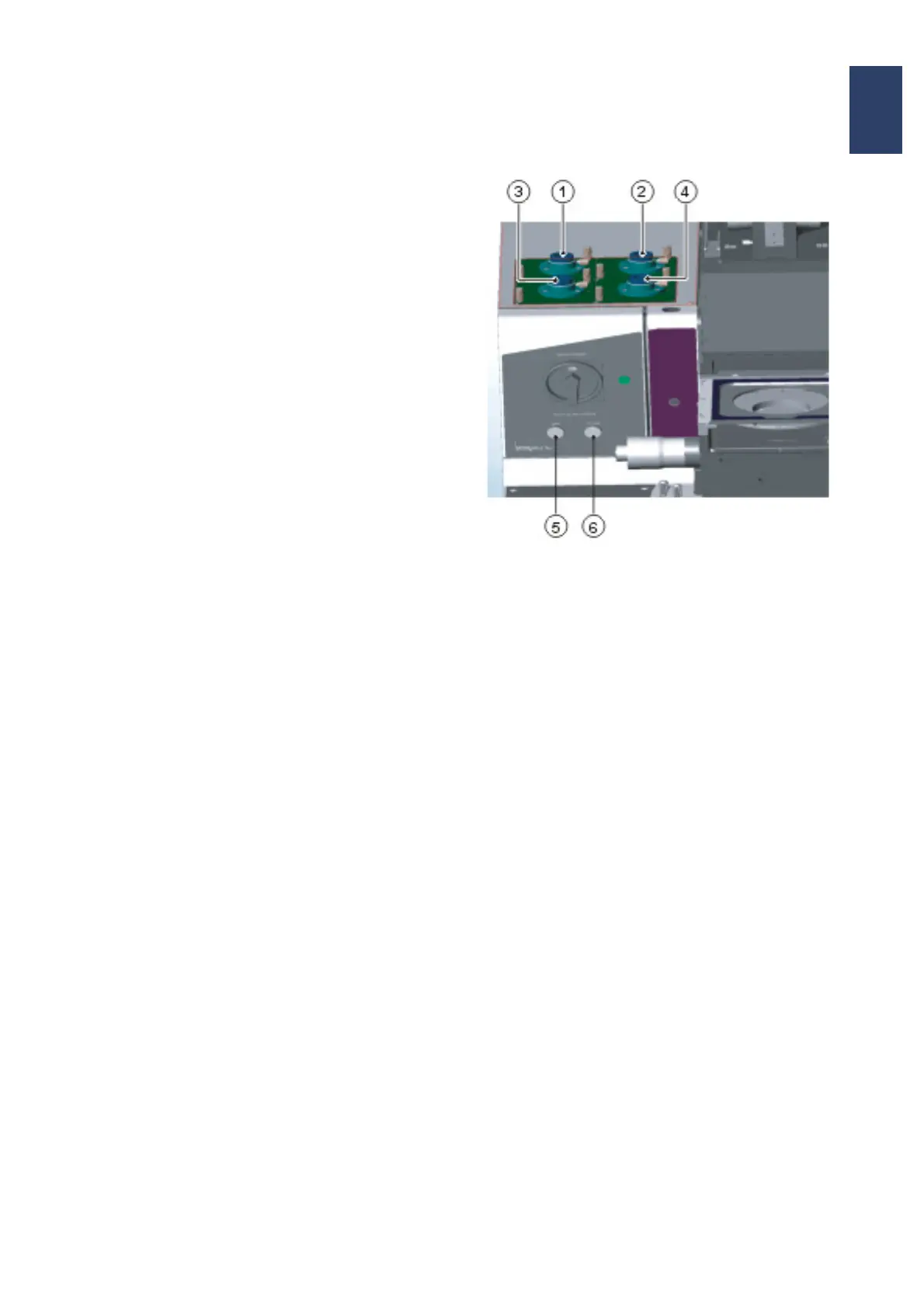
Microscope Illumination
1 Illumination fixture 1
2 Illumination fixture 2
3 Illumination fixture 3
4 Illumination fixture 4
5 Left illumination controller
6 Right illumination controller
Illumination Assignment
– Illumination 1:
M500 single-field microscope
– Illumination 1 + 2:
M604 split-field microscope
– Illumination 3 + 4:
are for using IR incident light and IR transmitted
light



 To Next Page