OPERATION OF THE MJB4
22 MJB4 - Operation Rev07 05-10
3
3.3. Main Screens and Menu
Navigation
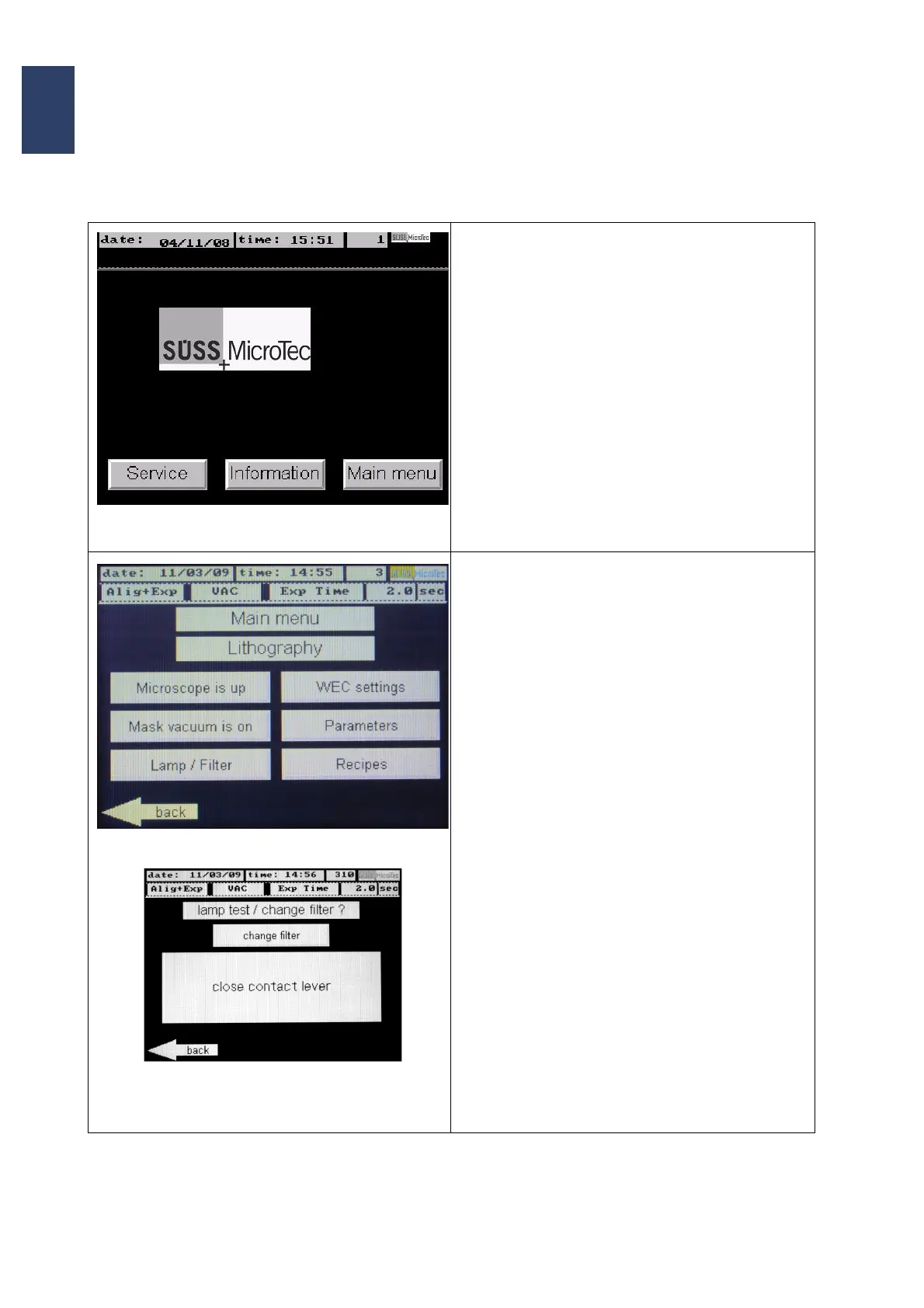
Screen Page: Start
• The start screen appears after switch-on and
initialisation of the machine
• The button Service provides access to the ser-
vice programs (only for well trained service per-
sonnel and after input of a 5-digit number)
• Pushing the button Information gives access to
4 different information pages. Following infor
-
mations are available:
• Serial numbers
• Software versions
• Machine configurations
• Time settings
• The button Main menu leads to the main
screen page of the user interface.
Screen Page: Main menu - Lithography
• The buttons Microscope is up/ down and
Mask vacuum is on/off each show the actual
state of the machine. Pushing the button each
activates the opposite state.
• Pressing the button Lamp/ Filter opens a sub-
window. The toggle switch lamp test/ change
filter? gives access to
• Lamp Test: the mirror house moves forward
and the shutter is opened. Now the intensity
and uniformity within the exposure area can
be checked.
• Filter Change: the mirror house moves for-
ward, shutter keeps closed. Free access to
change the filter within the optics tube.
Contact lever must be closed to use the options.
• Using the button WEC settings provides ac-
cess to the screen WEC setting. After pushing
the contact lever the retraction depth of the
wedge error compensation head can be adjust
-
ed.
• The button Parameters opens the parameter
screen. Depending on the selected exposure
program different parameters can be pro
-
grammed.
• The button Recipes gives access to the recipe
editor. Here new recipes can be stored or exist
-
ing recipes can be selected and deleted.



 To Next Page